If you enable the Secure Sockets Layer (SSL)/Transport Layer Security (TLS) feature and correctly configure the required certificate for your website, Edge Security Acceleration (ESA) automatically turns on the HTTP/2 and HTTP/3 (QUIC) switches to allow you to use the HTTP/2 and HTTP/3 protocols.
What are HTTP/2 and HTTP/3
HTTP/2
HTTP/2, originally named HTTP/2.0, is the first new version of HTTP since HTTP/1.1. HTTP/2 supports binary framing, multiplexing, and header compression. This protocol improves web performance and reduces network latency.
HTTP/3 (QUIC)
Quick UDP Internet Connections (QUIC) is a transport layer protocol that provides the same level of security as TLS/SSL. QUIC ensures lower connection and transmission latency. QUIC is developed based on UDP and has an excellent performance when network connections are weak. When packet loss and network latency issues are severe, QUIC can still ensure service availability. QUIC can implement different congestion control algorithms for applications, regardless of the operating system or kernel that is used. Compared with TCP, QUIC supports flexible changes based on business requirements. QUIC is a suitable alternative when TCP optimization encounters bottlenecks.
Before you start
The maximum number of concurrent connections for HTTP/2 in ESA is 128. If you need more concurrent connections, you can disable the HTTP/2 feature and use the HTTP/1.1 or HTTP/3 (QUIC) protocol instead.
ESA supports both IETF QUIC and Google QUIC. The supported Google QUIC versions are Q39, Q43, and Q46.
IETF QUIC is a standard Internet protocol.
IETF QUIC is compatible with Google QUIC versions Q39, Q43, and Q46. We strongly recommend that you use IETF QUIC.
Procedure
In the ESA console, choose Websites. In the Website column, click the target site.
In the left navigation pane on the left, choose .
On the Speed and Network page, click the Speed Optimization tab. Enable HTTP/2, HTTP/2 to Origin, or HTTP/3 (QUIC).
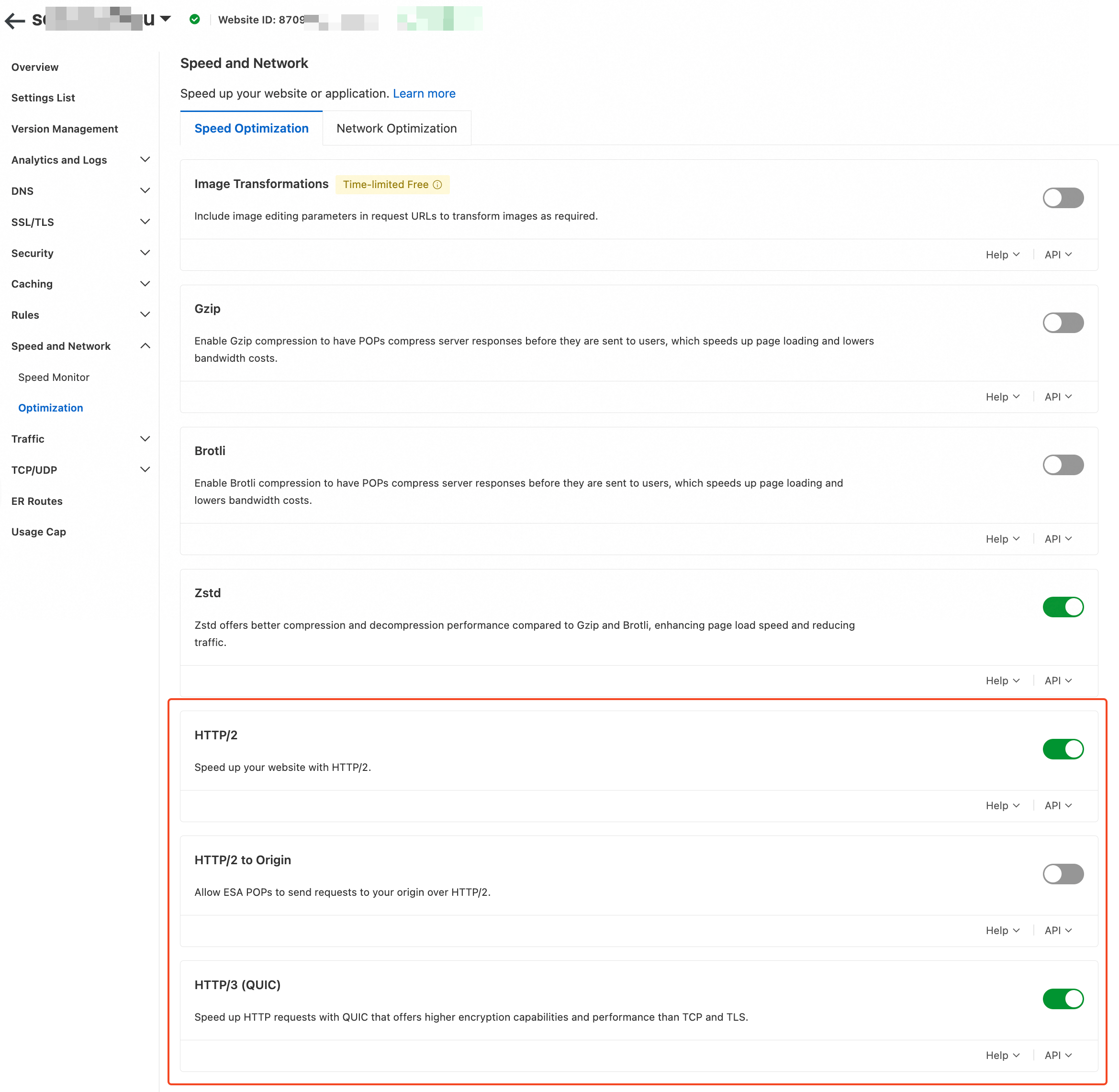
HTTP/2: Based on HTTPS, HTTP/2 uses multiplexing and header compression to improve website performance and resource loading speed. HTTP/2 is also highly compatible.
NoteThe configuration takes effect on all domain names of the website. If you want to enable the HTTP/2 to Origin feature for only a specific domain name, add a rule for that domain name.
HTTP/3 (QUIC): QUIC is developed based on UDP and is the core of HTTP/3. HTTP/3 (QUIC) can offer faster connection establishment and more stable data transmission in unstable network environments or mobile environments.