During a stress test or in the stress testing report, the actual request timeout period may not match the value configured in Advanced Settings. This happens because the timeout is also configurable at the individual HTTP node level.
If a timeout value is set in the Basic Request Information section of an HTTP node, that node-level value takes effect and overrides the Advanced Settings timeout.
Resolve the timeout conflict
Open the HTTP node and check the timeout value in the Basic Request Information section.
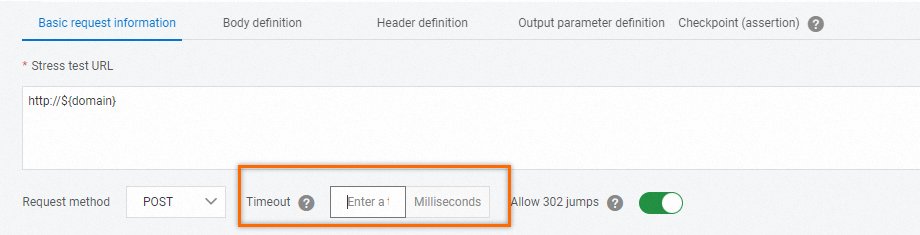
Decide which timeout value to keep:
To use the node-level timeout, update the value in Basic Request Information to match your requirements.
To use the global timeout, clear the timeout field in Basic Request Information so that only the Advanced Settings value applies.
For more information about node-level timeout configuration, see Basic request information.