PAI ArtLab is a comprehensive cloud-based AI design platform powered by Platform for AI (PAI). It integrates open-source AI-generated content (AIGC) models and enterprise-grade infrastructure to deliver a complete AI design solution. The platform provides mainstream cloud-based tools for image and video generation and model training, including Stable Diffusion, ComfyUI, and Kohya. It supports the entire AI design lifecycle—from dataset annotation and model training to workflow orchestration, application deployment, and content generation. ArtLab also offers unified access management, AI art education resources, and end-to-end toolchain optimization.
Log on to the PAI ArtLab console.
Background information
As AI-generated content (AIGC) models continue to advance rapidly, developers across industries need accessible tools that reduce technical barriers to content creation. However, effectively applying these models typically requires substantial AI expertise and programming proficiency, resulting in steep learning curves and high deployment costs. ArtLab abstracts away the underlying technical complexity and delivers an intuitive, user-friendly console interface. This enables you to leverage AI capabilities for automated design workflows without writing code.
Video introduction
Features
Toolbox
The Toolbox enables one-click, code-free deployment of industry-standard tools including Stable Diffusion WebUI, Kohya, and ComfyUI. You can execute cloud-based generation tasks spanning text-to-image, image-to-image, and animated image and video creation. The toolbox also supports installing diverse model plug-ins, constructing custom workflows, and training proprietary models to address highly specialized AI art requirements.
The Toolbox includes the following popular tools:
-
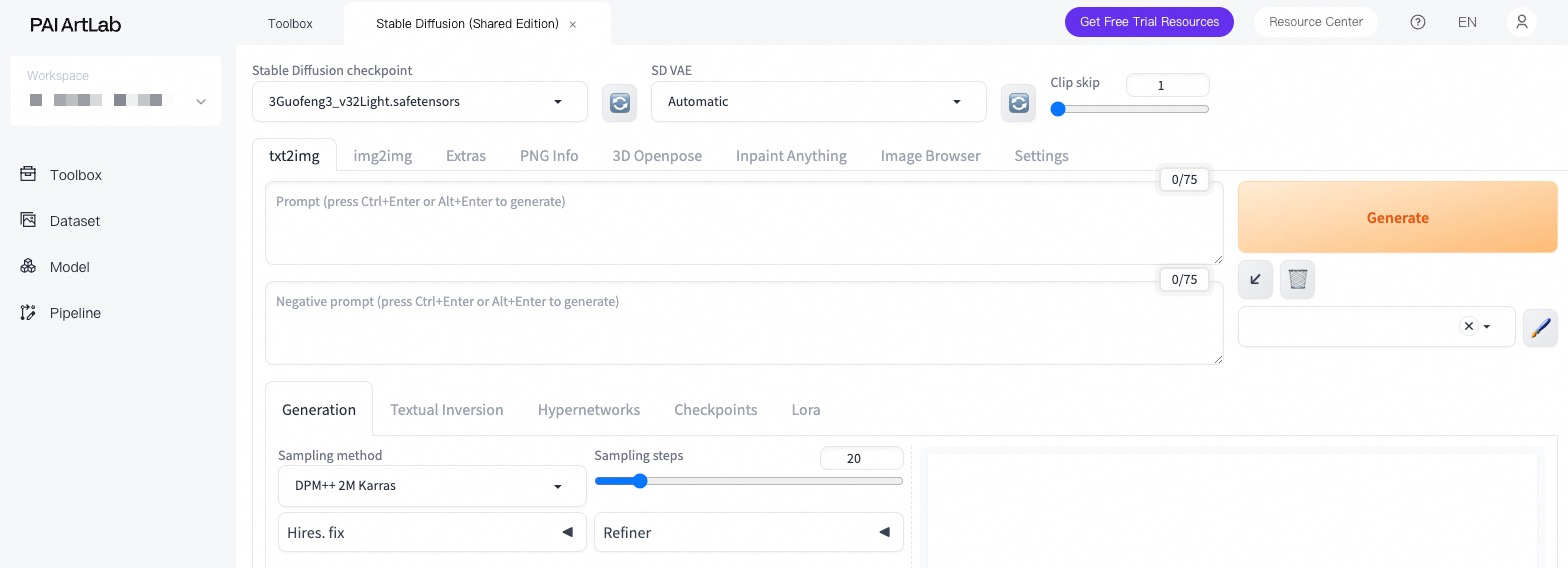
Stable Diffusion WebUI: Supports text-to-image generation, image-to-image transformation, and animated image creation.
-
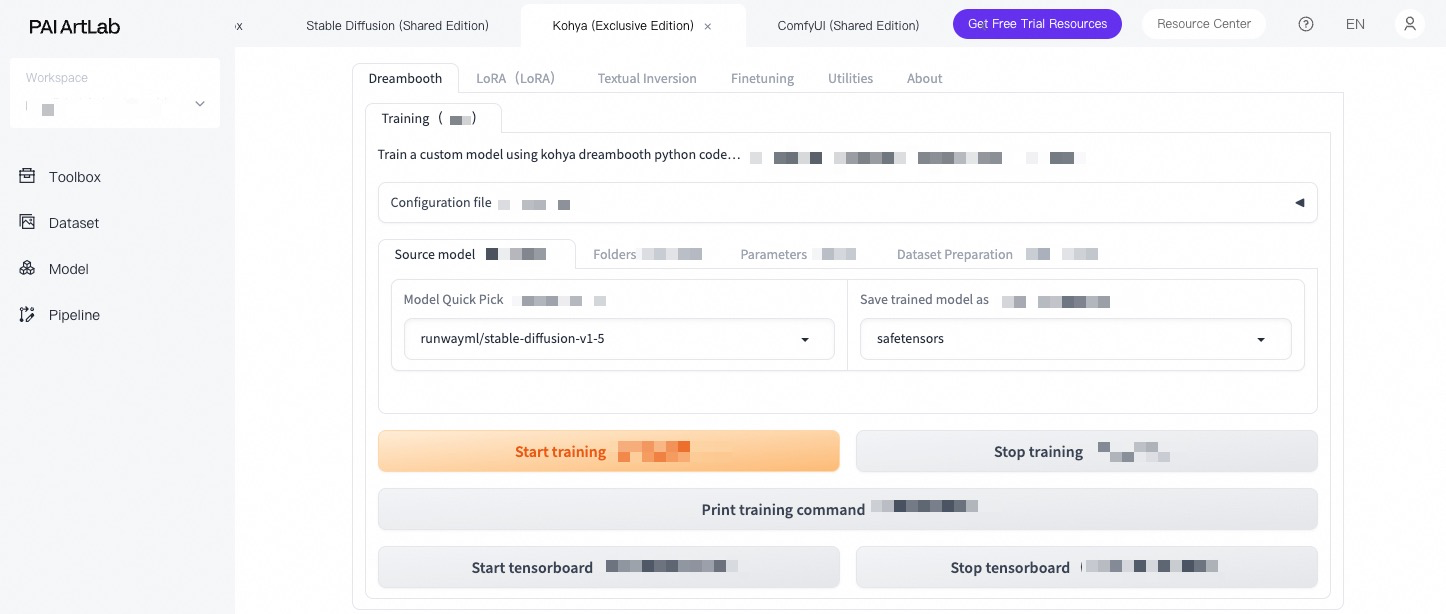
Kohya: Provides intelligent batch processing for dataset image annotation and fine-tuned model training workflows.
-
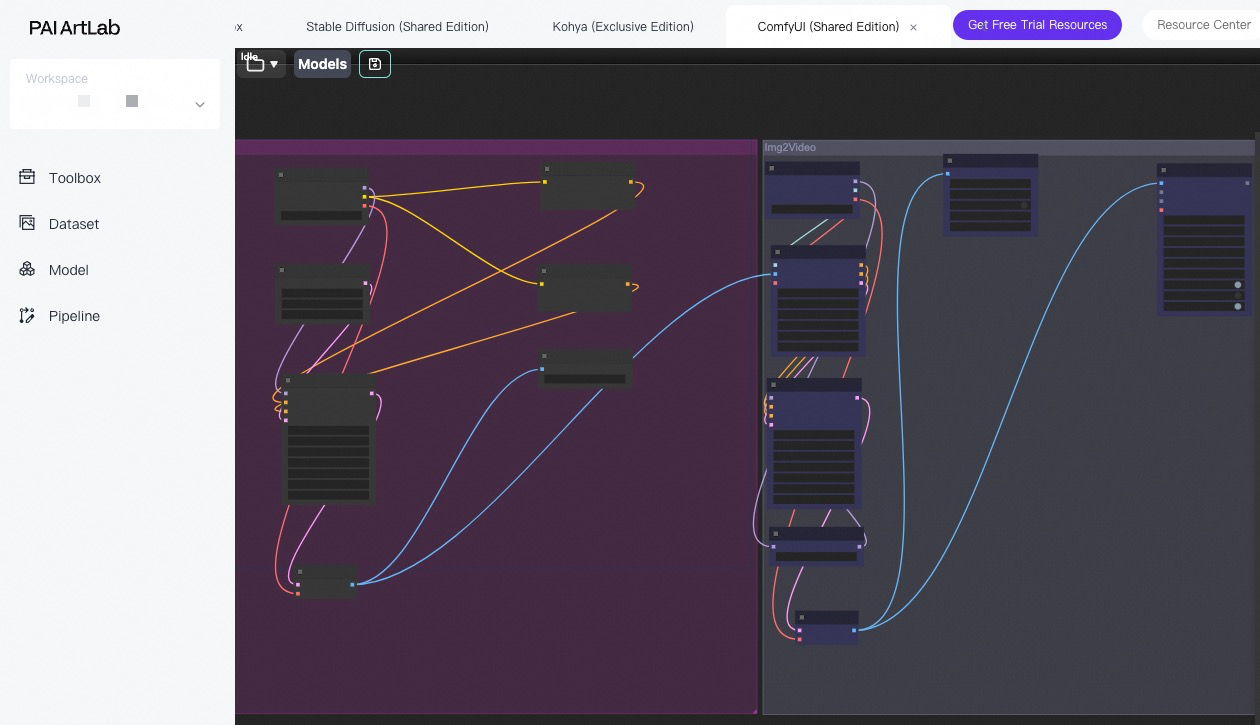
ComfyUI: Enables construction of node-based, visual generation workflows.
Datasets
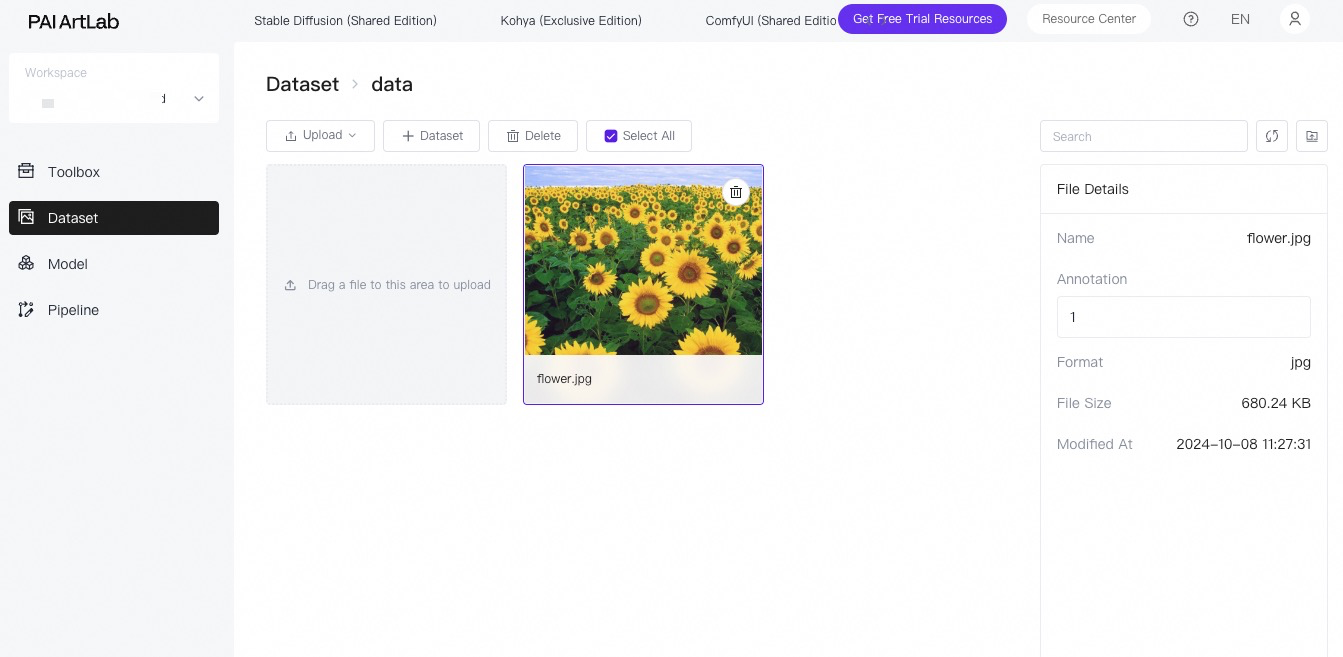
You can upload and manage image files within cloud-based datasets. The Kohya tool performs intelligent, automated batch annotation on uploaded dataset images. You can also manually refine and fine-tune annotations in the Datasets module to prepare training data for industry-specific models.
Models
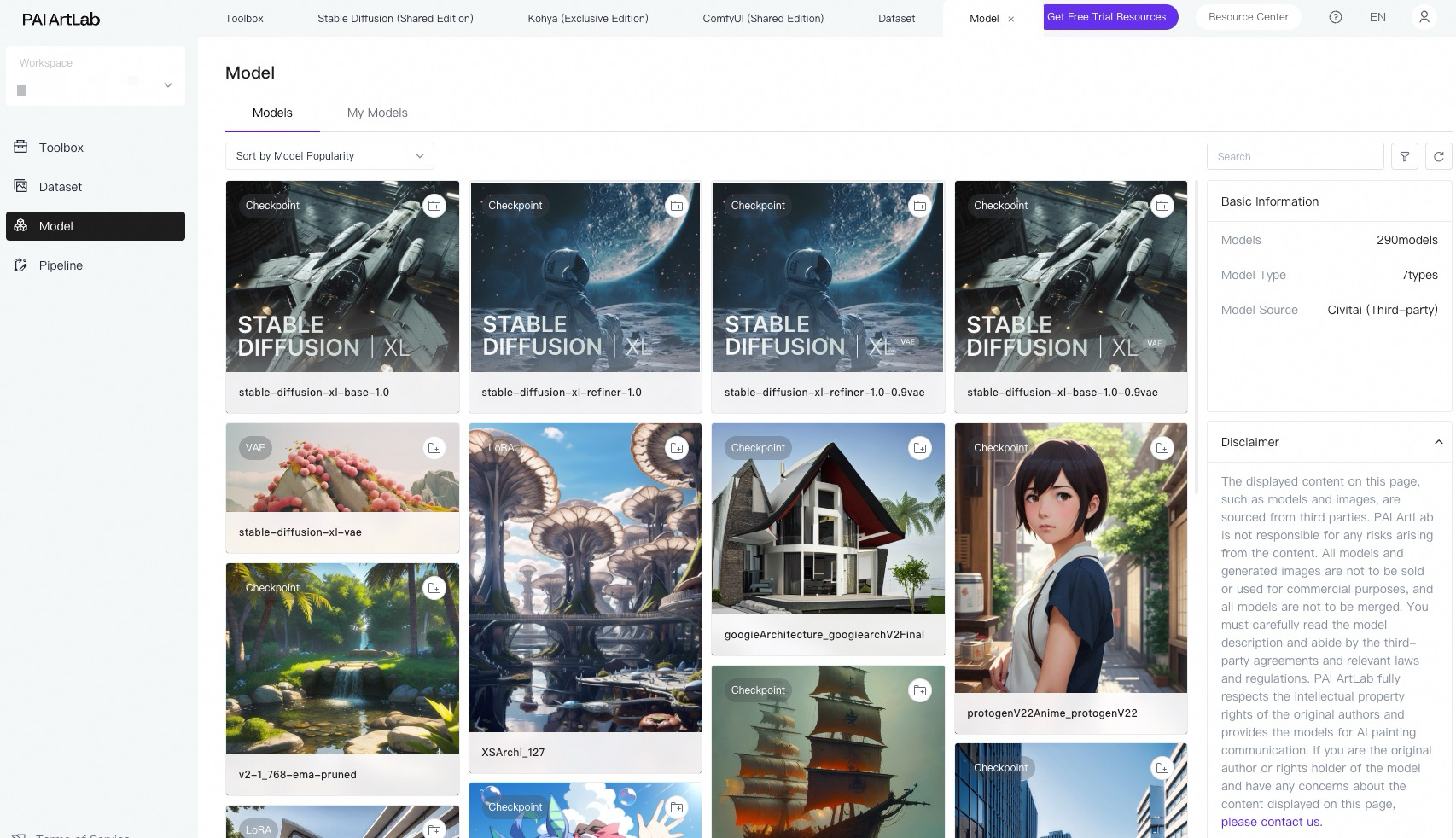
The PAI ArtLab Model Marketplace offers over 400 high-quality, fine-tuned models with authorized open-source licenses. You can add models to My Models with one click, select models for image generation, and upload custom local models. All models in the Model Marketplace and My Models modules integrate seamlessly with popular tools for streamlined image generation.
Workflows
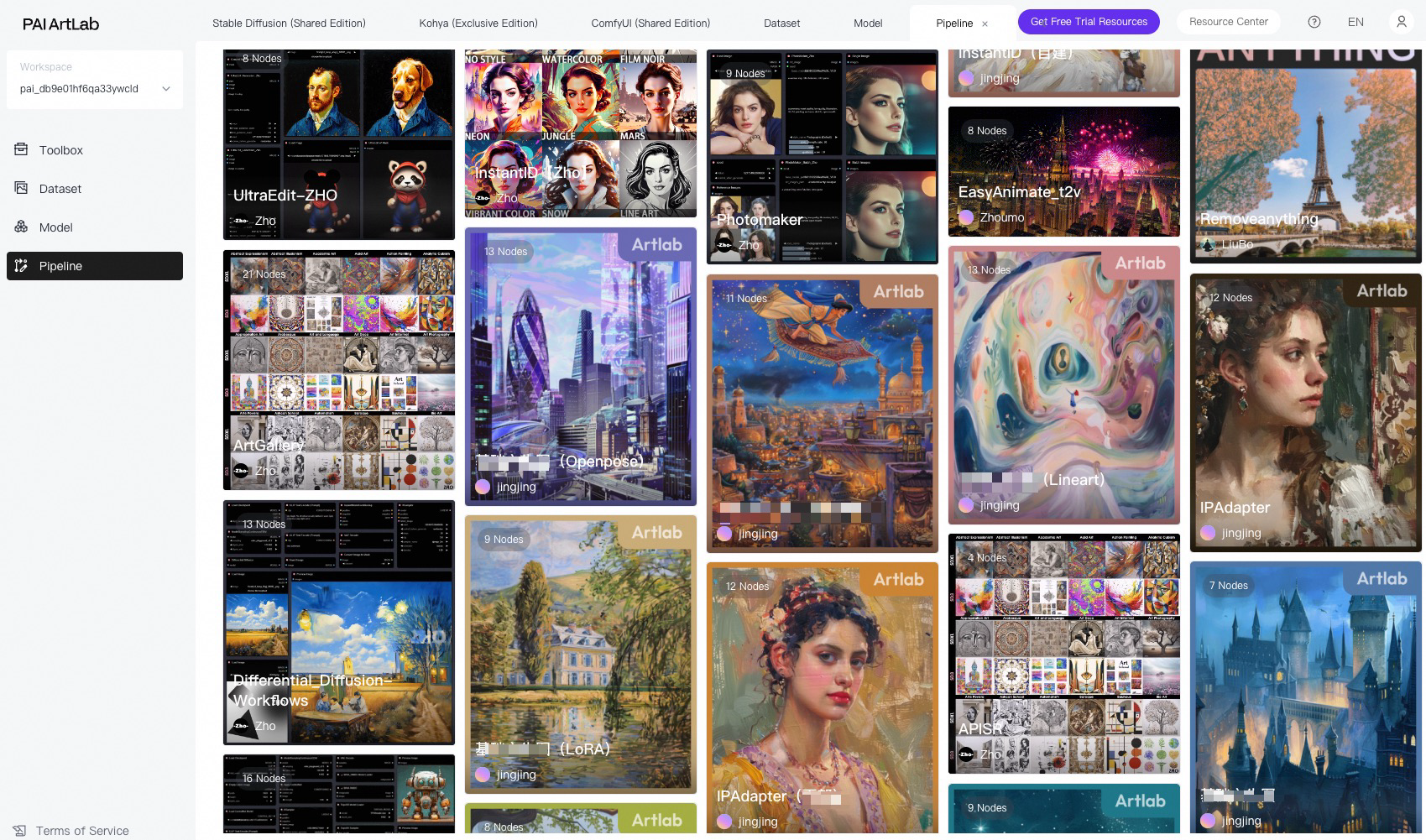
The Workflow Marketplace provides over 30 industry-specific and custom pre-built workflows. You can execute these workflows with one click to generate images and videos effortlessly.
Applications
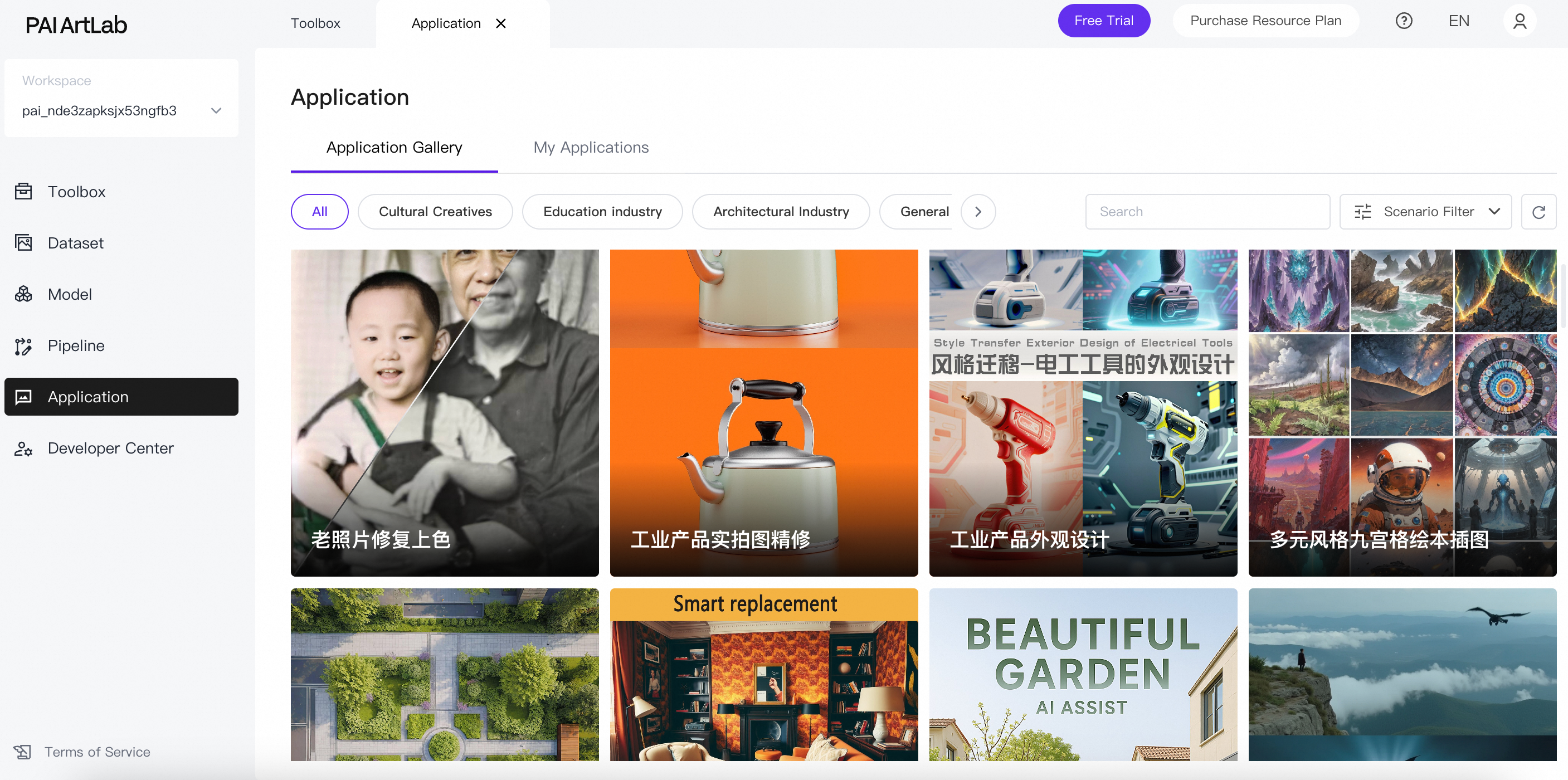
ArtLab provides ready-to-use, low-barrier AIGC applications including high-definition image upscaling, product poster generation, image variation creation, and video synthesis.
Developer Center
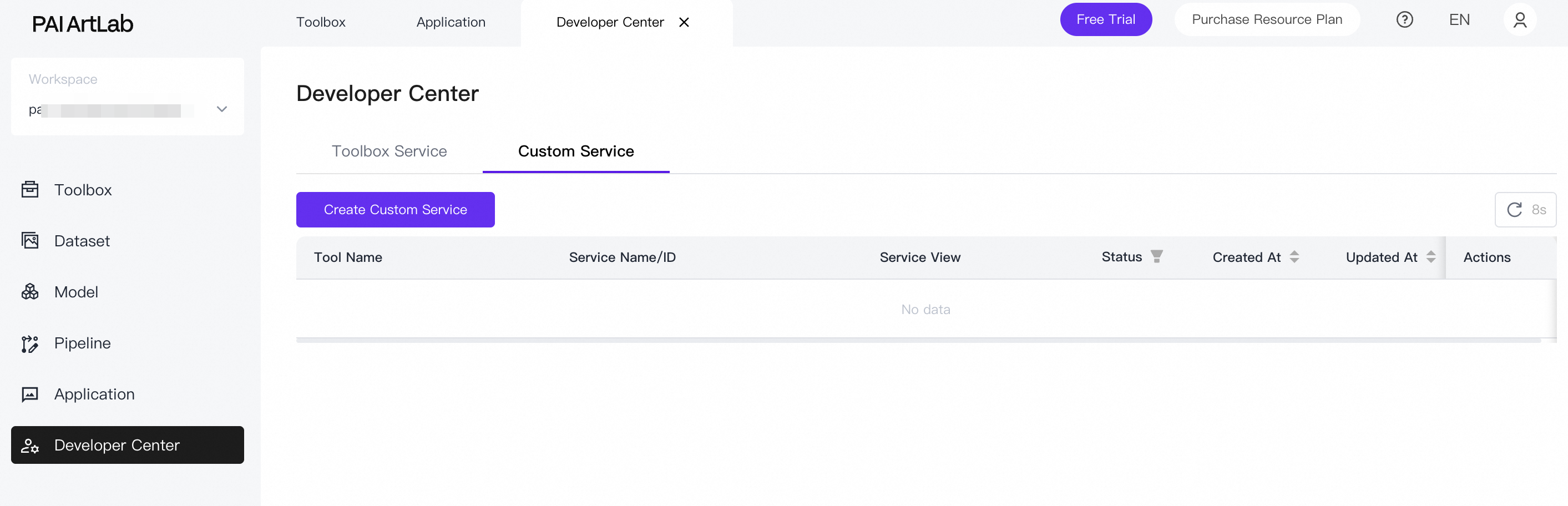
The Developer Center equips enterprise developers with comprehensive services spanning the complete development lifecycle. Core capabilities include AIGC tool service management, dedicated resource provisioning, API debugging and integration, and a full-featured service monitoring system. This empowers enterprises to achieve efficient and secure AI application development and operational management.
You can start, stop, and delete Toolbox services.
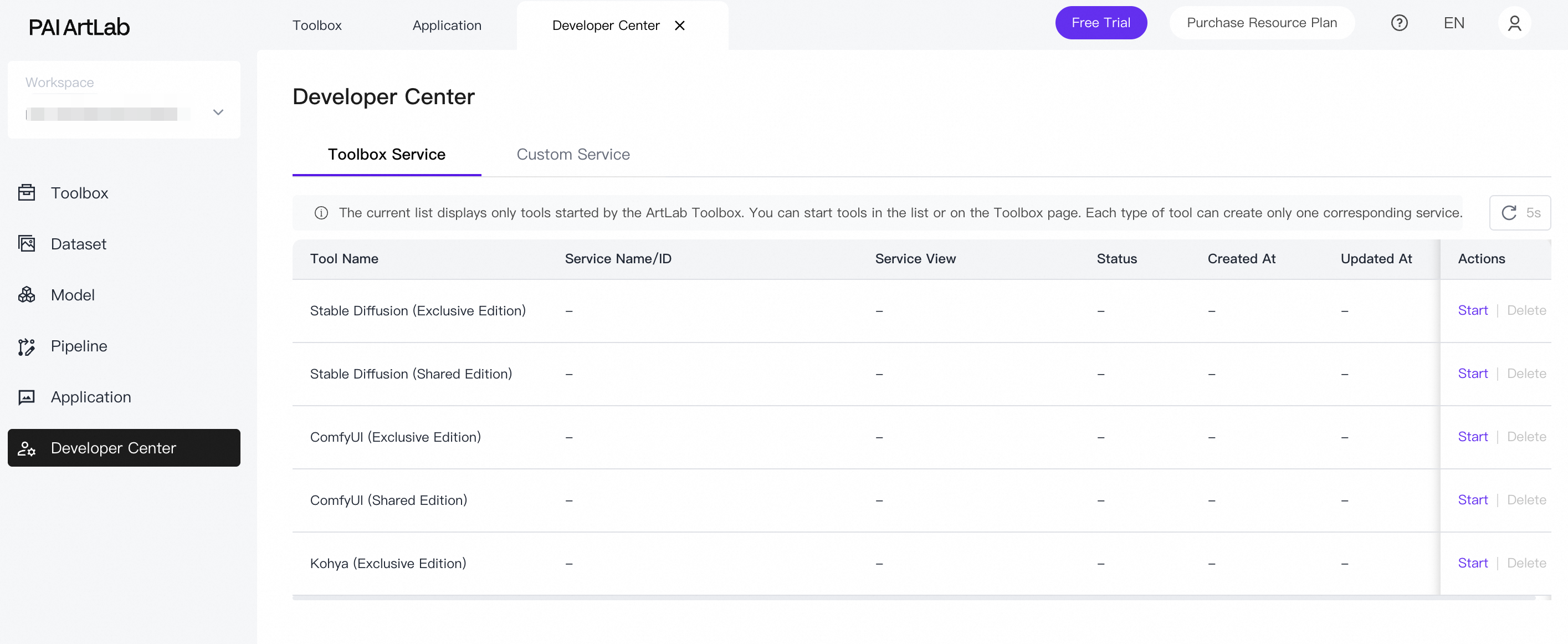
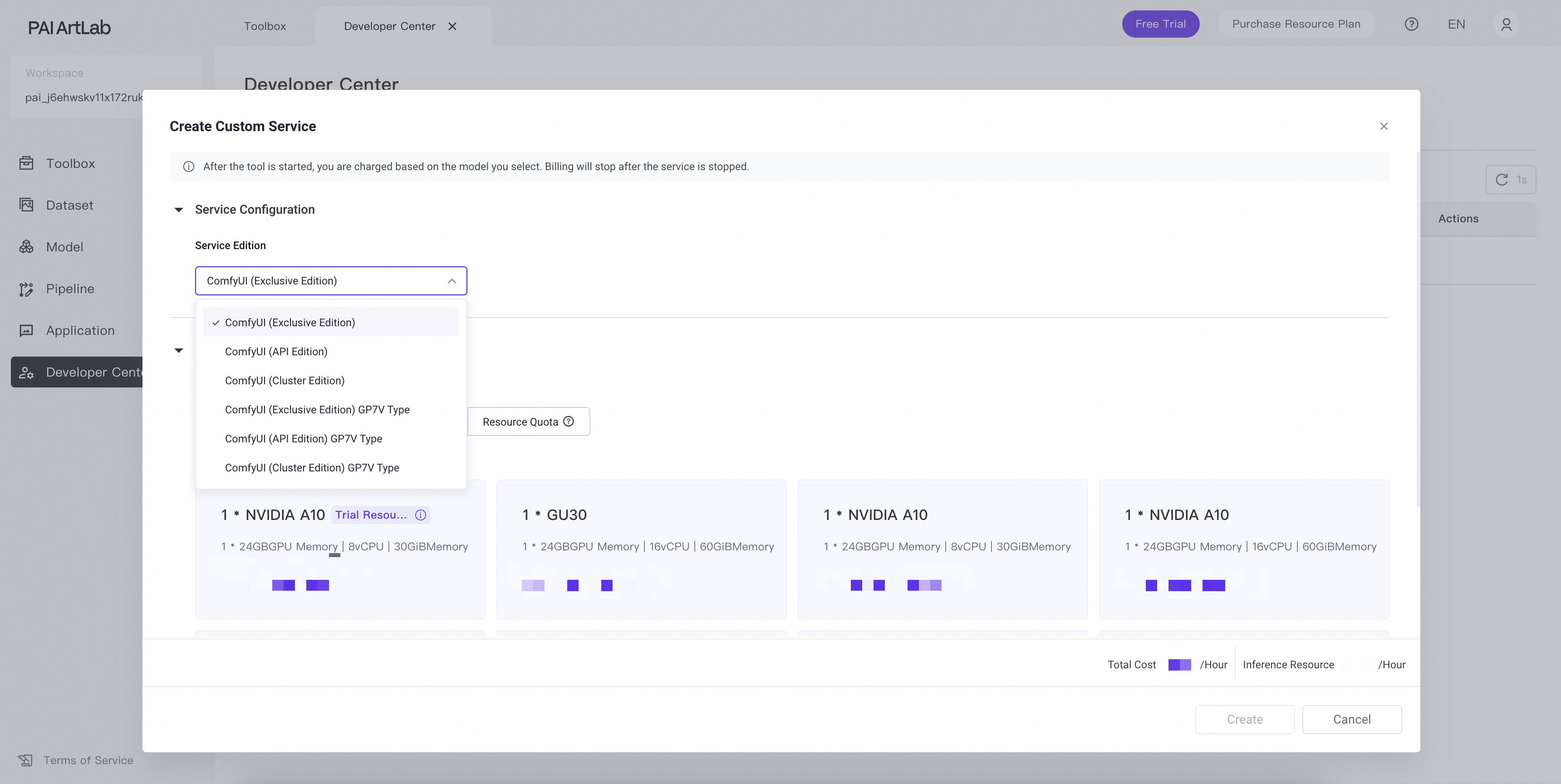
You can create custom Exclusive and API edition services, select from public resource groups or PAI-EAS resource groups, and configure asynchronous service capabilities.
Terms
-
Workspace
A workspace corresponds to a project and provides isolation for work assets and resources. When you activate ArtLab, a default workspace is created automatically. You can also manually create additional workspaces. Workspaces have the following characteristics:
-
Workspaces are region-specific. For example, workspaces available in the China (Shanghai) region differ from those in the China (Hangzhou) region.
-
Assets remain isolated between workspaces. For example, Workspace A and Workspace B maintain separate content in Datasets and My Models.
-
-
Region
A region represents a cluster of data centers within a specific geographic location. Storage and computing resources operate independently across regions.
If resource constraints in your current region cause slow tool startup times, hover over the
 icon in the upper-right corner of the ArtLab interface to switch regions. Based on resource availability, we recommend prioritizing the China (Shanghai) region.Note
Before switching regions, stop all services in the current region to avoid incurring unnecessary charges.
-
Bucket
ArtLab uses Alibaba Cloud Object Storage Service (OSS) as its storage backend. When you activate ArtLab, the system automatically provisions a default OSS bucket to store your data. All ArtLab data—including datasets, transferred and uploaded models, and generated images and videos—is persisted in this bucket.
In the upper-right corner of the ArtLab interface, hover over the
icon and click the Storage link. This redirects you to the OSS console where you can view files in your current bucket. You can also use the OSS console to upload models, nodes, and other required resources. -
Service
A service is a long-running process deployed with model files and online inference code. In the Developer Center module, you can create, stop, start, delete, and monitor invocation metrics for model services. Each web-accessible tool corresponds to an underlying managed service.
-
Shared and Exclusive editions
The Shared edition offers faster startup times and lower resource consumption compared to the Exclusive edition. While it has limitations on certain model plug-in features, it satisfies basic AI art requirements. We recommend using the Shared edition during free trial periods or when operating under resource constraints. The Exclusive edition has longer startup times and higher resource consumption but provides comprehensive model plug-in capabilities. We recommend using the Exclusive edition for highly customized art requirements.
Difference
Shared edition
Exclusive edition
Resource difference
Shared compute resources across multiple users.
Dedicated compute resources for exclusive use.
Billing difference
No charge for tool startup. You are billed only for actual GPU time consumed during image generation tasks.
For example, if you start a tool, initiate generation on the tool's WebUI, and an image renders in 10 seconds, you are charged for 10 seconds of GPU usage.
Billing begins immediately after successful tool launch and continues until the tool is stopped. You are billed hourly based on the instance type selected at startup.
For example, billing starts when the tool's WebUI becomes accessible. If the tool remains active for 20 minutes, you are billed for 20 minutes regardless of actual usage. Closing the browser tab terminates the tool and stops billing.
Difference in custom installation of models and node plug-ins
Does not support custom plug-in installation. Only essential pre-installed plug-ins are available, including text-to-image, image-to-image, and ControlNet.
Supports custom installation of models, nodes, and plug-ins. For more information, see Upload a local model to the PAI ArtLab platform.
Difference in generation task queuing
Queuing may occur during peak hours.
No queuing.
ArtLab Advantages
-
Unified platform: An all-in-one AI design platform delivering end-to-end capabilities spanning dataset management, data annotation, model curation, model training, and AI content generation.
-
Low barrier to entry: Ready-to-use solution requiring no self-hosted deployment. Enables code-free automation of AI design workflows.
-
Extensive model and plug-in ecosystem: Features a comprehensive Model Marketplace integrating diverse model types including Checkpoint and LoRA models, complemented by a wide selection of mainstream Stable Diffusion plug-ins.
-
Elastic cloud computing: Leverages high-performance, scalable compute resources from Alibaba Cloud. Supports hybrid cluster scheduling and pay-as-you-go auto-scaling to minimize generation queuing times while ensuring optimal stability and user experience.
Dependent cloud products
PAI ArtLab integrates with the following Alibaba Cloud services:
-
Object Storage Service (OSS): Provides storage, preview, and download capabilities for assets including models, images, videos, and text files.
-
Elastic Algorithm Service (PAI-EAS): Delivers cloud-based GPU infrastructure for online model inference workloads.
Contact us
If you have questions while using PAI ArtLab, join our DingTalk support group by searching for group ID 84175001108.