Before creating a Deep Learning Containers (DLC) training job, prepare the following components: computing resources, a container image, a dataset, and a code build. PAI supports datasets stored in File Storage NAS (NAS), Cloud Parallel File Storage (CPFS), or Object Storage Service (OSS), and code builds stored in Git repositories.
Prerequisites
If you use OSS for storage, grant DLC the required permissions to access OSS. Otherwise, I/O errors may occur when accessing OSS data. For details, see Cloud product dependencies and authorization: DLC.
Limitations
OSS is a distributed object storage service that does not support certain file system operations. For example, you cannot append data to or overwrite existing objects in an OSS bucket after mounting.
Step 1: Prepare computing resources
Select computing resources for AI training based on your requirements:
-
Public resources
After you grant the required permissions, the system automatically creates a public resource group. Select public resources on the Create Job page in your workspace.
-
General computing resources
Create a dedicated resource group, purchase general computing resources, and allocate them through resource quotas associated with your workspace. For details, see General computing resource quotas.
-
Lingjun resources
For high-performance AI training, prepare Lingjun resources, create resource quotas, and associate them with your workspace. For details, see Create resource quotas.
Step 2: Prepare a container image
Select a container image for the training environment:
-
Official PAI images
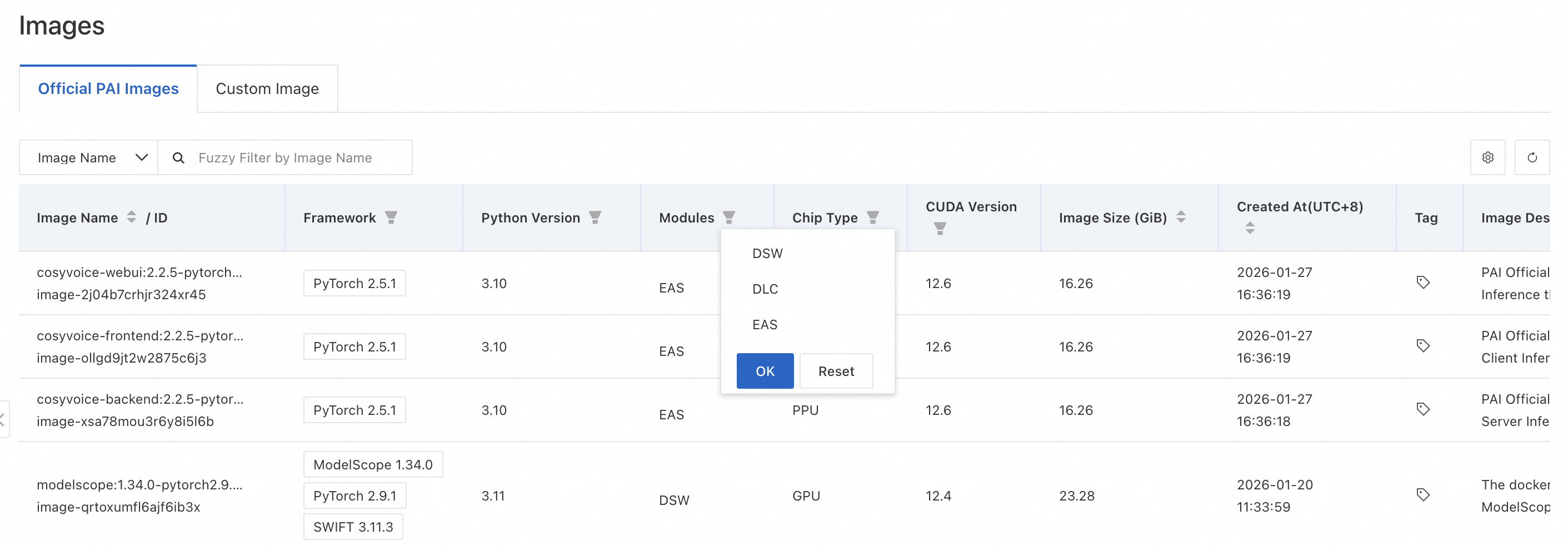
PAI provides official images based on different frameworks, optimized for Alibaba Cloud services. To view available images, choose AI Asset Management > Images in the left-side navigation pane. On the Image: page, click Alibaba Cloud Images and select DLC from the Modules drop-down list.
-
Custom images
For training jobs that require custom environments or dependencies, add a custom image to PAI. Choose , click the Custom Image tab, and click Register Image. For details, see Custom images.
ImportantTo use Lingjun resources with custom images, see RDMA: High-performance networks for distributed training.
-
Image address
Specify the image address of a custom or official image when submitting a training job. View image addresses at AI Asset Management > Images.
Step 3: Prepare a dataset
Upload your training data to OSS, NAS, or CPFS, and then create a dataset. Alternatively, you can mount data directly from OSS or public datasets.
Supported dataset types
The supported dataset types are OSS, General-purpose NAS, Extreme NAS, CPFS, and AI Computing CPFS. You can enable the dataset acceleration feature for all types except AI Computing CPFS to improve data read efficiency for distributed training jobs.
Create a dataset
For details, see Create and manage datasets. Note the following points:
-
OSS limitations: OSS does not support certain file system operations. For example, you cannot append data to or overwrite existing files after mounting. For details, see Limitations.
-
CPFS VPC requirement: If you create a CPFS dataset, configure the training job to use the same VPC as the CPFS file system. Otherwise, the job cannot run and may remain in the Preparing environment state.
Enable dataset acceleration
Enable dataset acceleration to improve data read efficiency for training jobs. For details, see Use Dataset Accelerator.
Step 4: Prepare a code build
Create a code build to store your training code. Choose , and click Create Code Build. For details, see Code configuration.
What to do next
After you complete the preparations, create a training job. For details, see Submit a training job.