This topic describes how to use the external table feature of MaxCompute to migrate data from Snappy-compressed files in Object Storage Service (OSS) to MaxCompute. The data in the files is delimited by commas (,).
Prerequisites
You have activated MaxCompute and created a project. For more information, see Create a MaxCompute project.
You have activated Object Storage Service (OSS) and created a bucket. A Snappy-compressed data file is in the bucket. For more information about how to activate OSS and create a bucket, see Create buckets.
The sample file is in an OSS bucket in the Singapore region. The file path is
mfosscostfee-intl/demo/.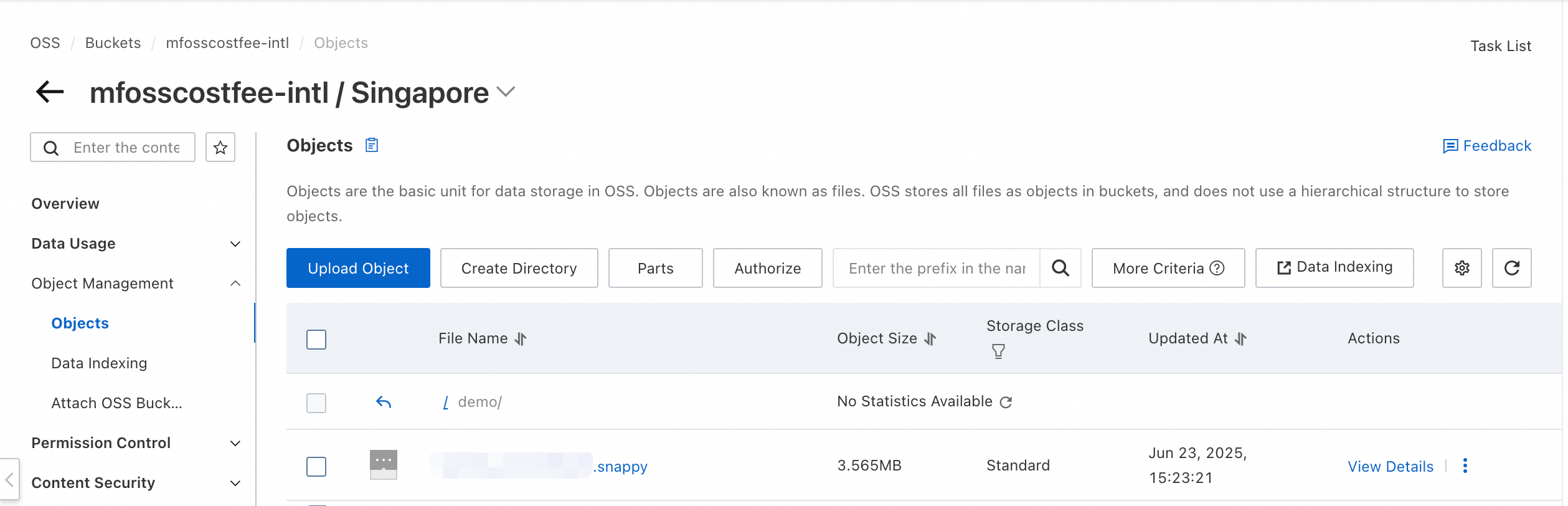 Use your actual file information.
Migrate compressed data from OSS to MaxCompute
Log on to MaxCompute and connect to a developer tool.
You can create OSS external tables in MaxCompute using one of the following developer tools.
Creation method
Platform
Create an OSS external table using MaxCompute SQL
Create an OSS external table using the UI
Create an OSS external table.
The following is a sample command. For more information about the syntax for creating an external table, see Create an OSS external table.
-- Create an external table.
create external table if not exists mc_oss_ext_snap_split
(
str1 string,
str2 string,
str3 string,
str4 string,
str5 string,
str6 string,
str7 string,
str8 string,
str9 string,
str10 string,
str11 string,
str12 string,
str13 string,
str14 string,
str15 string,
str16 string,
str17 string,
str18 string
)
ROW FORMAT SERDE 'org.apache.hadoop.hive.serde2.lazy.LazySimpleSerDe'
WITH SERDEPROPERTIES ('field.delim'=',') -- The Snappy content is delimited by commas (,).
STORED AS TEXTFILE
location 'oss://oss-cn-beijing-internal.aliyuncs.com/mfosscostfee/demo7/'
;
Read data from the external table and write it to a MaxCompute internal table.
The following are sample commands.
-- Create an internal table.
create table if not exists mc_oss_snap_split
(
str1 string,
str2 string,
str3 string,
str4 string,
str5 string,
str6 string,
str7 string,
str8 string,
str9 string,
str10 string,
str11 string,
str12 string,
str13 string,
str14 string,
str15 string,
str16 string,
str17 string,
str18 string
);
-- Read data from the external table and write it to the internal table.
insert into table mc_oss_snap_split select * from mc_oss_ext_snap_split limit 10;
Query data in the internal table.
Run the following command to query data in the internal table.
select str2, str3 from mc_oss_snap_split;The following result is returned.
+------------+------------+
| str2       | str3       |
+------------+------------+
| 113.221620 | 23.398279  |
| 113.288735 | 23.157167  |
| 113.040365 | 23.681102  |
| 113.910224 | 22.757139  |
| 119.086087 | 33.583632  |
| 113.363475 | 23.141354  |
| 113.328440 | 23.130362  |
| 113.249651 | 23.205976  |
| 113.258325 | 23.159060  |
| 117.463688 | 38.836611  |
+------------+------------+
The result shows that the compressed data has been migrated from OSS to MaxCompute.