The Instance page in the Elastic Compute Service (ECS) console lets you perform batch operations on multiple instances within a region. Select several instances at once and apply a single action -- such as starting, stopping, upgrading configurations, or sending commands -- to all of them.
Instance page vs. OOS
Use the Instance page for quick, interactive batch operations on ECS instances in a single region. For more advanced scenarios, use CloudOps Orchestration Service (OOS).
| Scenario | Recommended tool |
|---|---|
| Batch operations on instances in a single region | Instance page (this topic) |
| Batch operations across Alibaba Cloud accounts or regions | OOS |
| Batch operations on multiple types of cloud resources | OOS |
| Scheduled or event-triggered batch operations | OOS |
| Integration with your business systems | OOS |
Run a batch operation
Go to the Instance page in the ECS console.
Select the instances that you want to manage in the current region.
Click More in the lower-left corner of the Instance page.
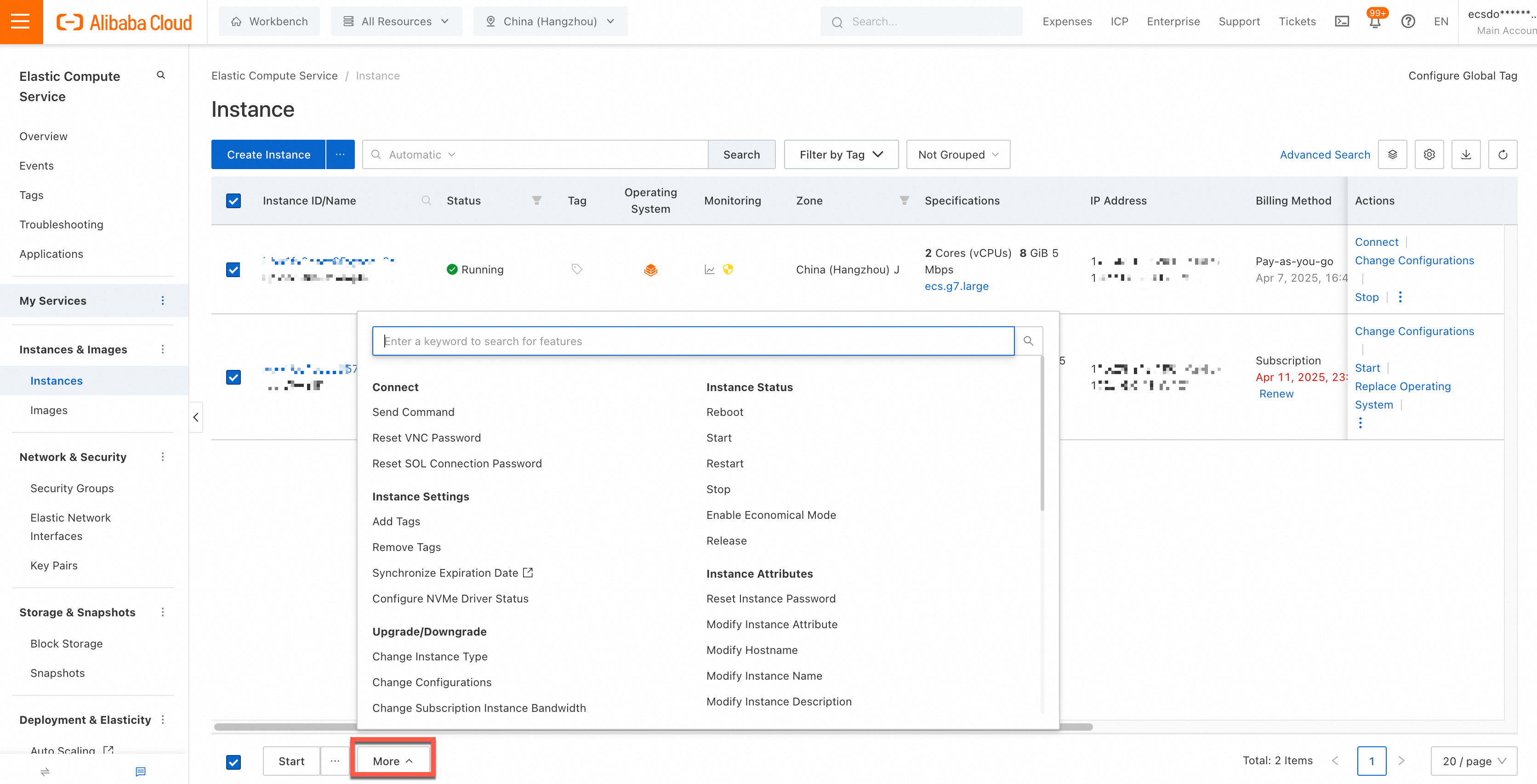
In the pane that appears, select an action. Batch actions are organized into the following categories:
Category Actions (examples) Instance Status Start, restart, stop, or release instances Instance Attributes Modify instance name, description, or hostname; reset password; enable or disable release protection Instance Settings Add or remove tags Upgrade/Downgrade Change instance type or configurations; change bandwidth Network and Security Group Add to, replace, or remove from security groups; change VPC Connect Send commands; reset VNC password Fees Renew; configure auto-renewal; switch billing method Deployment & Elasticity Clone instance; add to scaling group Disk and Image Replace operating system Provide the required information as prompted and confirm to complete the batch operation.