This tutorial describes how to migrate data between Alibaba Cloud Object Storage Service (OSS) buckets across accounts, across regions, or within the same region.
Overview
The Alibaba Cloud Online Migration Service is a data transport service that helps you migrate data to OSS from third-party sources or between OSS buckets.
To use the Online Migration Service, enter the source and destination addresses in the console to create a migration task. Once the task starts, you can manage it, monitor its progress, and view traffic information from the console.
How it works
Migration process
The migration process is shown in the following figure: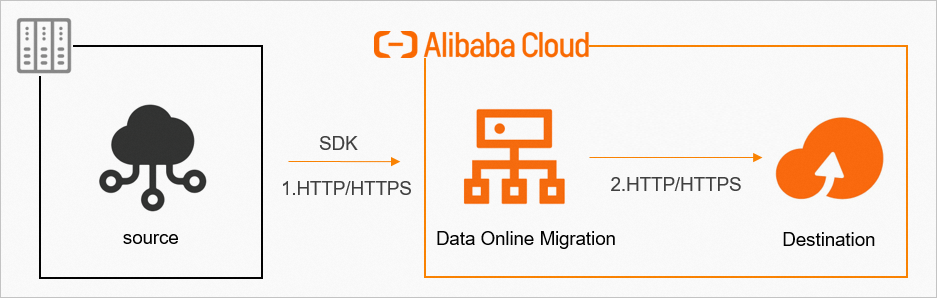
For data security and consistency, we recommend using HTTPS.
After a migration task is complete, you must verify data consistency between the source and destination.
Always verify the destination data after the migration is complete. Deleting source data before verification may result in permanent data loss, for which you are solely responsible.
Workflow for creating a migration task
The workflow for creating a migration task is shown in the following figure: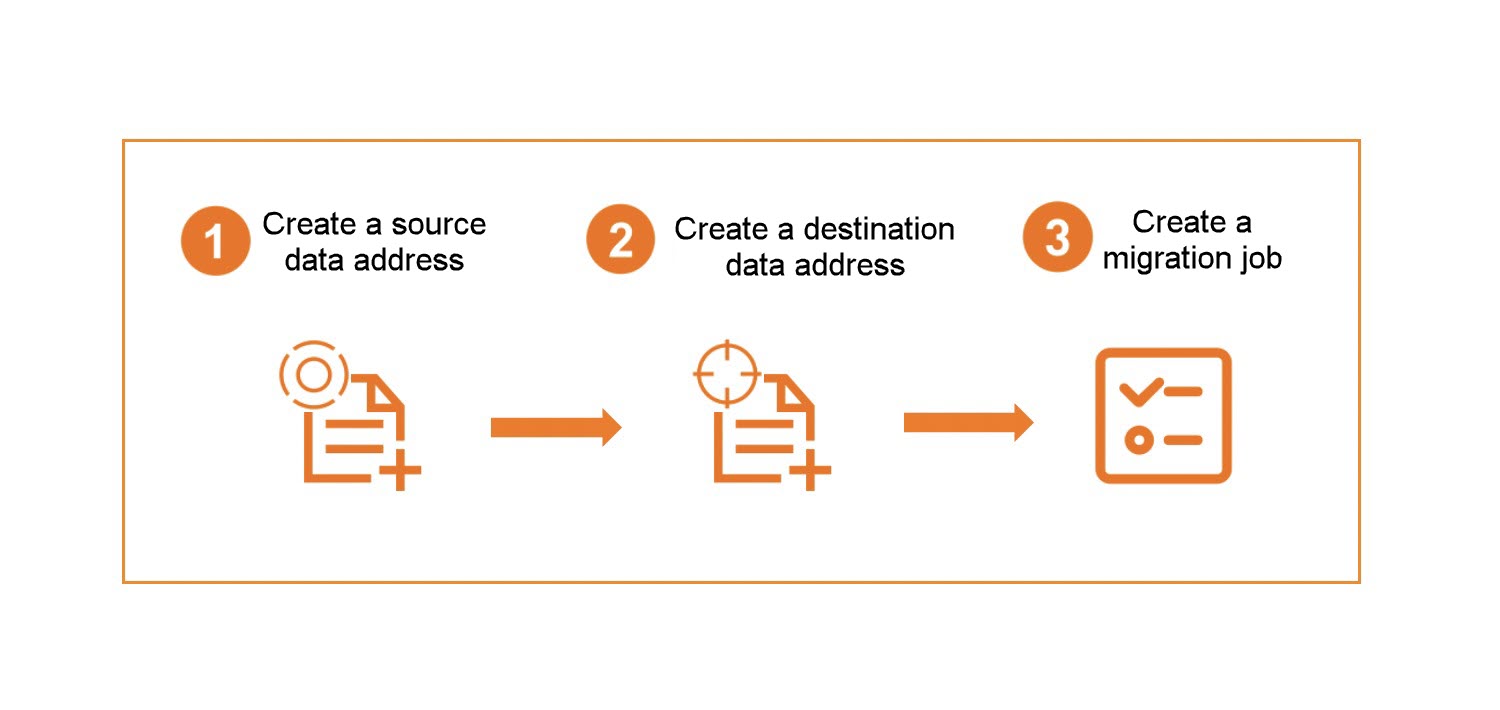
If a data address is in the same region as the console, use the internal endpoint. If you use the internal endpoint for both the source and destination, all data is transferred over the Alibaba Cloud internal network and no traffic fees are incurred.
If a data address is in a different region than the console, you must use the public endpoint. If you use the public endpoint for both the source and destination, all data is transferred over the public network. Outbound traffic fees are incurred at the source, but no inbound fees are charged.
Before migrating data, you must restore any files in the Archive or Cold Archive storage classes. Create the migration task only after the restoration is complete.