If your application uses the ApsaraVideo Player SDK to play videos, you can use the playback quality monitoring service to track playback quality and viewer behavior. This service calculates metrics—such as playback failure rate, time-to-first-frame, and stuttering rate—based on event tracking data reported by the ApsaraVideo Player SDK.
Deprecation notice: To improve the stability and user experience of ApsaraVideo VOD, Alibaba Cloud is retiring the legacy playback quality monitoring feature and has launched a new version. The new feature delivers a comprehensive upgrade. It supports multi-dimensional metrics—including stuttering rate, network latency, and playback success rate—and improves data visualization. These enhancements help you analyze playback quality more precisely. For details, see Playback quality monitoring (new).
Metric description
QoS metrics
Quality of service (QoS) metrics reflect the playback quality of your application.
Metric | Calculation method | Description |
Video Views (Times) | Total number of video views. Counts each invocation of the player SDK for playback. | A view is counted the first time your app calls the |
Actual Playback Quantity (Times) | Actual views = Total views − Total playback failures − Bounces | Bounces rarely occur. You can ignore this metric. |
First Frame Time (Milliseconds) | Time from when a user initiates playback using the ApsaraVideo Player SDK to when the first frame appears. | If playback fails to start, no first frame time is recorded. |
QoE metrics
Quality of experience (QoE) metrics reflect how users watch your videos.
Metric | Calculation method | Description |
Visitors (Users) | Counts unique user identifiers (UUIDs generated by the ApsaraVideo Player SDK). | Total number of users who watched videos during the selected time range. This equals the number of active users who invoked the ApsaraVideo Player SDK. On mobile devices, users are identified by device ID. |
Average Video Views Per Viewer (Times) | Average video views per viewer = Total views ÷ Total visitors | - |
Average Video Length (Seconds) | AVG(video duration) | Average duration of all videos played by users. |
Prerequisites
Before you use playback quality monitoring, complete the following steps:
Use one of these versions of the ApsaraVideo Player SDK: Android or iOS SDK v5.4.9.2 or later, or Web SDK v2.16.0 or later. To download the latest SDK, see Download the player SDK.
Obtain a valid license for the Android, iOS, or Web player SDK. For more information, see Obtain a license.
Make sure the log reporting feature is enabled in the ApsaraVideo Player SDK. By default, this feature is enabled.
Optional: Pass a traceId when you create a player. Later, use single-point tracing to locate a specific user or device, analyze playback behavior, and quickly identify playback issues. For pass-through methods, see Basic features of ApsaraVideo Player SDK for Android, Basic features of ApsaraVideo Player SDK for iOS, and Web player API reference.
Limits
You can query playback data only for the last three days. A single query cannot span multiple days.
Procedure
Log on to the ApsaraVideo VOD console.
In the navigation pane on the left, choose Data Center > Playback Quality Monitoring to open the playback quality monitoring page.
View metrics across dimensions.
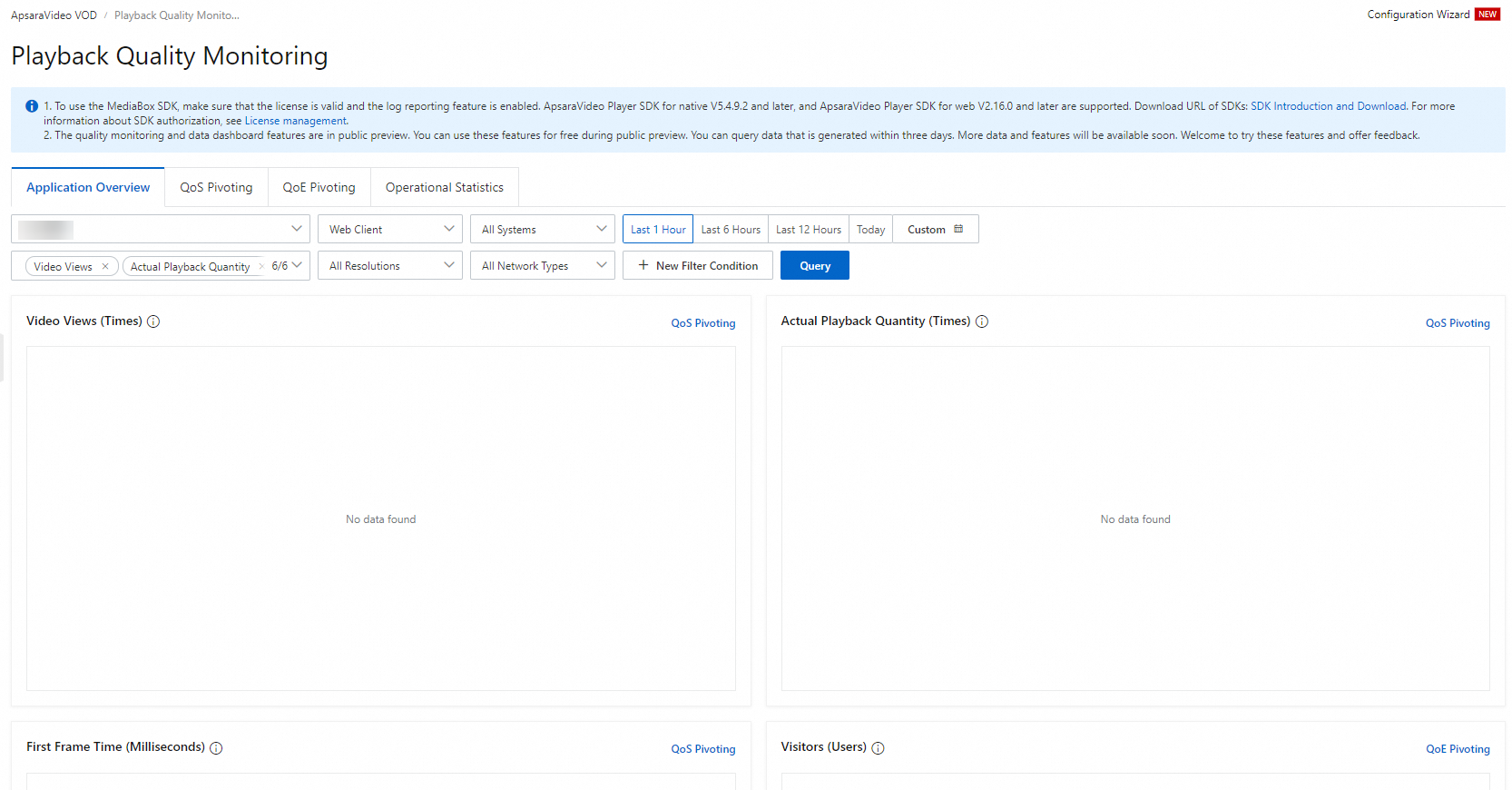
You can filter data by the following dimensions:
You can filter query data by dimensions such as device type, system type, resolution, and network type.
Custom time ranges from the last hour up to the last three days.
Click New Filter Condition to add filters for SDK version, video format, hardware decoding, ISP, domain name, and province. Save frequently used filters for quick reuse. The following table describes each filter condition.
Condition Content
Description
SDK Version
The version number of the ApsaraVideo Player SDK integrated into your application.
Video Format
The codec used by the video file, such as HLS or FLV.
Hardware Decoding
Indicates whether hardware decoding is enabled during video decoding.
Carrier
Filters playback data by ISP.
Domain Name
The domain name of the server hosting the video content.
Country
Filters playback data by country based on user location.
Provinces in China
Narrows playback data to a specific Chinese province.