You can use modules to reuse code in Terraform. For more information about modules, see the Basic syntax topic. This topic describes how to use Terraform modules to create Container Registry namespaces and image repositories. This topic also describes how to create and authorize RAM users to access image repositories.
Background
Alibaba Cloud Container Registry is a secure hosting and efficient distribution platform for cloud-native artifacts that meet Open Container Initiative (OCI) standards, such as container images and Helm charts. Container Registry facilitates image lifecycle management. For more information about Container Registry, see What is Container Registry? When you use DevOps tools to access image repositories in Alibaba Cloud, you must use an authorized Alibaba Cloud account.
Prerequisites
Container Registry is activated. For more information, see Billing rules.
We recommend that you use a RAM user to perform the operations described in this tutorial and grant the AliyunRAMFullAccess and AliyunContainerRegistryFullAccess permissions to the RAM user. For more information, see Create a RAM user and Grant permissions to a RAM user.
The runtime environment for Terraform is prepared by using one of the following methods:
Explorer: Alibaba Cloud provides an online runtime environment for Terraform. You can log on to the environment and use Terraform without needing to install it. Suitable for scenarios where you need to use and debug Terraform in a low-cost, efficient, and convenient manner.
Cloud Shell: Cloud Shell is preinstalled with Terraform and configured with your identity credentials. You can run Terraform commands in Cloud Shell. Suitable for scenarios where you need to use and access Terraform in a low-cost, efficient, and convenient manner.
Install and configure Terraform on your on-premises machine: Suitable for scenarios where network connections are unstable or a custom development environment is needed.
You are charged for specific resources. If you no longer require the resources, you must release or unsubscribe from the resources at the earliest opportunity.
Resources used
alicloud_cr_namespace: a Container Registry namespace.
alicloud_cr_repo: an image repository.
alicloud_ram_access_key: an AccessKey pair of the RAM user.
alicloud_ram_login_profile: the console logon settings for the RAM user.
alicloud_ram_policy: a policy.
alicloud_ram_user: a RAM user.
alicloud_ram_user_policy_attachment: grants permissions to the RAM user.
Procedure
Create a working directory. Then, create a configuration file named main.tf in the directory. Copy the following code to the main.tf configuration file.
provider "alicloud" {}

resource "random_integer" "default" {
  min = 10000
  max = 99999
}

module "cr" {
  source       = "roura356a/cr/alicloud"
  version      = "1.3.1"
  # The name of the namespace.
  namespace    = "cr_repo_namespace_auto-${random_integer.default.result}"
  # The repositories that are created and authorized.
  repositories = ["one", "two", "three"]
  # The logon password of the RAM user. When you use this template, use a strong password.
  password     = "YourPassword@123"
}
Run the following command to initialize the Terraform runtime environment:
terraform initIf the following information is returned, Terraform is initialized.
Terraform has been successfully initialized!

You may now begin working with Terraform. Try running "terraform plan" to see
any changes that are required for your infrastructure. All Terraform commands
should now work.

If you ever set or change modules or backend configuration for Terraform,
rerun this command to reinitialize your working directory. If you forget, other
commands will detect it and remind you to do so if necessary.
Run the following command to execute the code.
terraform applyDuring the code execution, enter
yesas prompted and press the Enter key. Wait until the command is run. If the following information is returned, the code is executed.ImportantAfter the code is executed, a file that stores the AccessKey pair is generated in the current directory. Keep the AccessKey pair confidential.
module.cr.data.alicloud_account.current: Reading...
module.cr.data.alicloud_regions.current: Reading...
module.cr.data.alicloud_account.current: Read complete after 0s [id=*******]
module.cr.data.alicloud_regions.current: Read complete after 0s [id=******]

Terraform used the selected providers to generate the following execution plan. Resource actions are indicated with the following symbols:
  + create
...

Do you want to perform these actions?
  Terraform will perform the actions described above.
  Only 'yes' will be accepted to approve.

  Enter a value: yes


Apply complete!  Resources: 4 added, 0 changed, 0 destroyed.
Verify the result.
Run the terraform show command
Run the following command in the working directory to query the details of the resources that are created by using Terraform:
terraform show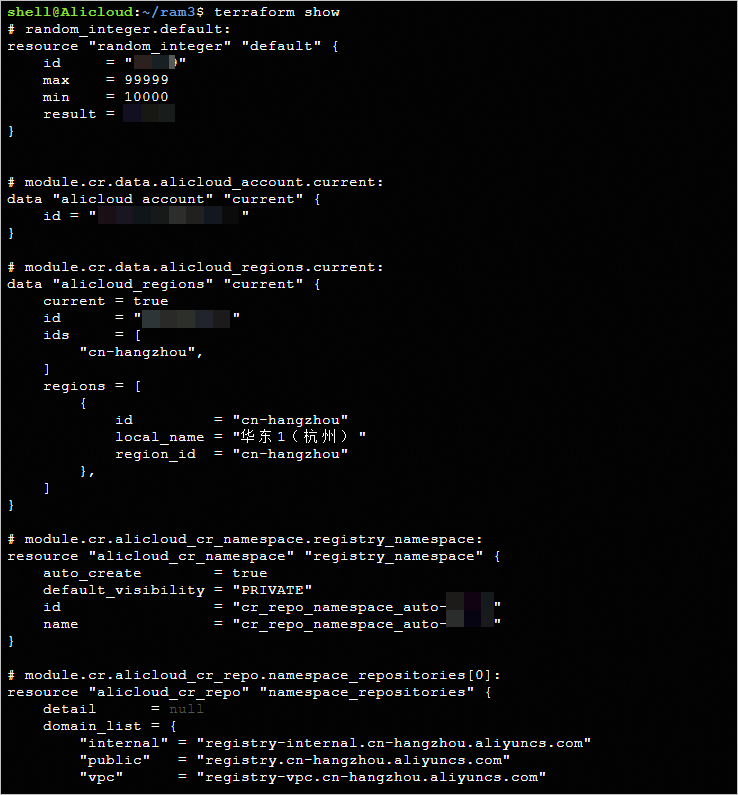
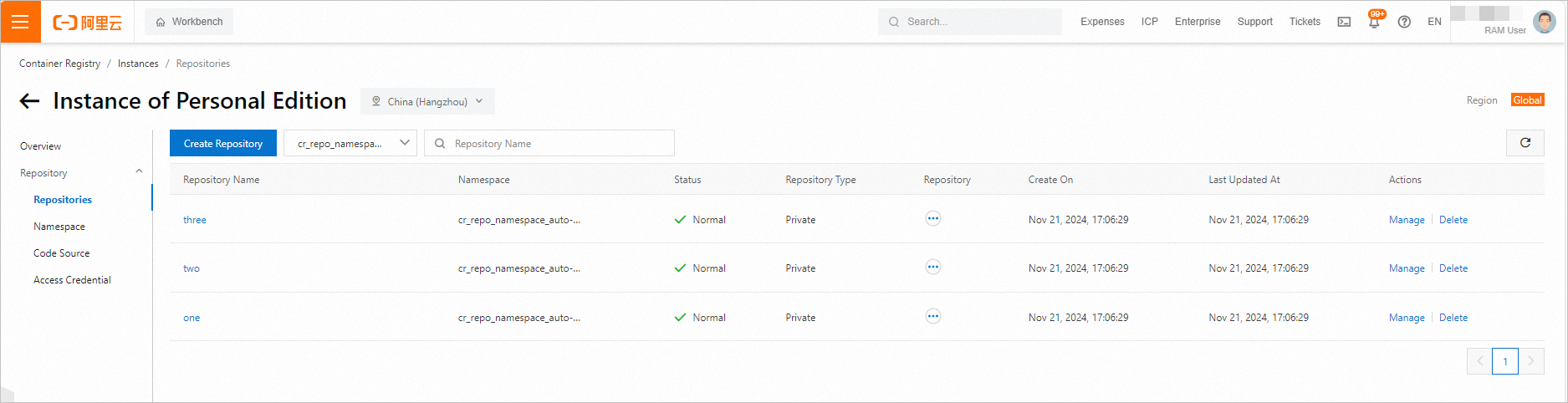
Log on to the console
Log on to the Container Registry console, go to the page, click Instance of Personal Edition, and choose to view the created repository.
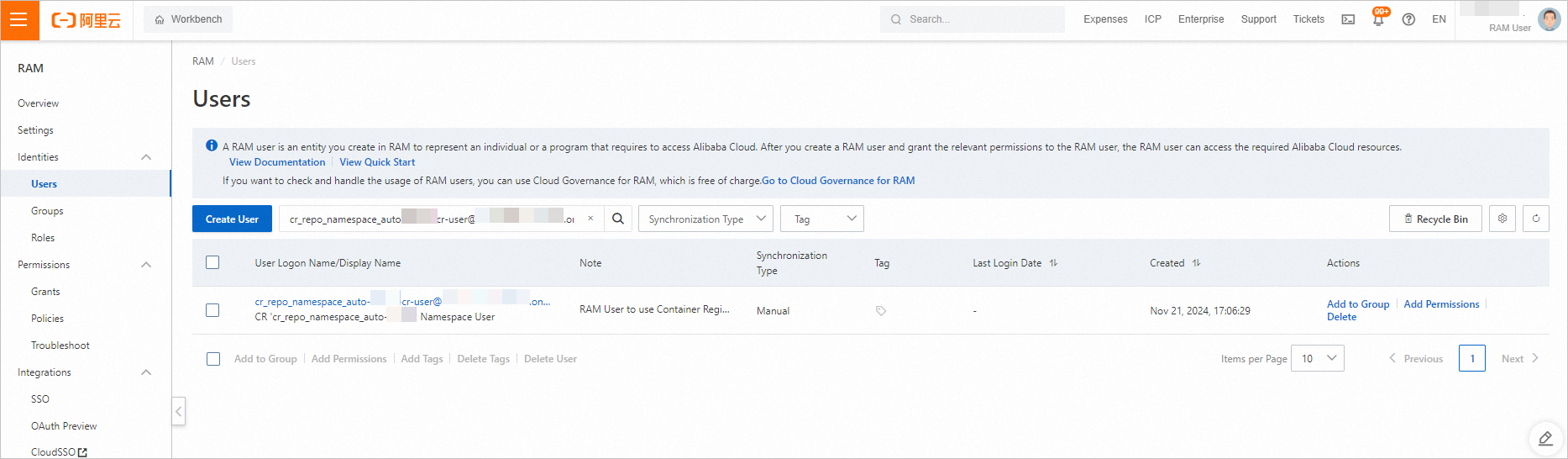
Log on to the RAM console, choose , and then click User Logon Name/Display Name of the created RAM user.
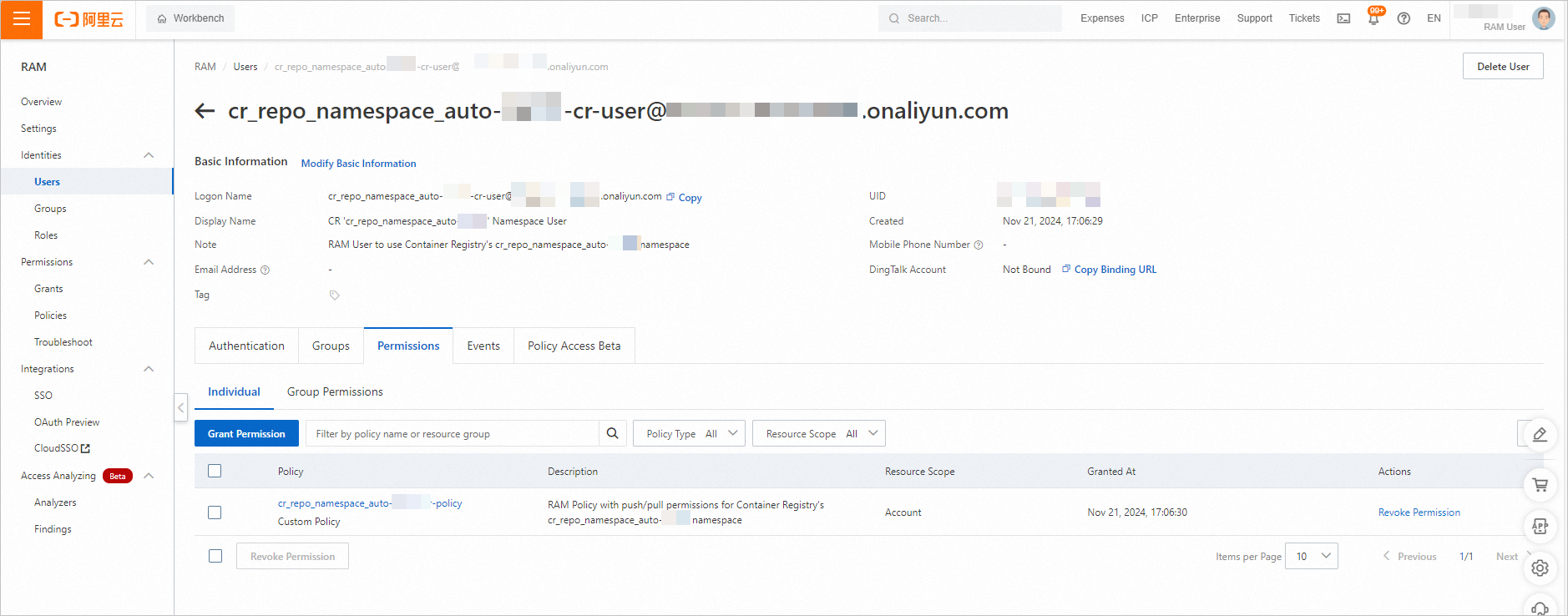
On the Permissions tab, view the permissions of the RAM user.
Release resources
If you no longer require the preceding resources that are created or managed by using Terraform, run the following command to release the resources. For more information about the terraform destroy command, see Common commands.
terraform destroyReferences
For more information about Terraform, see What is Terraform?
Timeouts of the
terraform initcommand due to network latency and other reasons can lead to issues such as the inability to download the provider. For more information about how to resolve this issue, see the Terraform Init acceleration configuration topic.