This topic explains how to integrate Managed Service for Prometheus with a Container Service for Kubernetes (ACK) cluster, view monitoring dashboards, and configure cluster alert rules.
Prerequisites
Managed Service for Prometheus is activated. For more information, see Instance billing.
An ACK cluster is created.
Alibaba Cloud Resource Center is activated.
Step 1: Integrate an ACK cluster
Managed Service for Prometheus and Container Service for Kubernetes (ACK) offer a built-in integration. You can set it up using one of the following methods.
For ACK managed Pro clusters, you can integrate Container Monitoring Basic or Pro Edition. The Basic Edition is free, while the Pro Edition is billed based on the number of nodes in your cluster. For more information, see Container Monitoring billing.
Method 1: Integrate through the ACK console
For new clusters
When you create an ACK cluster, Managed Service for Prometheus is enabled by default to monitor your containers.

For existing clusters
Follow these steps to integrate Managed Service for Prometheus with an existing cluster.
Log on to the ACK console. In the left navigation pane, click Clusters.
On the Clusters page, find the cluster you want and click its name. In the left navigation pane, choose .
On the Prometheus Monitoring page, click Install.
NoteThe system automatically installs the required components and sets up the monitoring dashboards. After the installation is complete, you can click each tab to view the corresponding monitoring data.
After the integration is complete, data ingestion takes approximately one to two minutes. During this time, the monitoring dashboards will not display any data.
Method 2: Integrate through the ARMS or Managed Service for Prometheus console
You can integrate your cluster through the Application Real-Time Monitoring Service (ARMS) or Managed Service for Prometheus console.
Log on to the Managed Service for Prometheus console. In the left-side navigation pane, click Integration Center.
On the Integration Center page, click Infrastructure. In the Infrastructure section, click Kubernetes Cluster Monitor.
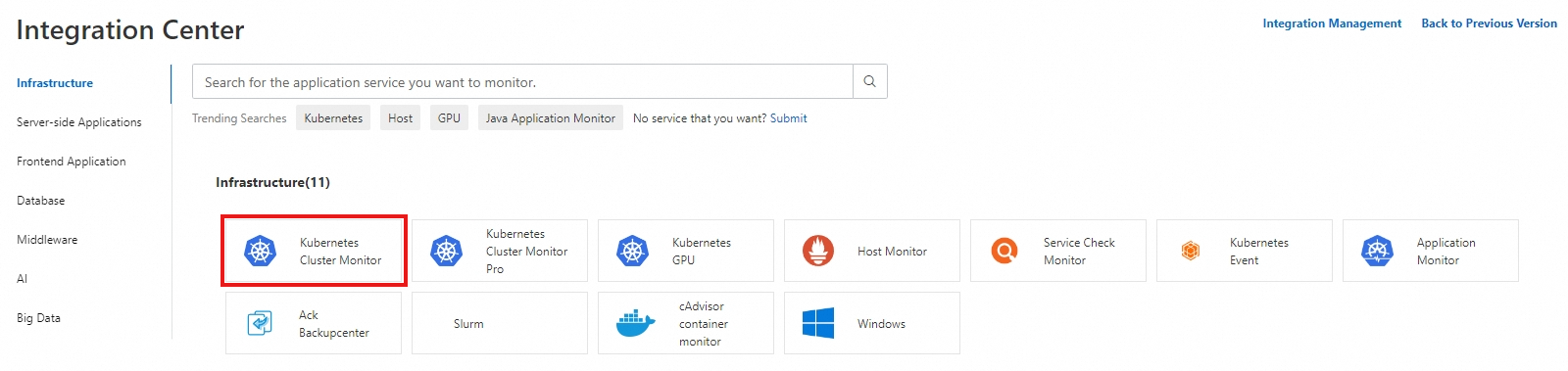
In the panel that appears, follow the on-screen instructions to complete the integration.
After Managed Service for Prometheus is integrated into the ACK cluster, the dashboard data is updated within 1 to 2 seconds.
Step 2: View monitoring dashboards
Managed Service for Prometheus provides built-in container monitoring dashboards that cover the cluster overview, core components, nodes, and pods. You can view these dashboards from the ACK, ARMS, or Managed Service for Prometheus console using one of the following methods.
Method 1: View in the ACK console
Log on to the ACK console. In the left navigation pane, click Clusters.
On the Clusters page, find the cluster you want and click its name. In the left navigation pane, choose .
On the Prometheus Monitoring page, click a dashboard tab to view the corresponding monitoring data.
Method 2: View in the ARMS or Managed Service for Prometheus console
You can also log on to the ARMS or the Managed Service for Prometheus console to view cluster monitoring dashboards.
Log on to the Managed Service for Prometheus console. In the left-side navigation pane, click Integration Management.
On the Integration Management page, click the Query Dashboards tab.
Select the ACK cluster to view the dashboards.
Step 3: Configure alerts
Log on to the Managed Service for Prometheus console. In the left-side navigation pane, click Integration Management.
On the Integrated Environments tab of the Integration Management page, click Container Service. In the list of environments, click the name of the target environment to open its details page.
On the Component Management tab, click Alert Rule in the Add-on Type section to view the built-in alert rules of Managed Service Prometheus.
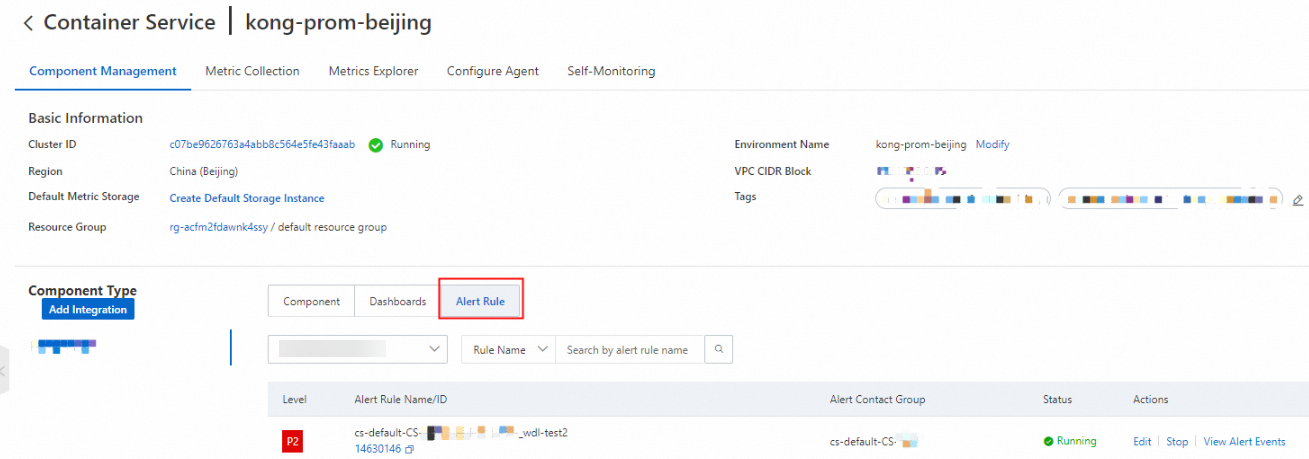
The built-in alert rules generate alert events but do not send notifications. To enable notifications, click Edit and configure a notification method. On the alert configuration page, you can also customize the alert threshold, duration, and alert content. For more information, see Create an alert rule for a Prometheus instance.

In simple mode, you can configure an alert's notification recipients, notification period, and repeat policy.
FAQ
How do I upgrade Container Monitoring from the Basic to Pro Edition for a cluster?
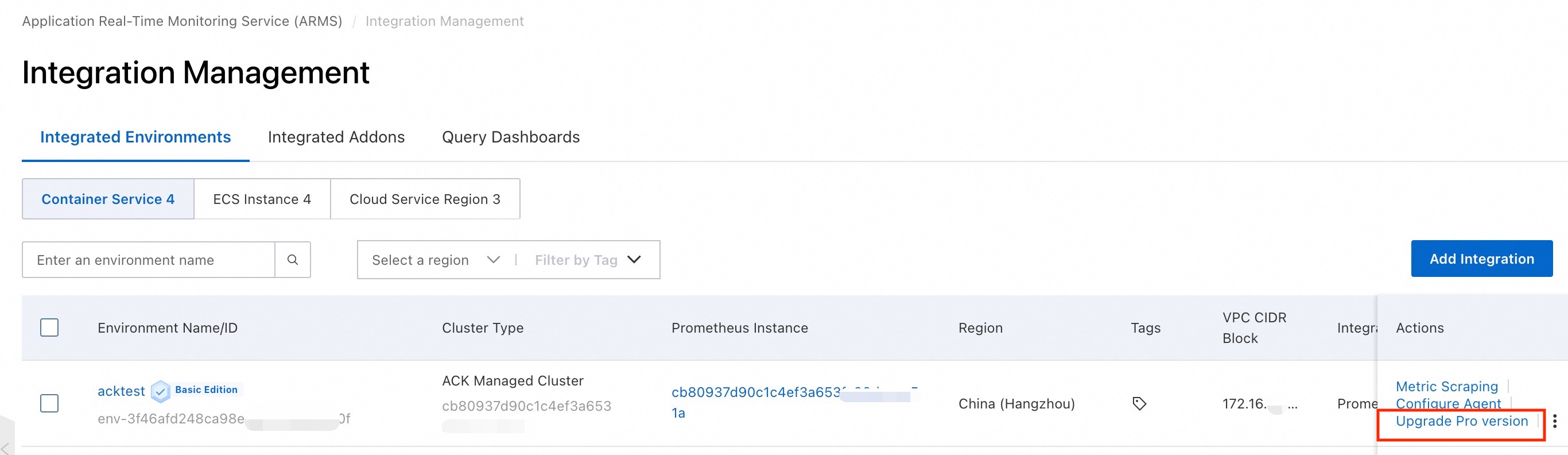
Log on to the ARMS console. In the left-side navigation pane, click Integration Management.
On the page that appears, find the cluster that you want to manage and click Upgrade Pro version in the Actions column.