This topic describes how to unbind a tag from a PolarDB cluster. You can unbind a tag from a PolarDB cluster if the tag is not needed.
Precautions
After you unbind a tag from a cluster, the tag is automatically deleted unless you bind it to another cluster.
Procedure
Log on to the PolarDB console.
In the left-side navigation pane, click Clusters.
In the upper-left corner, select the region in which the cluster is deployed.
On the Clusters page, find the cluster and move the pointer over the
 icon in the Tag column and click Edit.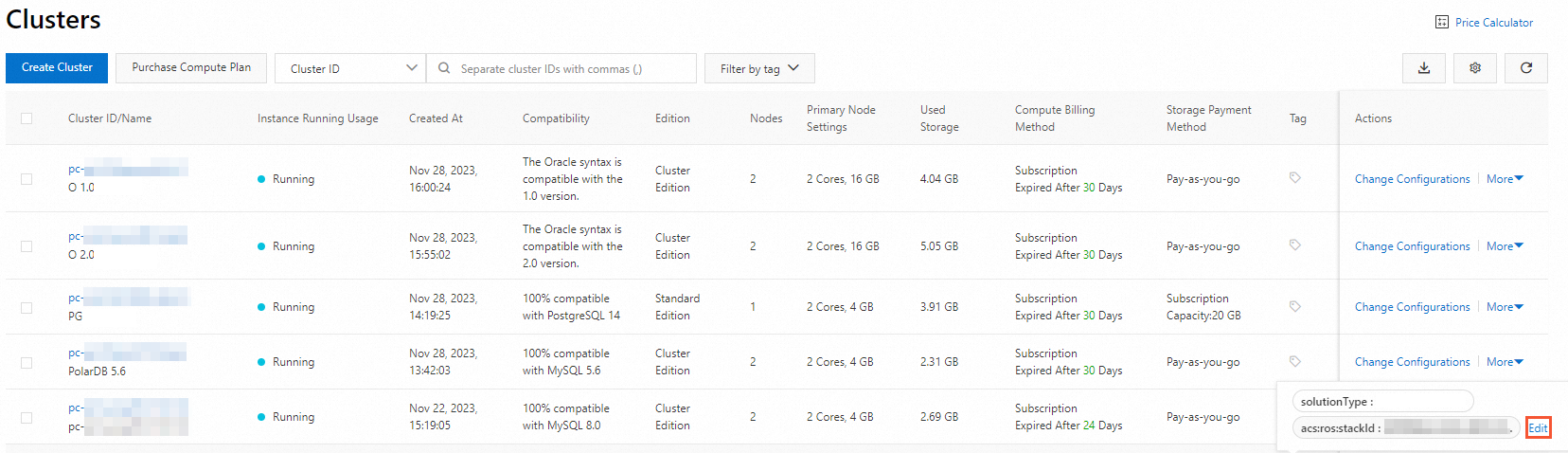
In the Edit Tags dialog box, find the tag and click the
 icon.
icon. 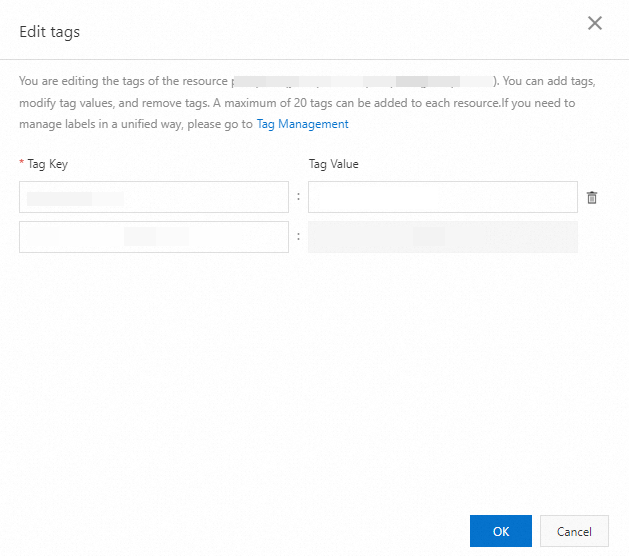
Click OK.
NoteUnbinding a tag from a cluster does not affect other clusters to which the tag is bound.
Related API operations
Operation | Description |
Unbinds tags from PolarDB clusters. |