Designer uses workflows to build and test models. You can plan and create a workflow, and then configure the processing and scheduling logic of different components in the workflow based on your modeling needs. Designer supports multiple ways to create workflows. To help you quickly build and deploy a visual model, this topic provides two demos: creating a workflow from a preset template and creating a blank (custom) pipeline.
Preparations
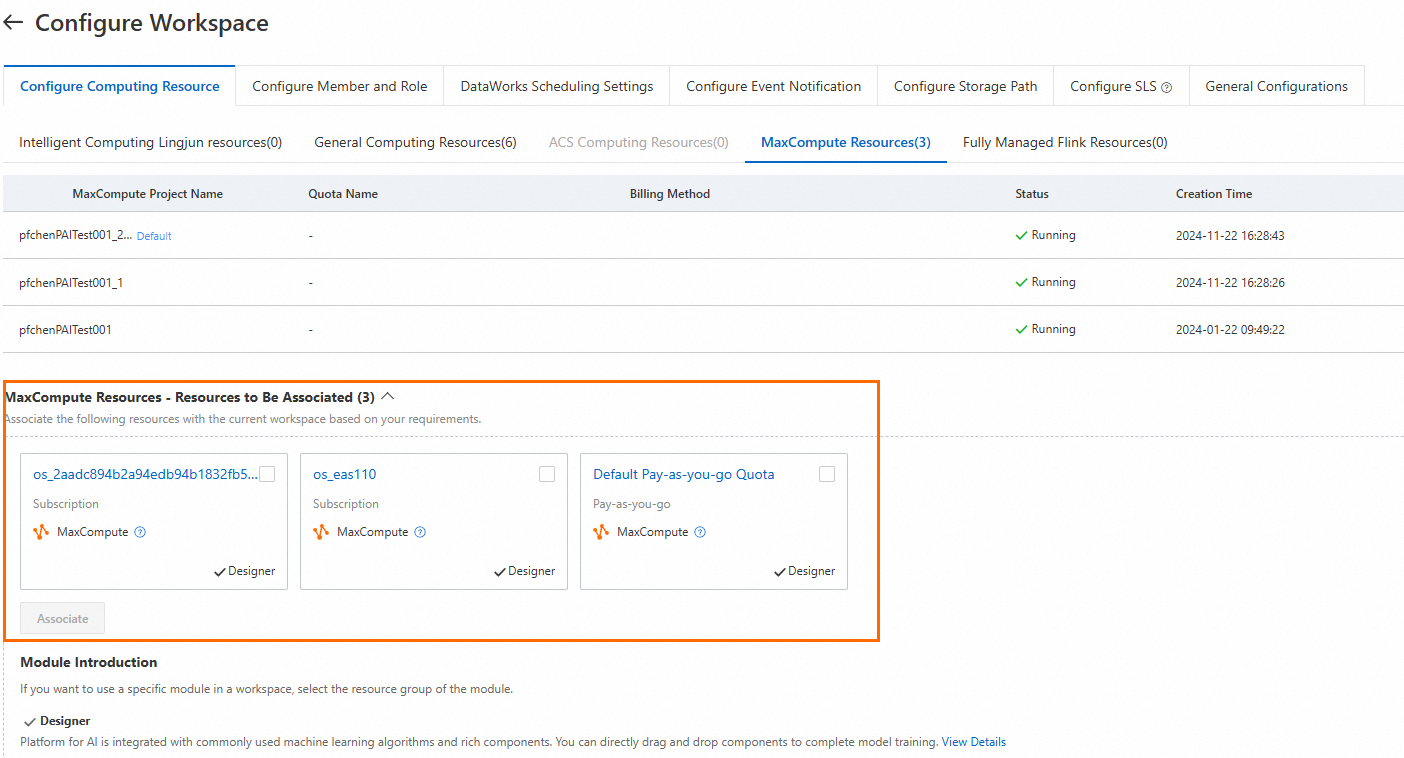
Specific algorithm components in Designer require MaxCompute resources to run. Go to the MaxCompute purchase page to activate and purchase the required MaxCompute resources. Then, associate the MaxCompute resources with your workspace. For more information, see Configure compute resources for a workspace.
Workflow creation demos
Create a workflow from a preset template
Designer provides dozens of built-in templates for different frameworks and various industry scenarios. You can create a workflow from a preset template, modify the component configurations, and quickly build and deploy a model that meets your needs. This topic uses the heart disease prediction template as an example to help you quickly learn about visual model building and deployment. For more information, see Template-based workflow.
Create a custom pipeline
This topic uses a blank pipeline as an example to show you how to build a binary classification model for heart disease prediction. It guides you through data pre-processing, model prediction, and model evaluation to complete the visual model building and deployment process from scratch. For more information, see Custom pipeline.