The Cloud Network Performance feature lets you view average latency between Alibaba Cloud regions and zones to optimize workload placement. For Enterprise Edition transit routers, view inter-region connection latency by link type.
Disclaimer
The performance data, such as network latency, provided by the Cloud Network Performance feature is for reference only. Alibaba Cloud does not guarantee the real-time accuracy. Actual performance will vary based on live traffic conditions and other operational factors.
Latency is measured by a dedicated probing cluster of Elastic Compute Service (ECS) instances managed by Alibaba Cloud. This cluster periodically sends test packets across the network to gather statistics. This probing system operates independently of all customer resources and has no impact on your service performance, resource consumption, or deployed applications.
Supported regions
Area | Supported regions |
China | China (Qingdao), China (Beijing), China (Zhangjiakou), China (Hohhot), China (Ulanqab), China (Hangzhou), China (Shanghai), China (Nanjing - Local Region) (Closing down), China (Fuzhou - Local Region) (Closing down), China (Shenzhen), China (Heyuan), China (Guangzhou), China (Chengdu), and China (Hong Kong) |
Asia-Pacific | Japan (Tokyo), South Korea (Seoul), Singapore, Malaysia (Kuala Lumpur), Indonesia (Jakarta), Philippines (Manila), and Thailand (Bangkok) |
Europe and Americas | US (Silicon Valley), US (Virginia), Germany (Frankfurt), and UK (London) |
Middle East | UAE (Dubai) and SAU (Riyadh - Partner Region) |
Metrics
Intra-region performance: Measures the latency between ECS instances in a region.
It measures latency for traffic of ECS instances in the same zone or in different zones within the same region.
Alibaba Cloud probing clusters do not cover all zones. Data for some zones may be unavailable.
Inter-region performance: Measures the latency for traffic between network instances across regions, which include the following:
The average latency for access between ECS instances in different regions.
The latency for Platinum or Gold inter-region connections of an Enterprise Edition transit router. The metrics are as follows:
P10: The value at the 10th percentile of a dataset sorted in ascending order.
P50: The median value of a dataset.
P90: The value at the 90th percentile of a dataset.
View intra-region latency
Log on to the NIS console.
In the navigation pane on the left, choose .
On the Intra-Region tab, click Compute Instance Connection.
Select the region for which you want to view the latency.
Toggle the Display Latency switch to view the latency data.
Heatmap interpretation:
The x-axis and y-axis represent zones.
Each cell shows the average latency of a connection from an ECS instance in a zone on the x-axis to an ECS instance in a zone on the y-axis. Diagonal cells show intra-zone latency.
Alibaba Cloud probing clusters do not cover all zones. Data for some zones may be unavailable.
Click any cell in the Average Latency among Zones heatmap to view the latency history for the past hour.
View inter-region latency
Log on to the NIS console.
Choose .
On the Cloud Networks page, click the Inter-Region tab to view the latency data.
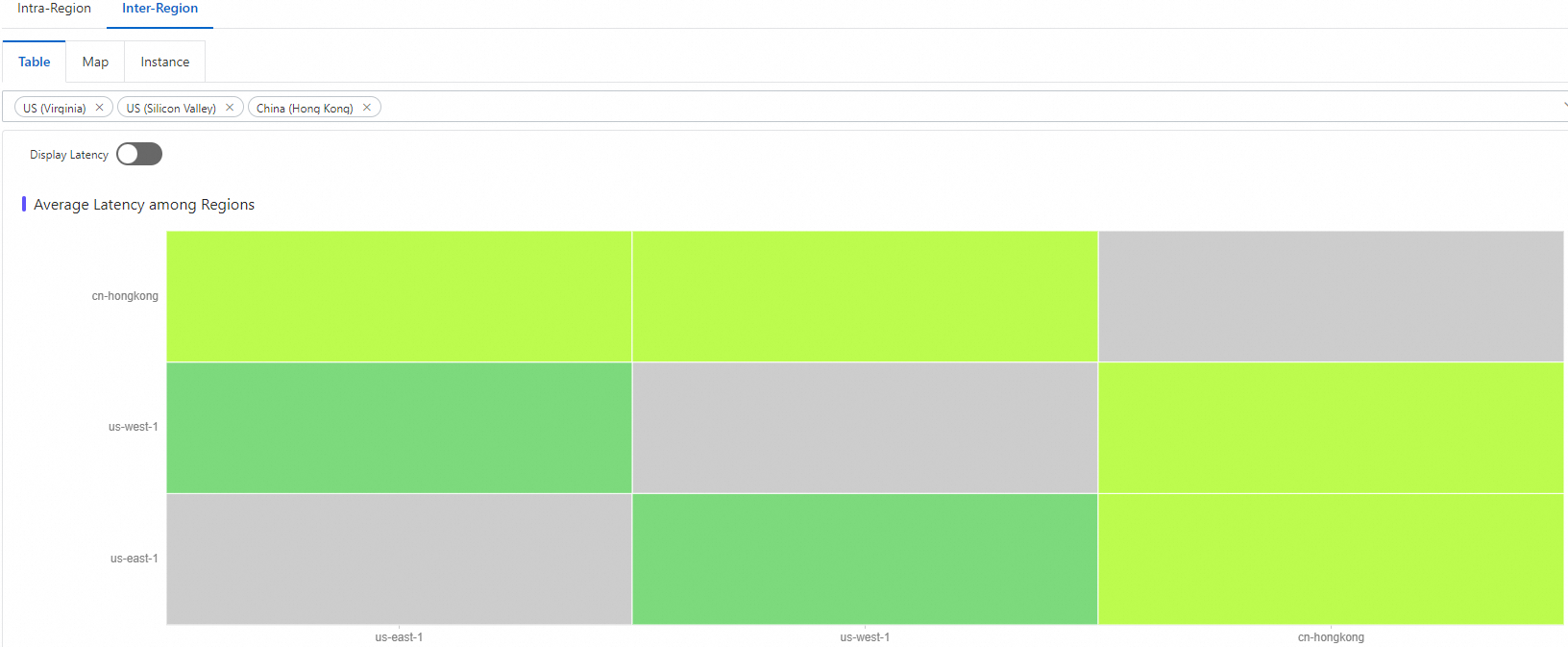
View the average latency of inter-region access between ECS instances
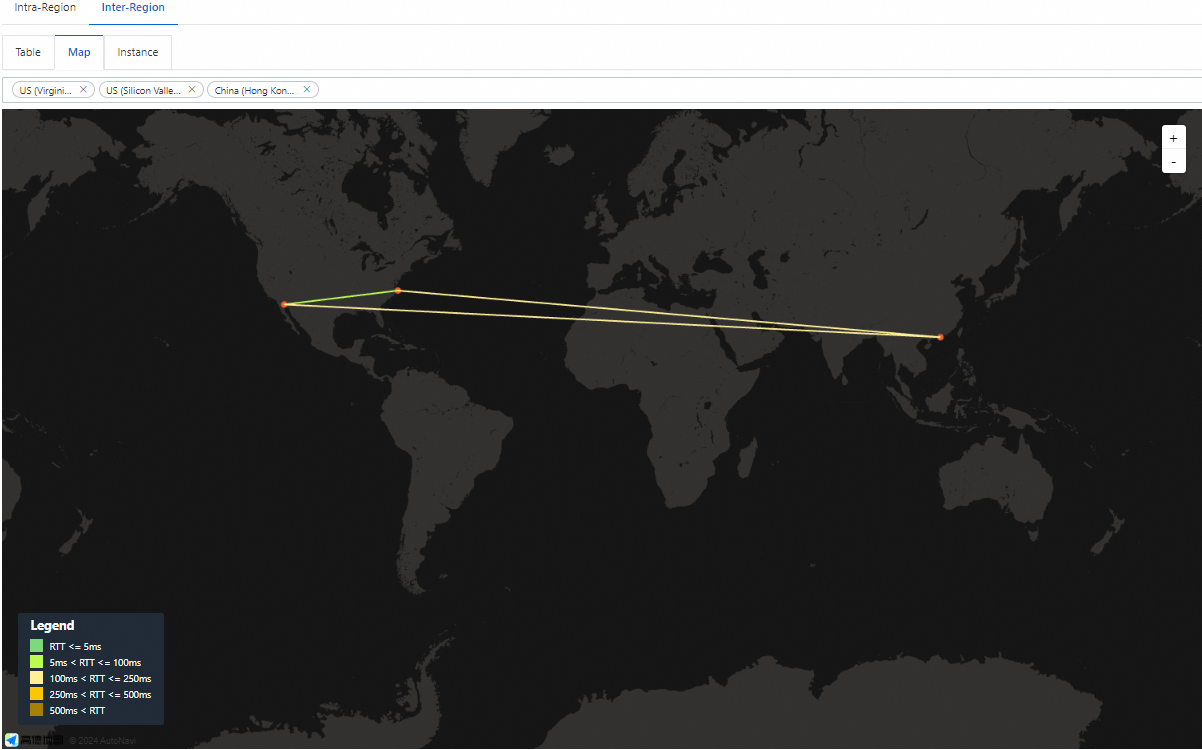
Click the Table or Map tab. Select regions to view the latency between instances in the destination regions.
 Note
NoteBy default, the Map tab displays the real-time average latency between US (Virginia), US (Silicon Valley), and Hong Kong (China).
On the Map tab, click Learn More on any line. In the line chart that appears, view the latency history for the past hour.
View the latency of transit routers of a CEN inter-region connection
Click the Instance tab. Configure the following parameters and click View Inter-region Connection Latency.
Parameter
Description
CEN instance ID
Select the CEN instance to which the destination TR belongs.
Region
Select the destination region.
Inter-region connection instance ID
Select the instance ID of the inter-region connection.
Time Range
Select a preset or custom range (up to 7 days).
NoteDefault view shows P50 latency for Gold and Platinum links. Switch to P10 or P90 as needed.