You can export a list of instances of a specified type and region by using the ApsaraDB for MongoDB console to manage cloud instances offline.
Procedure
Log on to the ApsaraDB for MongoDB console.
In the upper-left corner of the page, select the region and resource group for the instance.
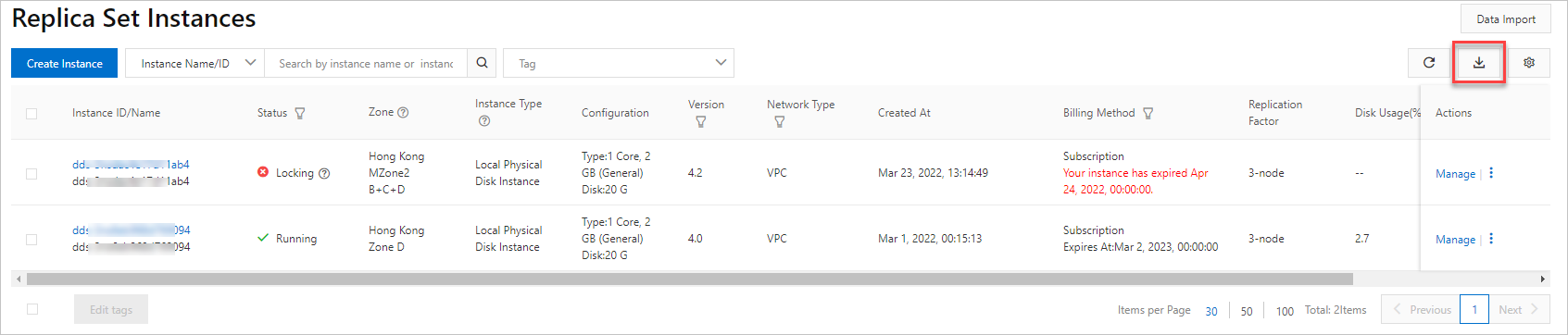
In the left-side navigation pane, click Replica Set Instances or Sharded Cluster Instance based on the instance type.
On the Replica Set Instances page of the required instance type, click
 .
.
In the Export Instance List dialog box, select the instance information you want to export to the list.
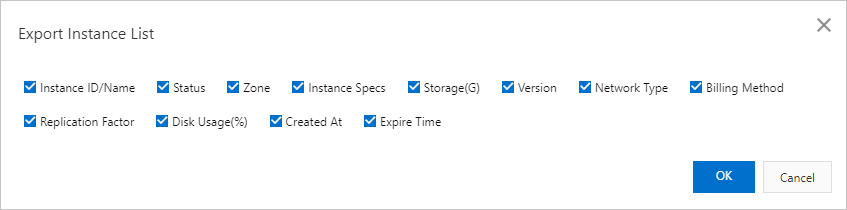
Click OK.
NoteAfter you click OK, the browser begins to download the CSV file. You can use Excel or a text editor to view this file.