Administrators can assign specific roles to members of a workspace. These roles are specific to Alibaba Cloud Model Studio and are not RAM roles. The assigned role grants the member permissions to use features in Model Studio.
For more information about concepts such as workspaces, workspace members, and Alibaba Cloud accounts, see Permission management.
The role management feature is not available to visitors. To manage roles, use your Alibaba Cloud account or an account that has the administrator role for the workspace.
Role categorization
Super administrator: Represents the Alibaba Cloud account. This role is unique, cannot be changed, and grants administrative permissions for all workspaces under the account.
Administrator: Has access to all features within a specific workspace.
Visitor: Has access to all features in a specific workspace except for Space Members Management and Role Management.
Edit user permissions
Role Management includes two default roles: Administrator and Visitor. A super administrator or an administrator can assign these roles to workspace members to grant them permissions for specific features within the workspace.
Custom roles are not supported. You cannot assign the Super administrator role to workspace members.
Navigate to the User Management (Singapore) orUser Management (Beijing) page, and click Edit Permissions in the Actions column for the target user.
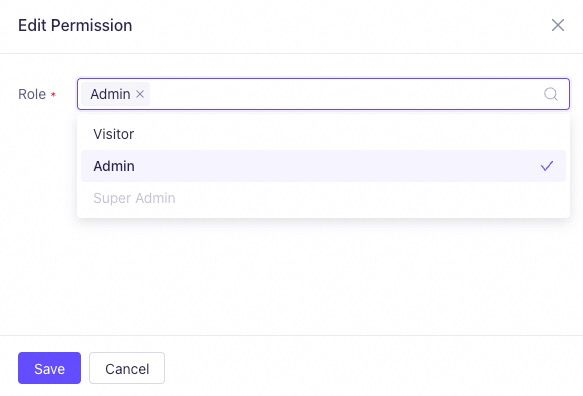
In the Edit Permission panel, select the desired role from the Role drop-down list, and then click Save. Selecting both Visitor and Administrator has the same effect as selecting only Administrator.
Assign only the least privilege (role) required to complete tasks to avoid unnecessary security risks.
These operations cannot be performed using an API or the command line.