Go to the mPaaS console and select your target application. Then, follow these steps to add a data synchronization task to send business data.
Prerequisites
A push configuration has been created and published in the console.
Procedure
In the navigation pane on the left, click Background connection > Mobile Sync Service
On the Configuration Management tab, find the target configuration and click Operation. The New Sync dialog box appears.
In the dialog box, enter the information for each configuration item and click OK to send the business data.
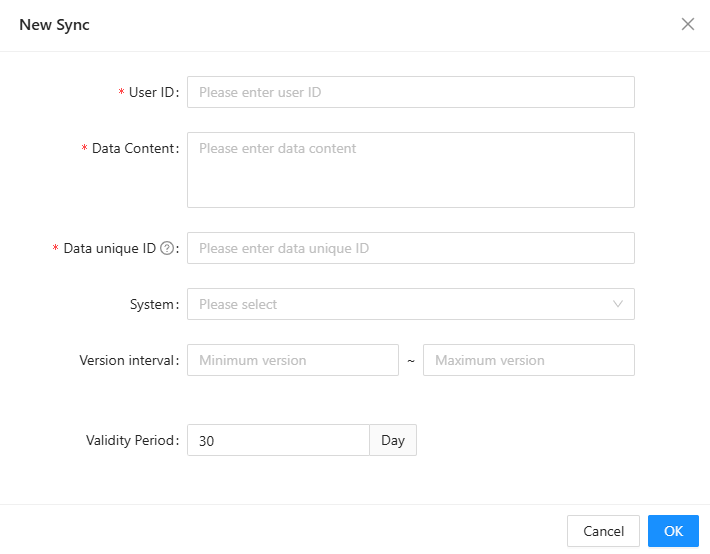
The following table describes the configuration items.
Configuration item
Description
User ID/Device ID
Enter this information only for services that target specific users or device types.
Data content
The text content of the data, in string format.
Unique data ID
Required only for services that use data persistence. This ID uniquely identifies the data content. If two pushes have the same unique data ID, the second push is ignored.
System
The operating system of the client that will receive the data. By default, Android and iOS are selected.
Version interval
The application version interval for the clients that will receive the data. This parameter is optional.
Validity period
The maximum validity period for the data in this push. The default value is 30 days.