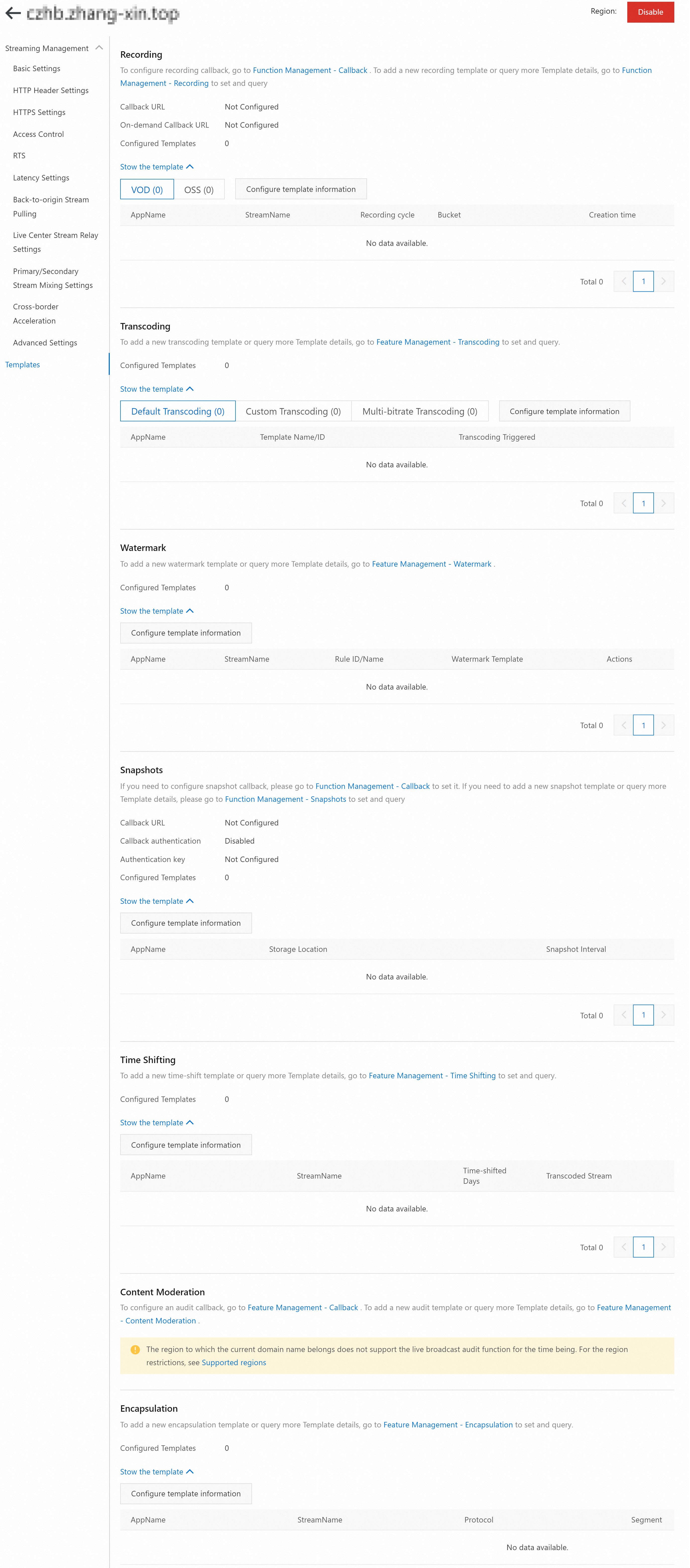
The Template Configuration page displays the configured templates for live stream recording, live stream transcoding, watermarks, snapshots, time shifting, content moderation, and encapsulation.
Procedure
- Log on to the ApsaraVideo Live console.
In the left-side navigation pane, click Domain Names. The Domain Management page appears.
Find the streaming domain that you want to configure and click Domain Settings in the Actions column.
In the navigation pane on the left, click Templates. The Templates page appears.
NoteIf the selected domain name is a subdomain:
When you click Templates, the following message appears: This domain name is a sub-streaming domain. It uses the template configuration of the main streaming domain. Go to the main streaming domain to view the configuration.
Main streaming domain: *********
Click Main Streaming Domain to open the Templates page of the main streaming domain.
Features
Description
Configuration Document
Live Stream Recording
Displays details of the configured recording templates, including AppName, StreamName, recording cycle, Bucket, and creation time.
Transcoding
Displays details of the configured transcoding templates, including AppName, template ID, and transcoding trigger.
Watermarks
Displays details of the configured watermark templates, including AppName, StreamName, watermark rule ID, and associated watermark template.
Snapshots
Displays details of the configured snapshot templates, including AppName, storage location, and snapshot interval.
Time Shifting
Displays details of the configured time shifting templates, including AppName, StreamName, time-shifted days, and transcoded stream.
NoteThe live center in the Japan (Tokyo) region does not support time shifting. The following message is displayed: Time shifting is not currently supported in the region of the current domain name.
Content Moderation
Displays details of the configured content moderation templates, including AppName and StreamName.
NoteThis feature is not supported for domain names in the China (Qingdao), Germany (Frankfurt), Japan (Tokyo), Indonesia (Jakarta), and Saudi Arabia (Riyadh) regions. The following message is displayed: Content moderation is not currently supported in the region of the current domain name.
Encapsulation
Displays details of the configured encapsulation templates, including AppName, StreamName, protocol, segment, and transcoded stream.