This topic describes how to create an alert rule for concurrently ingested streams in the CloudMonitor console. This way, you can receive alert notifications when the number of concurrently ingested streams reaches the limit.
CloudMonitor is a service that monitors Alibaba Cloud resources and Internet applications. CloudMonitor automatically monitors the resources of all cloud services in your Alibaba Cloud account. This allows you to view the status of specified resources and the usage data of each metric, and configure alert rules for the metrics. If an alert is triggered based on the alert rules, CloudMonitor sends an alert notification. For more information, see What is CloudMonitor?.
Procedure
Log on to the ApsaraVideo Live console.
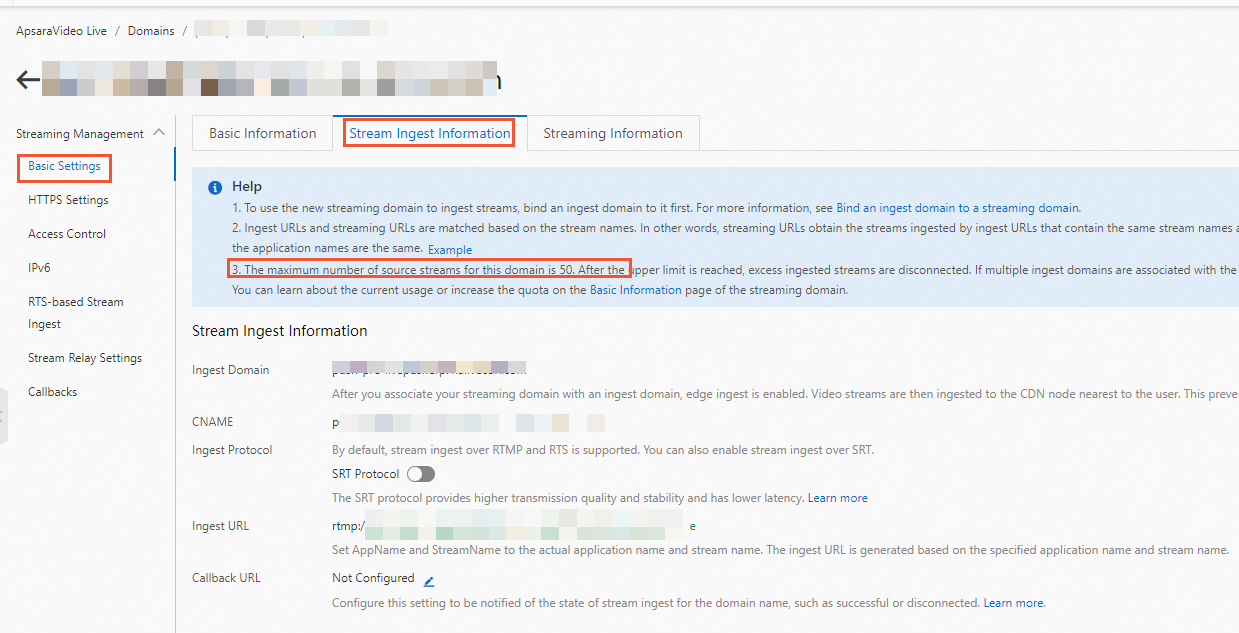
Query the upper limit of the number of ingested streams. In the left-side navigation pane, click Domain Names. On the Domain Management page, find the main streaming domain that you want to configure and click Domain Settings in the Actions column. On the page that appears, click Basic Settings in the left navigation pane. Then, click the Stream Ingest Information tab. The information about the upper limit on the number of ingested streams is displayed on the Stream Ingest Information page. Record the upper limit.
Log on to the CloudMonitor console.
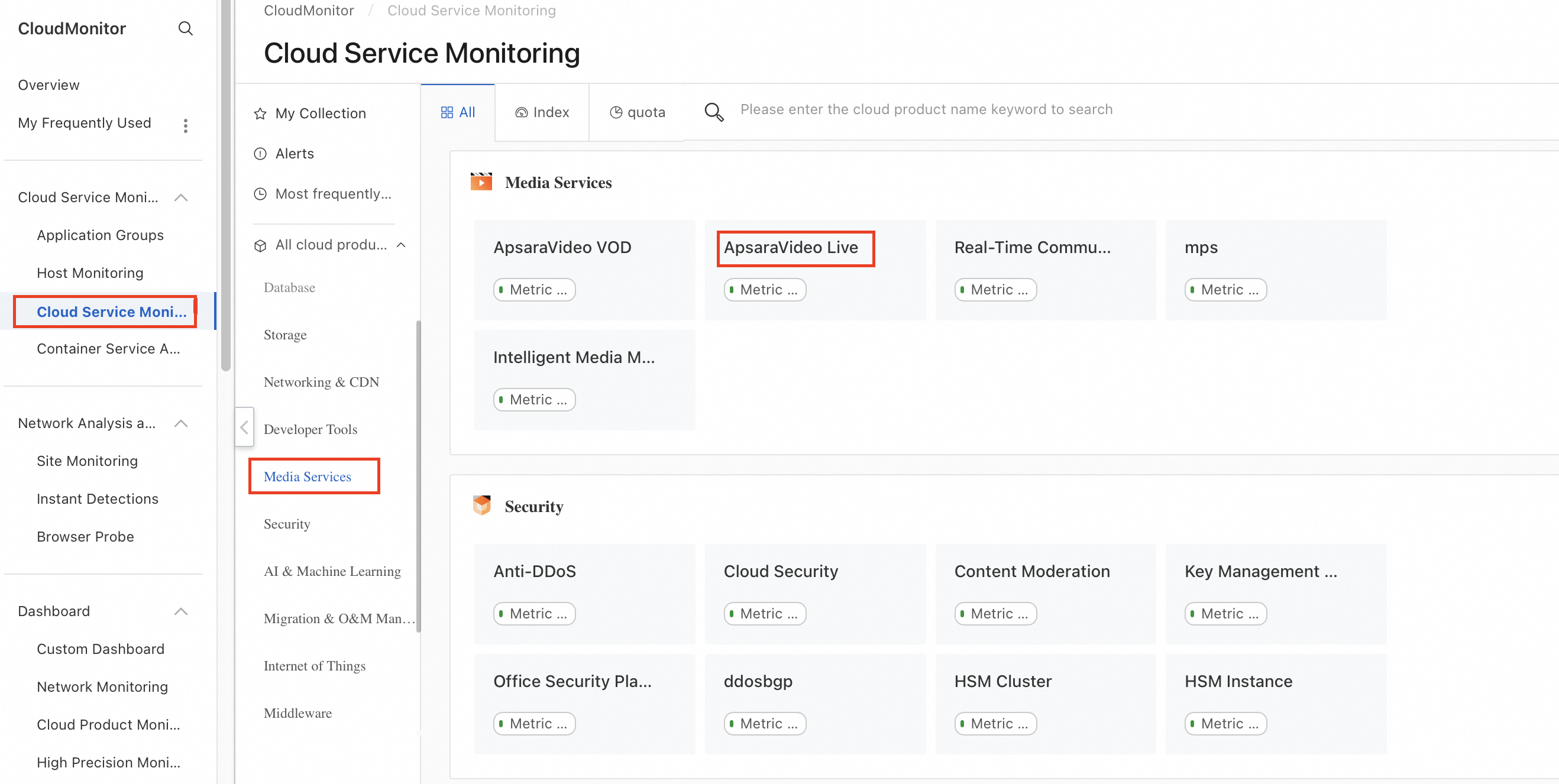
In the left-side navigation pane, choose . On the Cloud Service Monitoring page, click Media Services in the left navigation pane. Then, click ApsaraVideo Live.
Create an alert rule. To do so, click Create Alert Rule on the ApsaraVideo Live page.
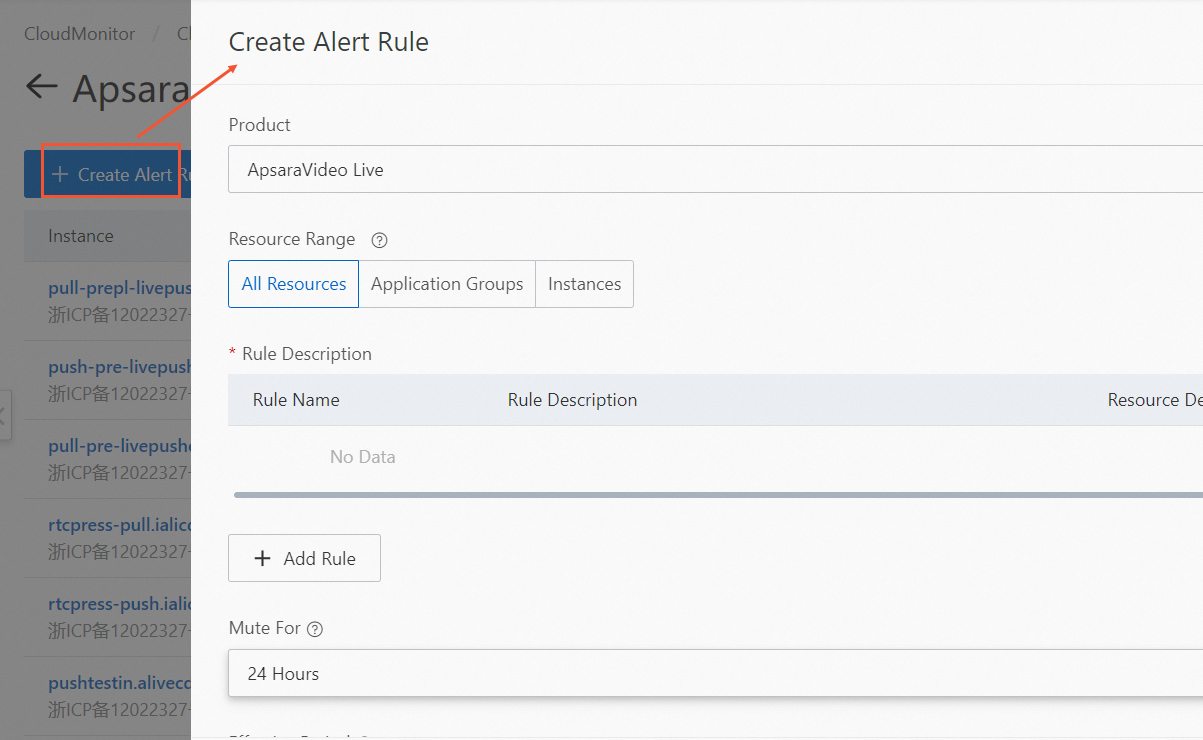
In the Create Alert Rule panel, configure the following parameters. For other parameters, configure them based on your business requirements.
Product: Select ApsaraVideo Live from the drop-down list.
Resource Range: Select Instances.
Rule Description: Click Add Rule and select a metric type.
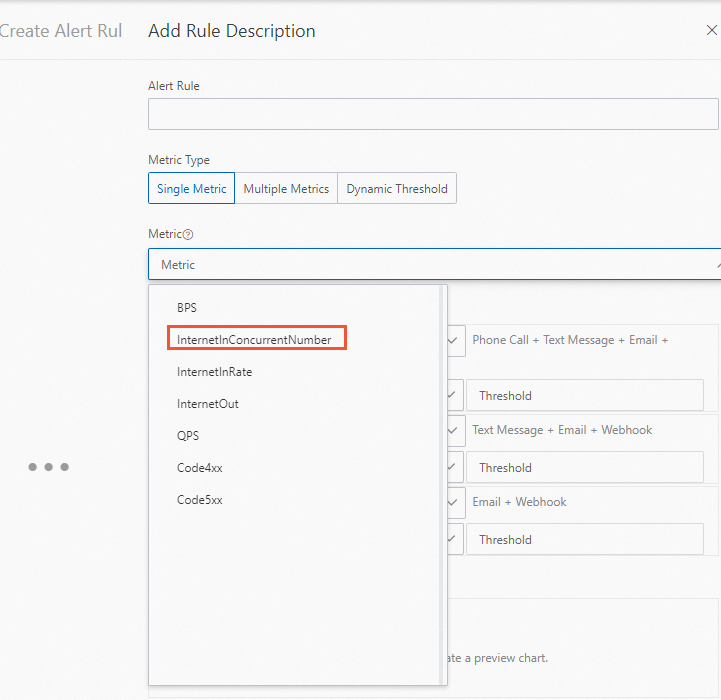
In the Add Rule Description panel, select InternetInConcurrentNumber for the Metric parameter and configure other parameters based on your business requirements. Click OK.
Click OK. The alert rule is created.
NoteCloudMonitor provides basic features for free, such as host monitoring, cloud service monitoring, alerting, application grouping, availability monitoring, and dashboard.
After you complete the preceding configurations, you can receive alert notifications when the number of concurrently ingested streams reaches the limit.