This topic describes how to calculate active carbon reduction by configuring the benchmark scenario information.
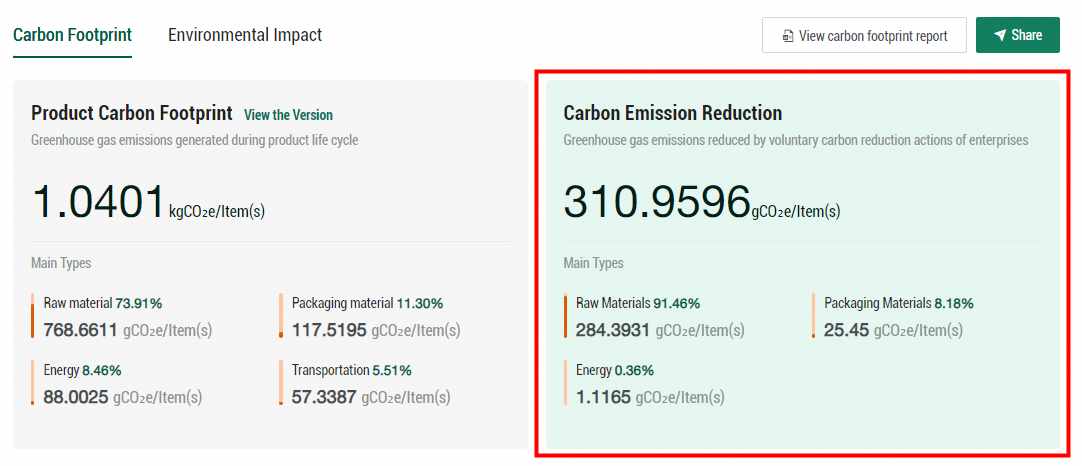
If an enterprise has implemented energy-saving and carbon reduction measures compared to its own historical performance or industry benchmarks, you can configure benchmark scenario information for calculating the active carbon reduction. Some sample measures are use of photovoltaic power, device reconstruction and upgrade, and use of low-carbon raw materials. The calculated carbon reduction information is displayed in the green card on the Carbon Footprint Results page.
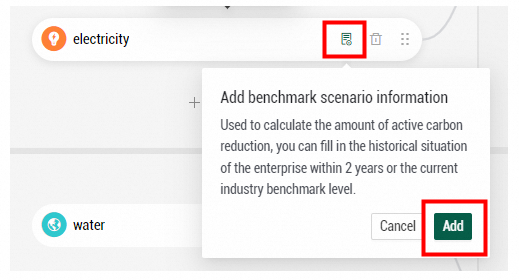
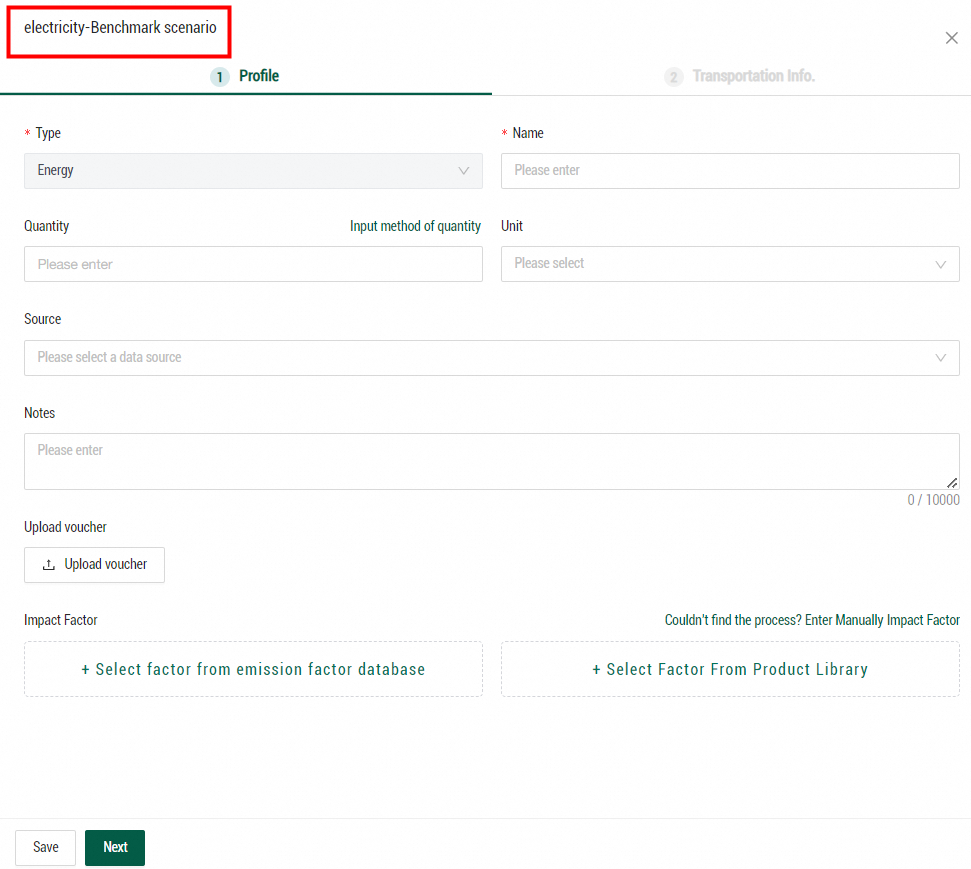
Configure benchmark scenario information: Find the inventory item that you want to manage, move the pointer over the Add benchmark scenario information icon, and then click Add. In the panel that appears, enter the data related to carbon emission of this inventory item before the energy-saving and carbon reduction measures are implemented. For more information about configuring inventory information, see Lifecycle inventory.
After you configure the benchmark scenario information, click Calculate and Publish to calculate the active carbon reduction. The active carbon reduction is calculated by subtracting the carbon emissions of the current model from the carbon emissions of the benchmark scenario. Note: The benchmark scenario settings do not affect the calculation results of the product carbon footprint.