Problem description
Why does the domain name always show to be verified
Solutions
If your domain name is displayed as To Be Verified, click Configure button to check which record is in the To Be Verified state.

Check whether you have correctly configured the ownership, SPF, MX host records, and corresponding record values of the corresponding domain name on the DNS server.
Note that in addition to CNAME verification, the other three items must be added before the domain name can be successfully verified.
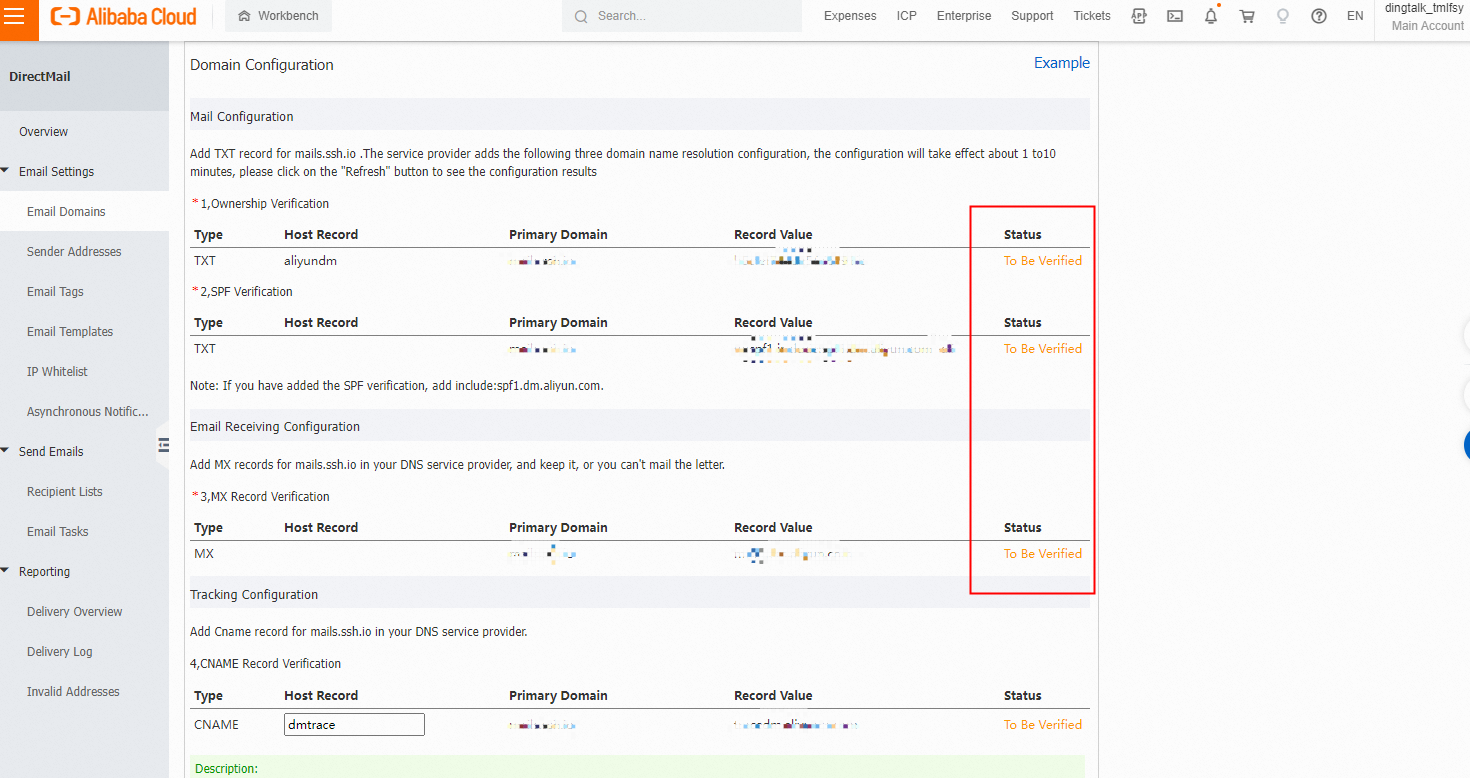
If you are sure that all the records are correctly configured, but the To Be Verified is always displayed, it is recommended that you manually click the Verify button.

If the verification is still pending after clicking the Verify button, the parsing records may have added an error. Please refer to the configuration steps to simplify the description.
It should be noted that SPF TXT records cannot have more than one and need to be merged into one.
We recommend that you do not change the host record of the CNAME and keep the dmtrace.