The Data Access page displays details about sensitive data access. This data is detected based on configured rules. You can view the access volume, access trends, export volume, and export details. This helps you monitor every time sensitive data is accessed. The page supports operation data from the MaxCompute and EMR engines.
Prerequisites
You have authorized Data Security Guard for your Alibaba Cloud account. For more information, see Data Security Guard.
Background information
You can view data access and export details the day after you configure the sensitive data rules.
Procedure
Go to Data Security Guard.
Go to the DataStudio page.
Log on to the DataWorks console. In the top navigation bar, select the desired region. In the left-side navigation pane, choose . On the page that appears, select the desired workspace from the drop-down list and click Go to Data Development.
Click the
 icon in the upper-left corner. Then, choose . On the page that appears, click Try Now to go to the Data Security Guard page. Note
If your Alibaba Cloud account is granted the required permissions, you can directly access the homepage of Data Security Guard.
If your Alibaba Cloud account is not granted the required permissions, you are redirected to the authorization page of Data Security Guard. You can use the features of Data Security Guard only after your Alibaba Cloud account is granted the required permissions.
In the navigation pane on the left, click Data Access.
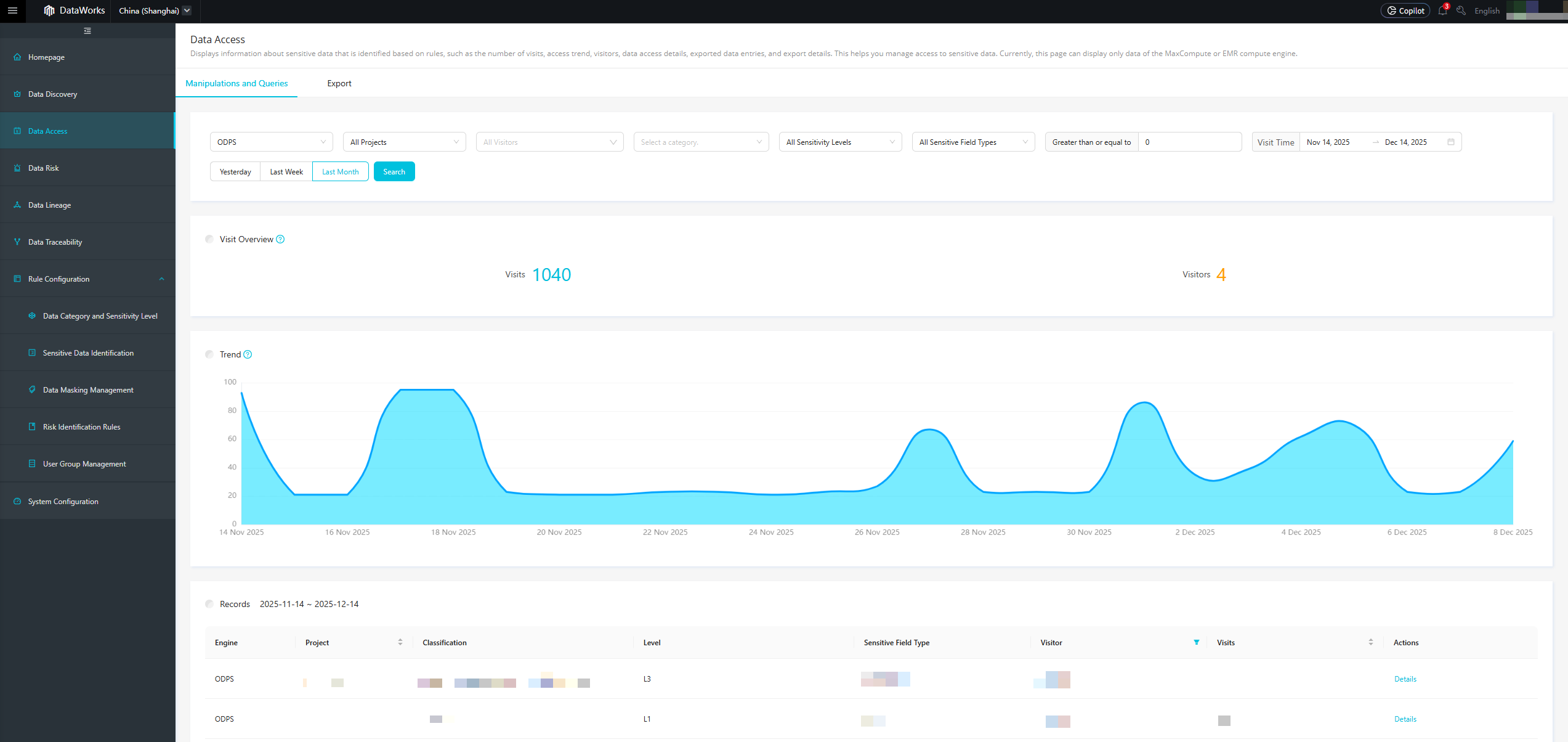
The Data Access page includes the Manipulations and Queries and Export tabs:
Manipulations and Queries: Includes Select, Create, and Insert operations, but not failed access attempts.
The day after you configure sensitive data rules, go to the Manipulations and Queries tab to view data usage details. These details include the Visit Overview, Trend, and Records.
Export: Displays data exports from the MaxCompute Tunnel channel.
The day after you configure sensitive data rules, go to the Export tab to view details about data that users export from MaxCompute to external locations. The details include the total data volume exported in the queried time range, the daily data export volume, and the top five users by total data export volume.