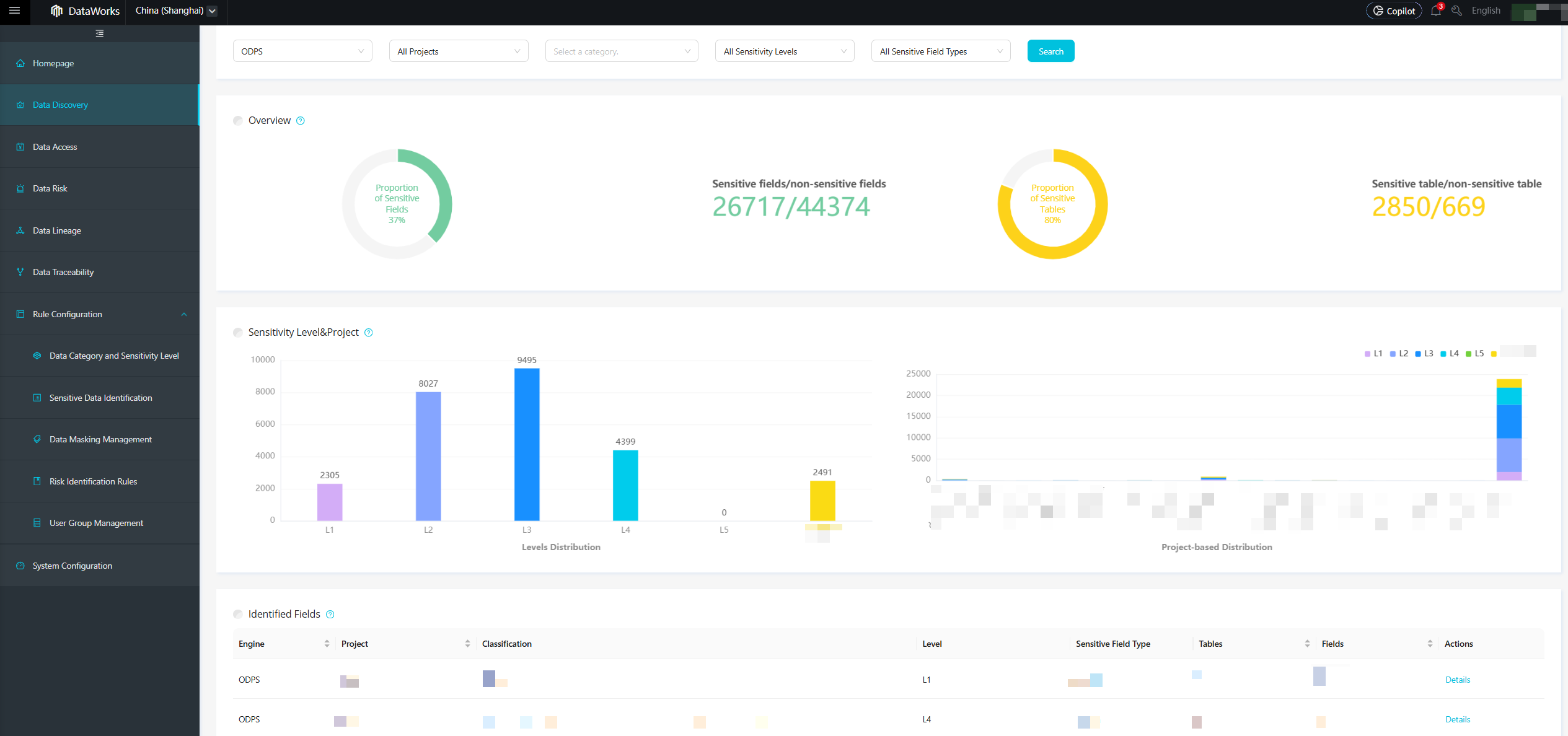
After you configure rules, you can use the Data Discovery page to detect sensitive data in your workspace.
Prerequisites
Data Security Guard must be enabled for your Alibaba Cloud account. For more information, see Data Security Guard.
Background
After you configure the sensitive data rules, you can view the data distribution on the following day.
Procedure
Go to Data Security Guard.
Go to the DataStudio page.
Log on to the DataWorks console. In the top navigation bar, select the desired region. In the left-side navigation pane, choose . On the page that appears, select the desired workspace from the drop-down list and click Go to Data Development.
Click the
 icon in the upper-left corner. Then, choose . On the page that appears, click Try Now to go to the Data Security Guard page. Note
If your Alibaba Cloud account is granted the required permissions, you can directly access the homepage of Data Security Guard.
If your Alibaba Cloud account is not granted the required permissions, you are redirected to the authorization page of Data Security Guard. You can use the features of Data Security Guard only after your Alibaba Cloud account is granted the required permissions.
In the navigation pane on the left, click Data Discovery to open the Data Discovery page.
The Data Discovery page visualizes your data assets across different dimensions, such as workspaces and sensitivity levels. The page shows the total number and percentage of fields and tables that hit detection rules. It also shows the distribution of and a checklist for the hit fields, organized by sensitivity level and project.