Limits
You can use coupons to pay for resources that are deployed by using Cloud Architect Design Tools (CADT). For information about the cloud services and scenarios to which the coupons are applied, go to the Coupons page of User Center. The coupons are supported only by the following types of cloud services:
Subscription cloud services
Cloud products for which automatic payment is disabled
NoteFor information about how to create an unpaid order in CADT, see Generate unpaid orders.
Procedure
Disable automatic payment for a cloud service for which you want to use coupons. For more information, see Generate unpaid orders.
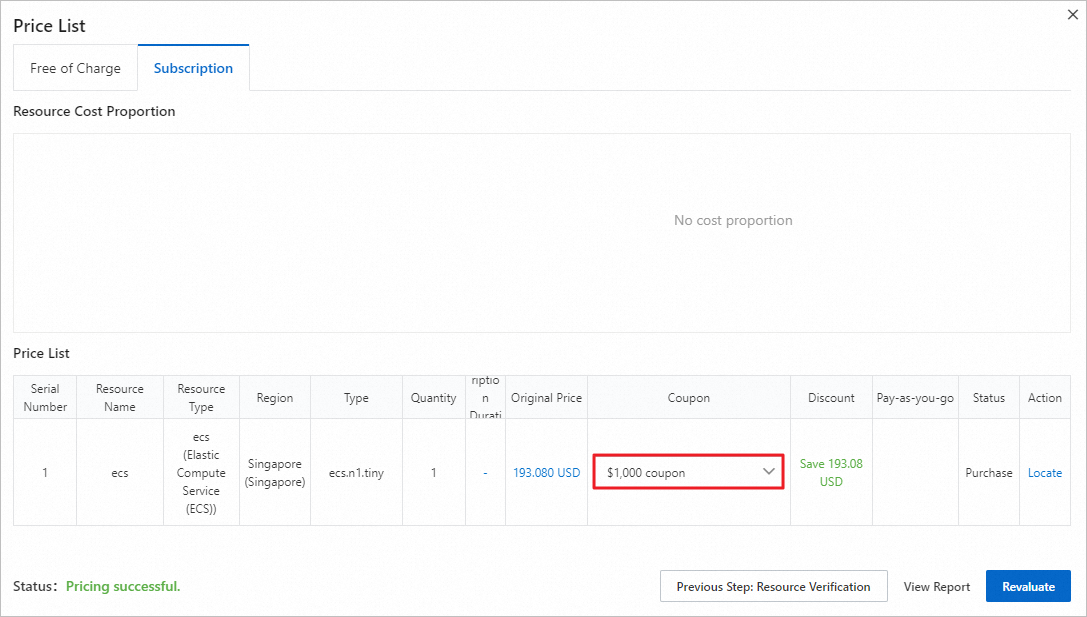
On the Subscription tab of the Price List dialog box, you can view the available coupons in the Coupon column. Select a coupon from the drop-down list in the column.
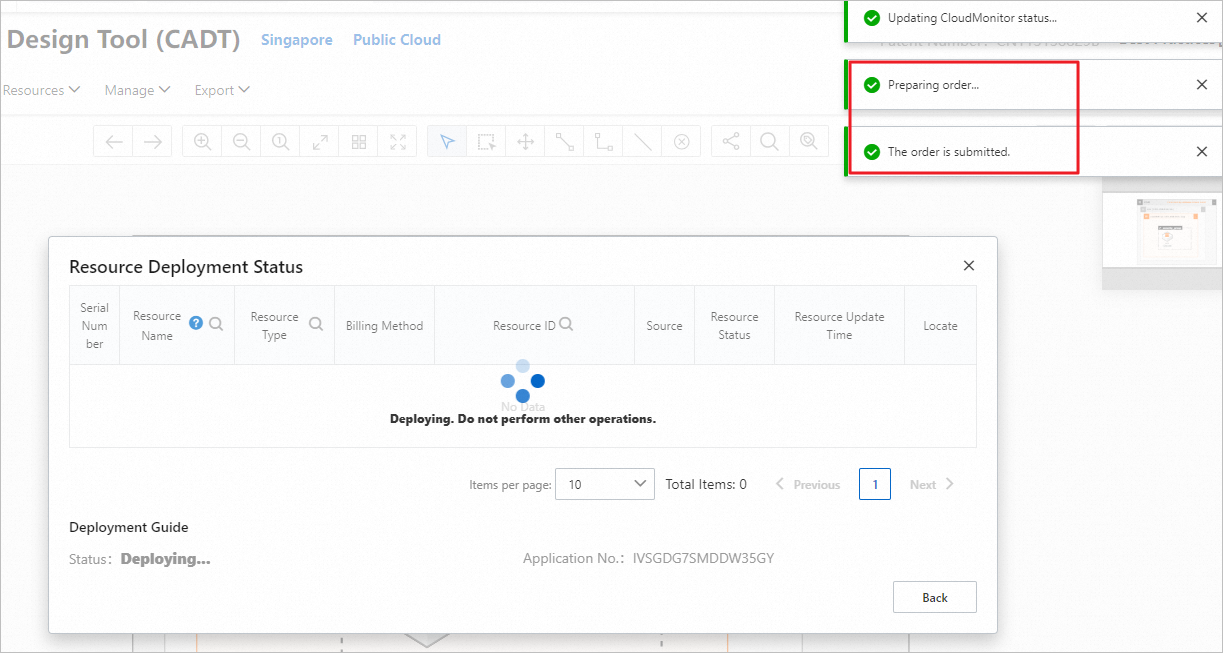
Confirm the order.
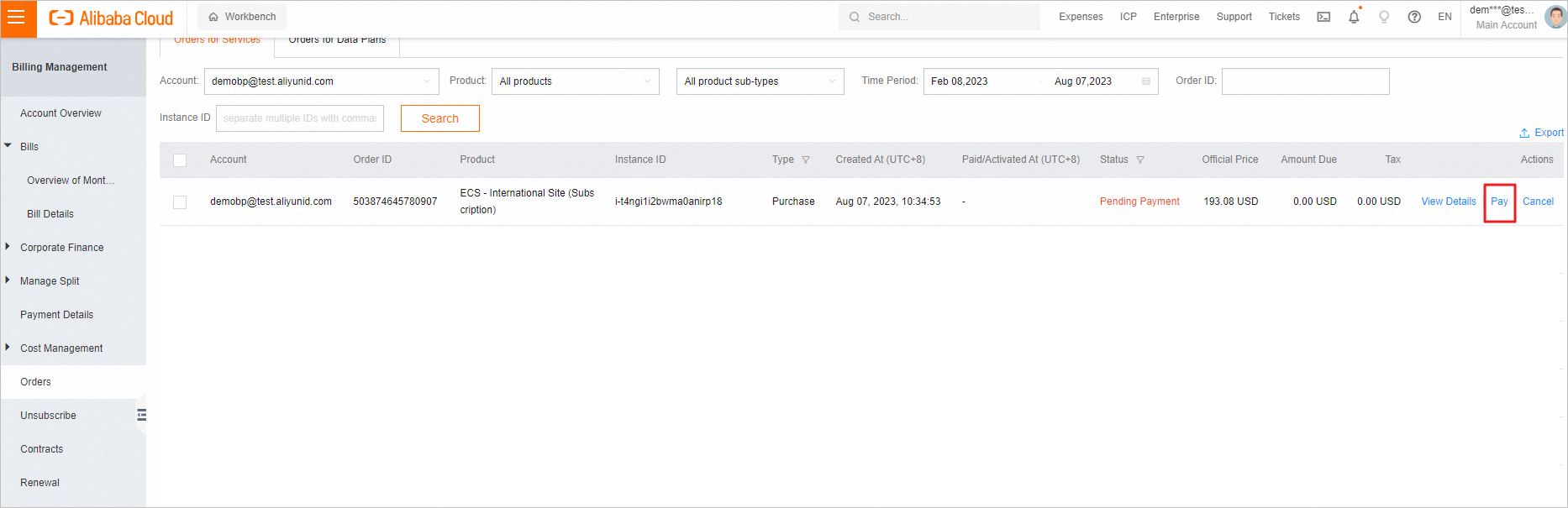
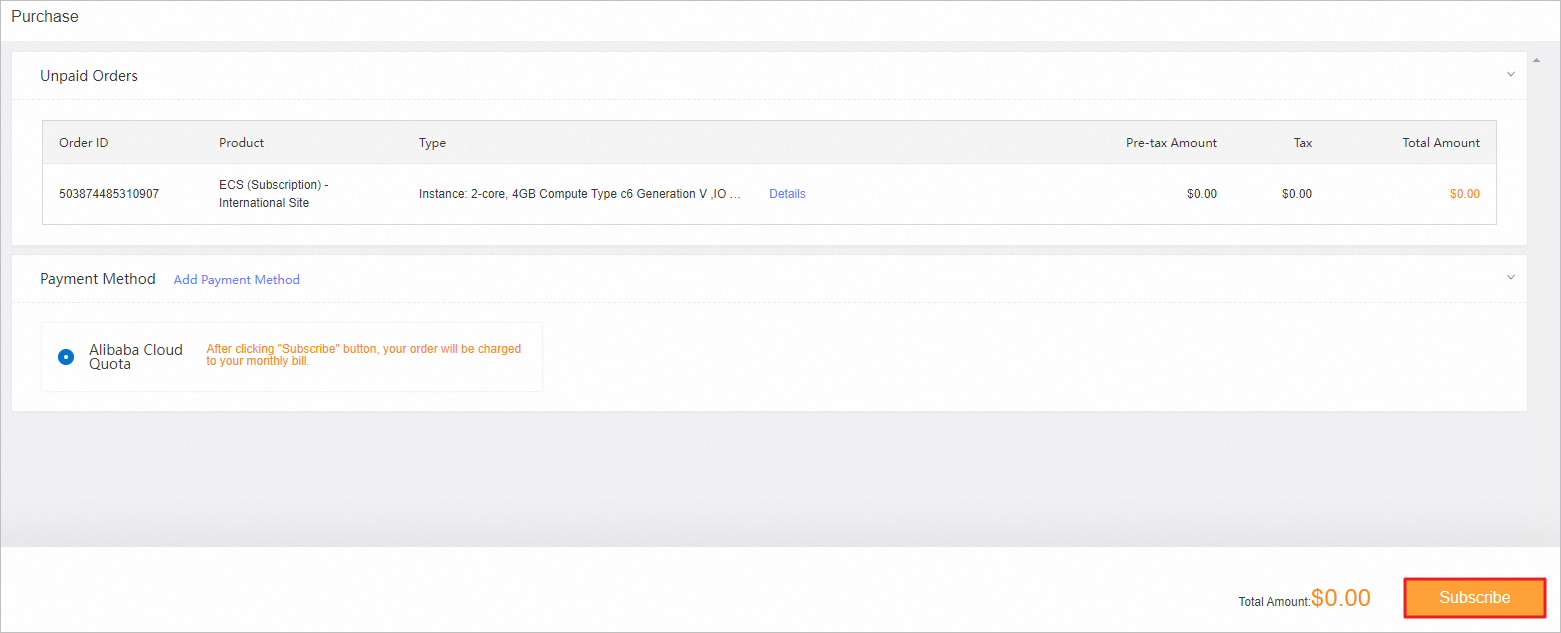
On the Orders page, find the order for which you want to pay. Click Pay in the Actions column.