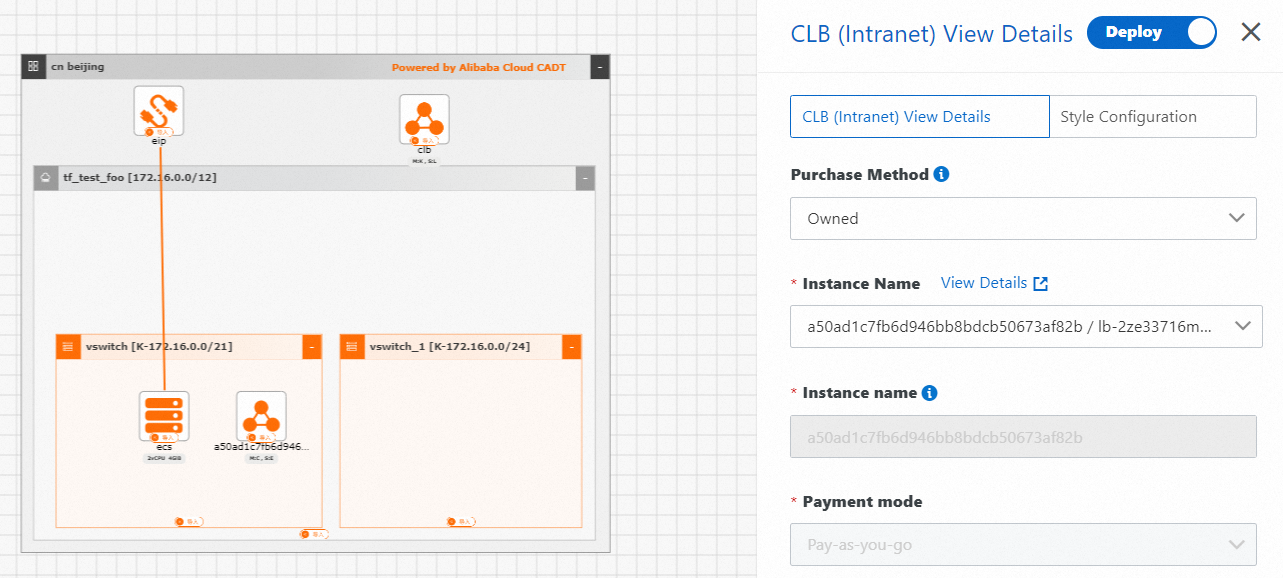
Cloud Architect Design Tools (CADT) can use resource data provided by Cloud Config to detect an application topology in an interactive and automated manner, generate a cloud-based architecture, and then import the architecture to generate an application. This feature helps you manage the application architecture and improve O&M efficiency. To use this feature, you need to activate the Cloud Config service.
Obtain resources
CADT can obtain cloud resources and associations between resources within your Alibaba Cloud account from Cloud Config after you authorize CADT to access Cloud Config resources.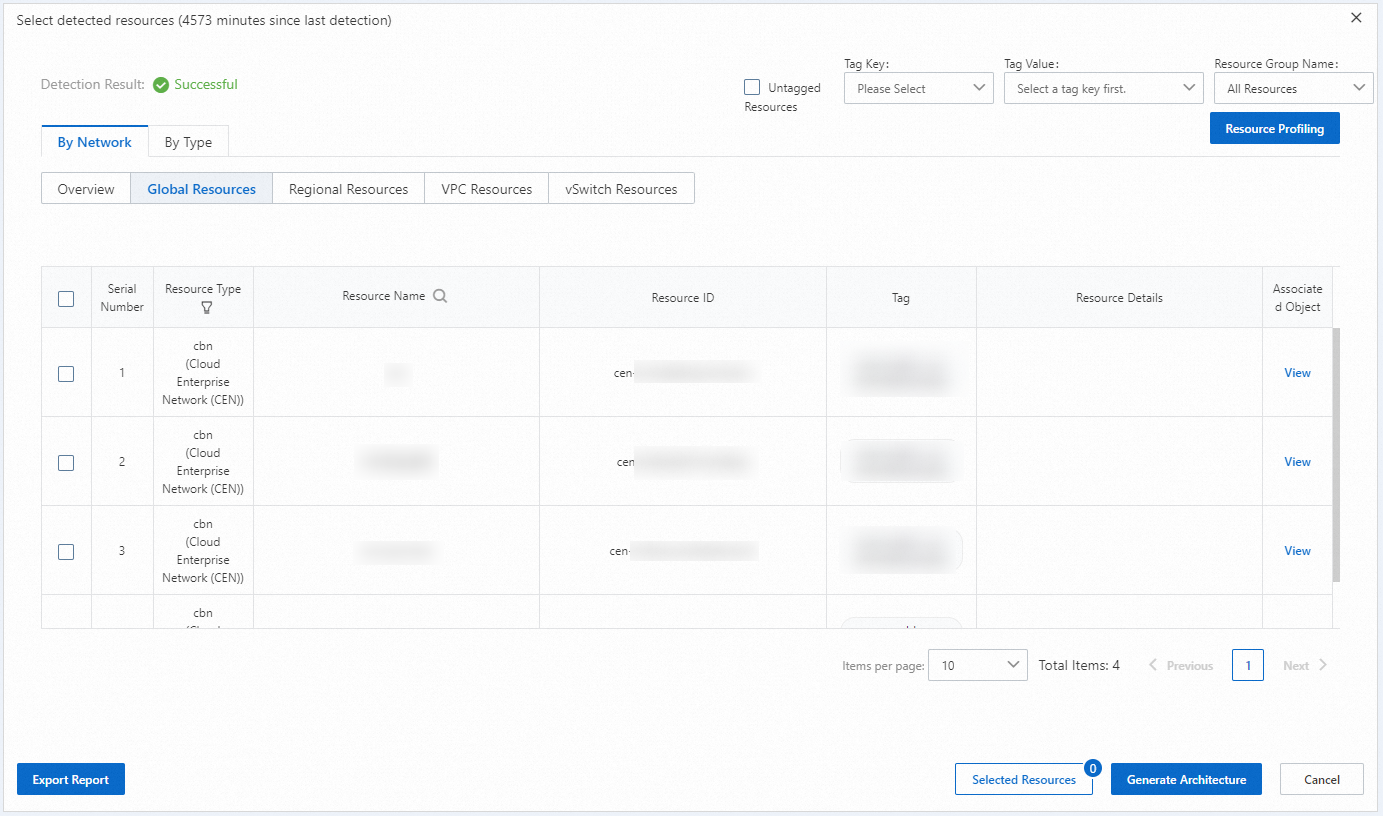
Generate a cloud-based architecture
After you select detected resources, CADT automatically uses the resources to generate an application topology and ensures that the resource data is integral and correct.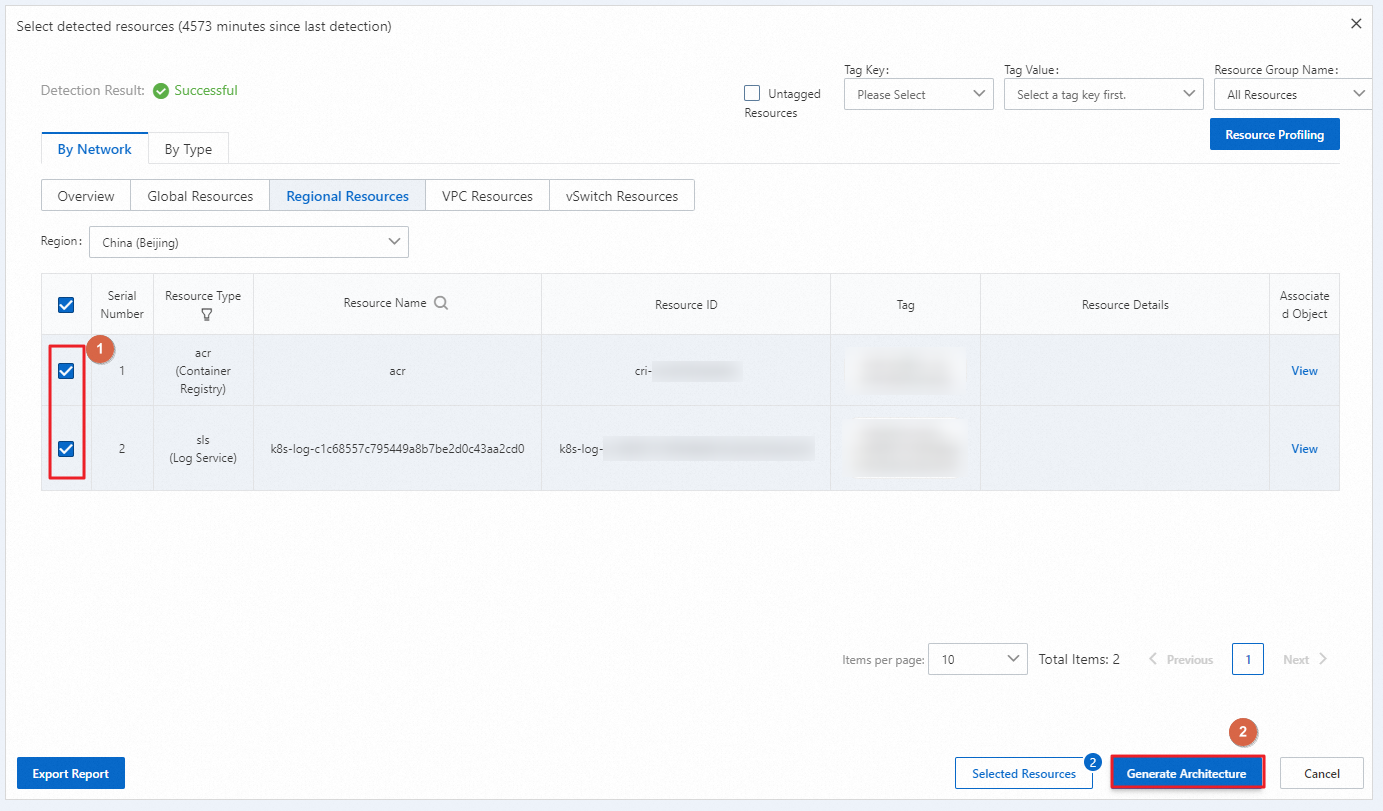
Import the cloud resources and generate an application
After you save the application architecture and import the architecture to CADT, CADT generates an application. You can use CADT to manage the lifecycle of the application.