When the default storage duration of a Managed Service for Prometheus instance expires, metric data is deleted. Archival storage retains expired data by compressing and migrating it to lower-cost storage media, where it remains queryable for a configurable period.
How archival storage works
Each Prometheus instance has a default storage duration. When archival storage is enabled, data that exceeds the default storage duration is automatically compressed and moved to archival storage media instead of being deleted.
Total retention = default storage duration + archival storage duration.
For example, if the default storage duration is 90 days and the archival storage duration is 60 days:
Data less than 90 days old is in default storage media.
Data between 91 and 150 days old is in archival storage media.
Data older than 150 days is automatically deleted.

Default storage vs. archival storage
| Default storage | Archival storage | |
|---|---|---|
| Data age | Within the default storage duration | Beyond the default storage duration |
| Query concurrency | Unlimited | One query at a time per Alibaba Cloud account |
| Concurrent query behavior | No restrictions | Additional queries return a timeout error |
| Billing | Pay-as-you-go | Pay-as-you-go, based on the amount of retained data |
Enable archival storage for a new instance
Log on to the ARMS console.
In the left-side navigation pane, choose Managed Service for Prometheus > Instances.
On the Instances page, click Create Prometheus Instance.
On the Create Instance page, set Instance Type to General-purpose Instance.
Turn on Automatic Archiving by clicking the
 icon, and set the storage duration and other parameters as prompted.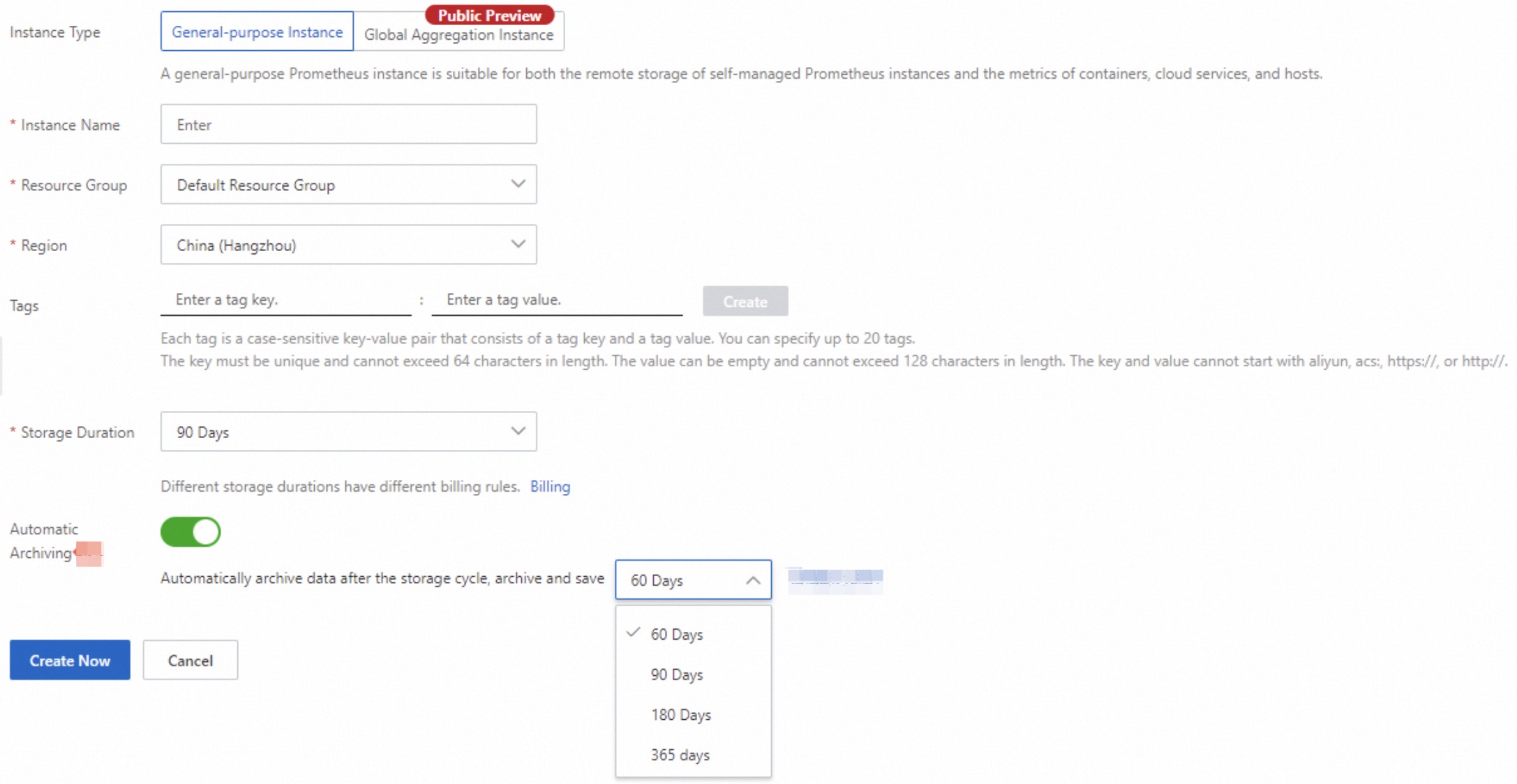
Click Create Now.
Enable archival storage for an existing instance
On the Instances page, find your Prometheus instance and click Settings in the Actions column.
Click the Storage Duration tab.
In the Storage Settings section, turn on Automatic Archiving by clicking the
 icon, set the Storage Duration, and click Save.
Disable archival storage
On the Instances page, find your Prometheus instance and click Settings in the Actions column.
Click the Storage Duration tab.
In the Storage Settings section, turn off Automatic Archiving by clicking the
 icon, and click Save.
Limits
| Limit | Details |
|---|---|
| Supported billing mode | Only Prometheus instances on the pay-by-observable-data billing mode support archival storage. |
| Archival storage duration | 60, 90, 180, or 365 days. |
| Query concurrency for archived data | One query at a time per Alibaba Cloud account. Additional concurrent queries return a timeout error. This limit does not apply to data in default storage. |
Billing
Archival storage is billed on a pay-as-you-go basis. Charges are calculated based on the amount of retained data. For pricing details, see Archival storage.