By default, ack-onepilot pulls init-container images through a Virtual Private Cloud (VPC) endpoint. If your cluster lacks VPC connectivity to the image registry, image pulls fail and pods get stuck in an initialization state.
Symptoms
You may encounter this issue if:
Pods stay in
Init:ImagePullBackOfforInit:ErrImagePullstatus.Pod events show image pull errors referencing a
registry-vpc-*URL, such as:Failed to pull image "registry-vpc-cn-hangzhou.ack.aliyuncs.com/acs/ack-onepilot-init:3.2.5": rpc error: code = Unknown desc = Error response from daemon: Get https://registry-vpc-cn-hangzhou.ack.aliyuncs.com/v2/: dial tcp: lookup registry-vpc-cn-hangzhou.ack.aliyuncs.com: no such hostYour cluster does not have VPC connectivity to the Alibaba Cloud container registry.
Why this happens
ack-onepilot sets the ONEPILOT_INIT_IMAGE_URL parameter to the VPC endpoint of the init-container image. If you manually change this value to a non-VPC URL, ack-onepilot converts it back to a VPC endpoint.
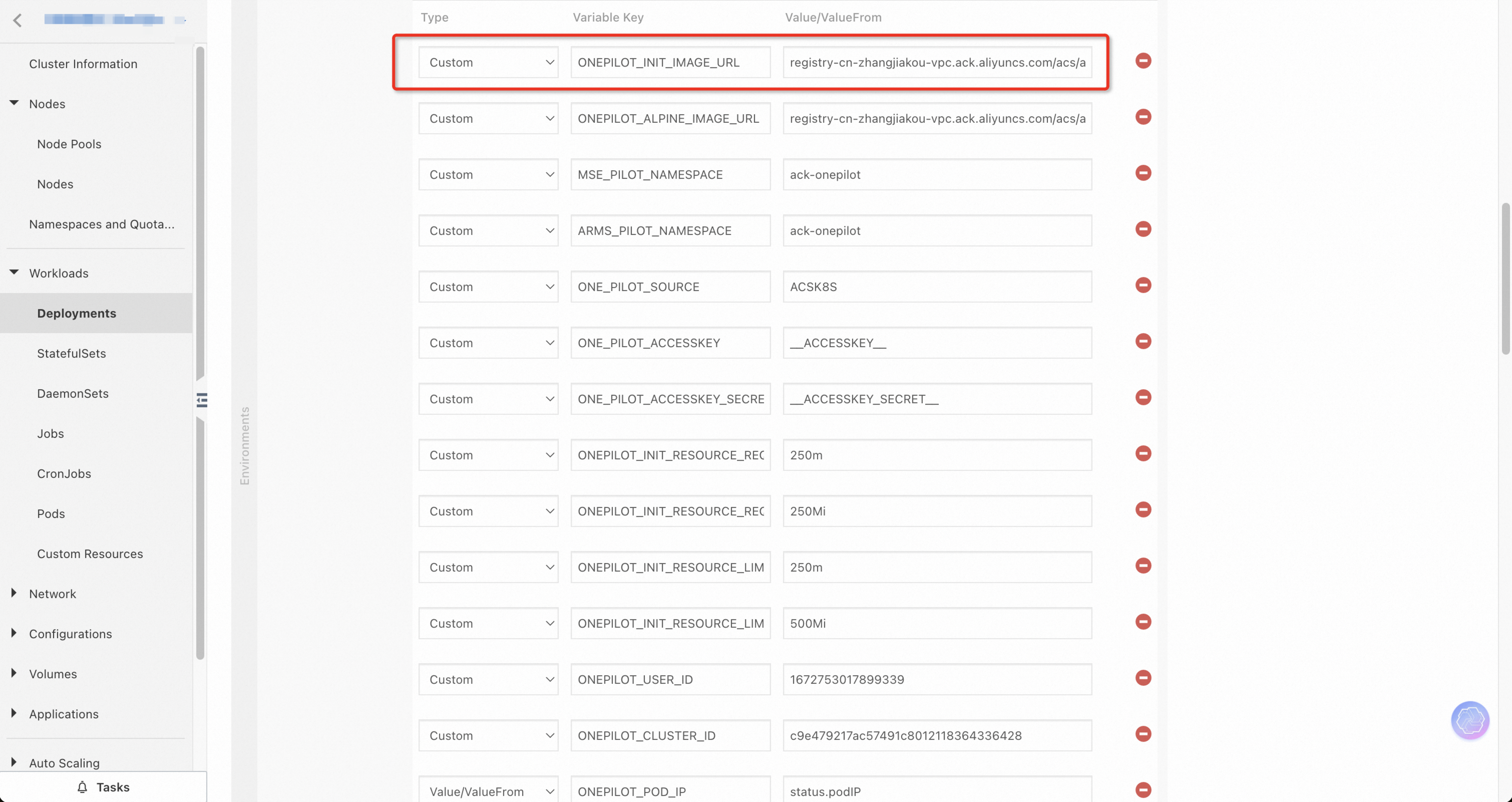
Solution
Modify the ack-onepilot deployment to pull images over the public internet instead of the VPC endpoint.
Step 1: Add the NODE_IS_EXTERNAL environment variable
Add NODE_IS_EXTERNAL=true to the ack-onepilot deployment. This prevents ack-onepilot from converting image URLs to VPC endpoints.
kubectl set env deployment/ack-onepilot NODE_IS_EXTERNAL=true -n <namespace>Replace <namespace> with the namespace where ack-onepilot is deployed.
Step 2: Update the image URL
Remove the -vpc suffix from the ONEPILOT_INIT_IMAGE_URL value. For example:
| Before (VPC endpoint) | After (public endpoint) |
|---|---|
registry-vpc-cn-hangzhou.ack.aliyuncs.com/acs/ack-onepilot-init:3.2.5 | registry-cn-hangzhou.ack.aliyuncs.com/acs/ack-onepilot-init:3.2.5 |
kubectl set env deployment/ack-onepilot \
  ONEPILOT_INIT_IMAGE_URL=registry-cn-hangzhou.ack.aliyuncs.com/acs/ack-onepilot-init:3.2.5 \
-n <namespace>Replace the registry region (for example, cn-hangzhou) and image version (for example, 3.2.5) with the values that match your deployment.
Step 3: Restart the deployment
Restart the ack-onepilot deployment to apply the changes:
kubectl rollout restart deployment/ack-onepilot -n <namespace>Verify the result
After the deployment restarts, confirm that new pods pull the init-container image from the public endpoint:
kubectl describe pod <pod-name> -n <namespace>In the Events section, check that the image URL does not contain -vpc. A successful pull looks similar to:
Successfully pulled image "registry-cn-hangzhou.ack.aliyuncs.com/acs/ack-onepilot-init:3.2.5"Only pods created after the restart use the updated image URL. Existing pods keep their original init-container image configuration.