When you query messages on the Message Query page in the ApsaraMQ for Kafka console by selecting Search by Point in Time from the Search Method drop-down list and specifying a time in the Point in Time picker, the timestamps in the Created At column may differ significantly from the time you specified. In some cases, Created At values are null.
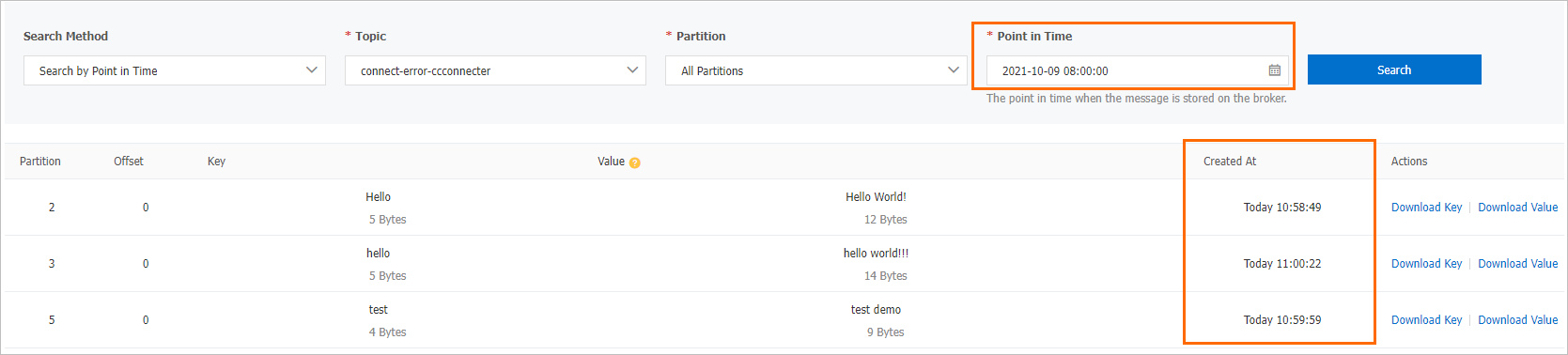
Cause 1: Query time is outside the partition's message range
The time you specified is earlier than the oldest message or later than the newest message in the partition. When this happens, the consumer offset is reset, and the Created At column shows timestamps near the latest message rather than your specified time.
Solution
Specify a time within the message range for the topic.
Cause 2: Created At values are null
The Created At column shows null when the Kafka client that produced the messages does not support message timestamps. Timestamp support was introduced in Kafka client version 0.10.2.
Solution
Upgrade the Kafka client to version 0.10.2 or later. Version 2.4.0 is recommended.