This topic describes how to modify the scheduled time of major compactions for a cluster or serverless instance.
Procedure
ApsaraDB for OceanBase allows you to modify the scheduled time of major compactions for cluster instances and serverless instances. The following procedure takes a cluster instance as an example:
Log on to the ApsaraDB for OceanBase console.
In the left-side navigation pane, click Instances.
In the instance list, click the name of the target cluster instance to go to the Cluster Instance Workspace page.
NoteTo modify the scheduled time of major compactions for a serverless instance, click the name of the serverless instance to go to the Serverless Workspace page.
Modify the scheduled time of major compactions for a cluster instance. On the Cluster Instance Workspace page, click Actions on the right of Major Compaction.
Click Modify Major Compaction Time to modify the start time of the daily major compaction task. By default, a major compaction is initiated at 02:00 every day.
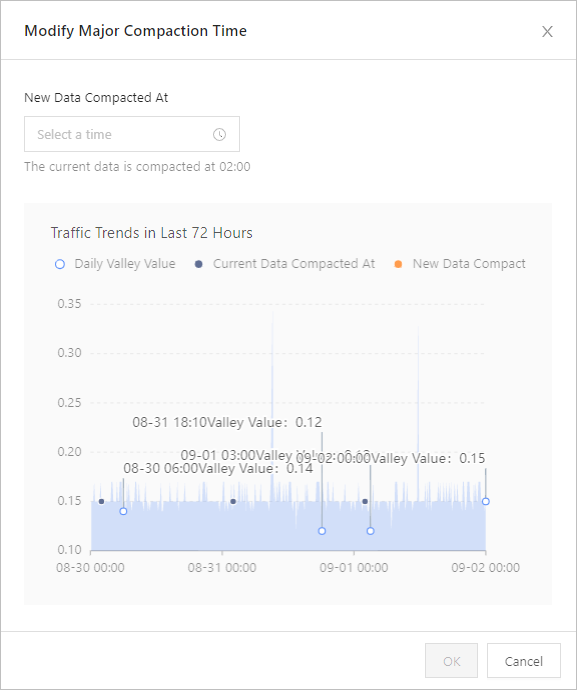
After you set the value for New Major Compaction Time, click OK.