Description
If you use Alibaba Mail to reply to an email, if you do not select the option to Reply All (with Attachments), the attachments in the original email will not be sent to the recipient by default. The recipient can only view the body that the sender has replied to, but cannot view the attachment content.
Solution
If you need to send the attachment to the recipient, please refer to the following steps to setup:
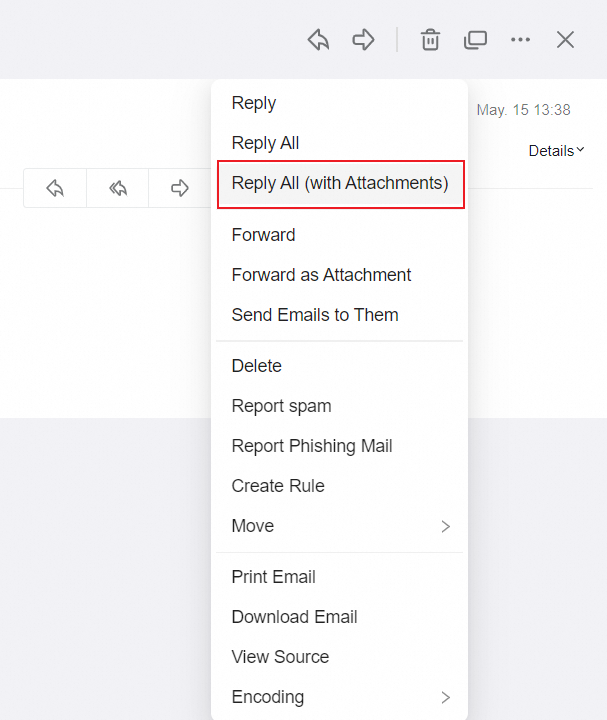
1. Log on to the Webmail, click the corresponding email under Inbox, right click on the email body and select Reply All (with Attachments).
The following contents are the options when replying to an email, and the functions of different options are different.
Reply: The attachment is not included when the email is sent.
Reply All: Send emails without attachments.
Reply All (with Attachments): Send emails with attachments.
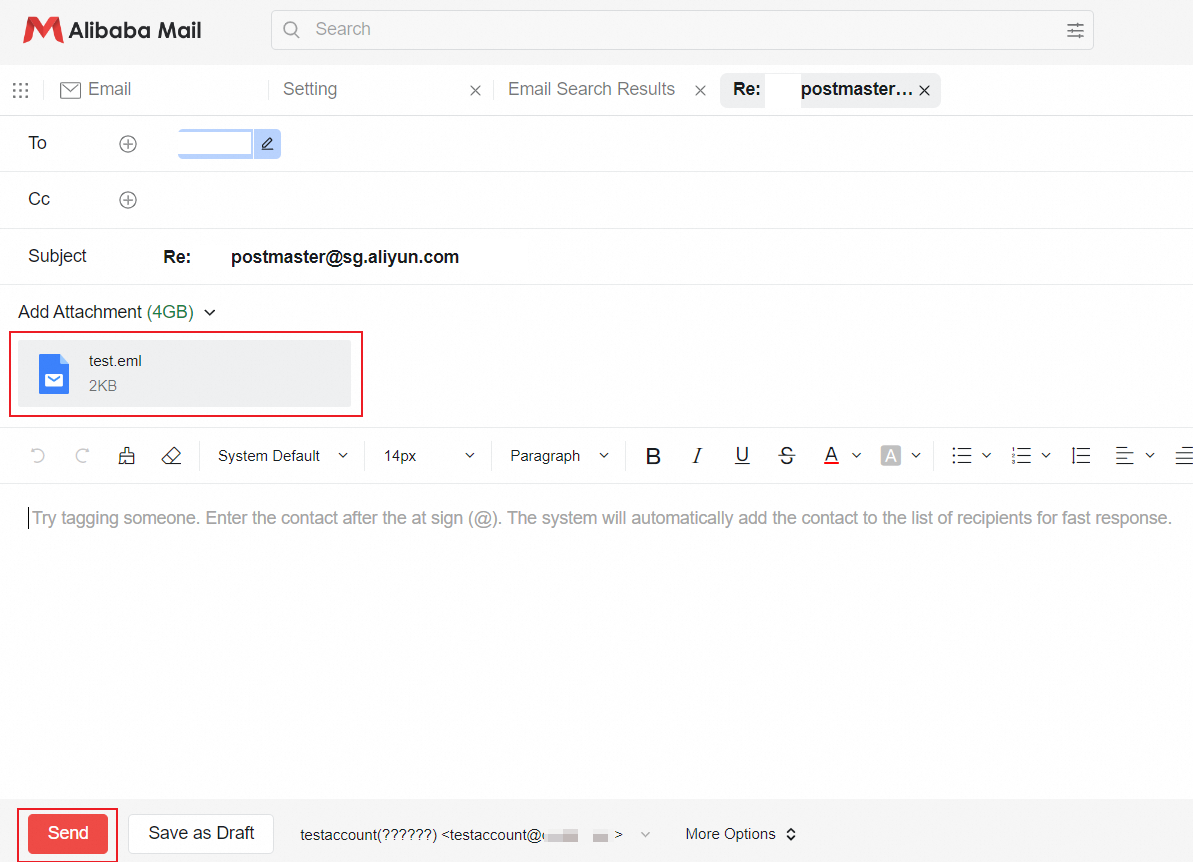
2. Confirm that the email contains the attachment, edit the content, and click Send.
Applicable Scope
Alibaba Mail