Meeting room account refers to the resource mailbox assigned to the meeting place. The meeting room account has the attributes of accommodating number of people, whether it is equipped with meeting telephone number, demonstration screen, address name, etc. Before initiating a meeting invitation to the meeting room mailbox, you can check the busy and idle information of the meeting room mailbox. After sending the meeting invitation, the meeting room account can automatically send a response to the meeting invitation mailbox to reply whether the meeting room reservation was successful or not, and query the scheduled meeting room information.
How to Create a Meeting Room Account
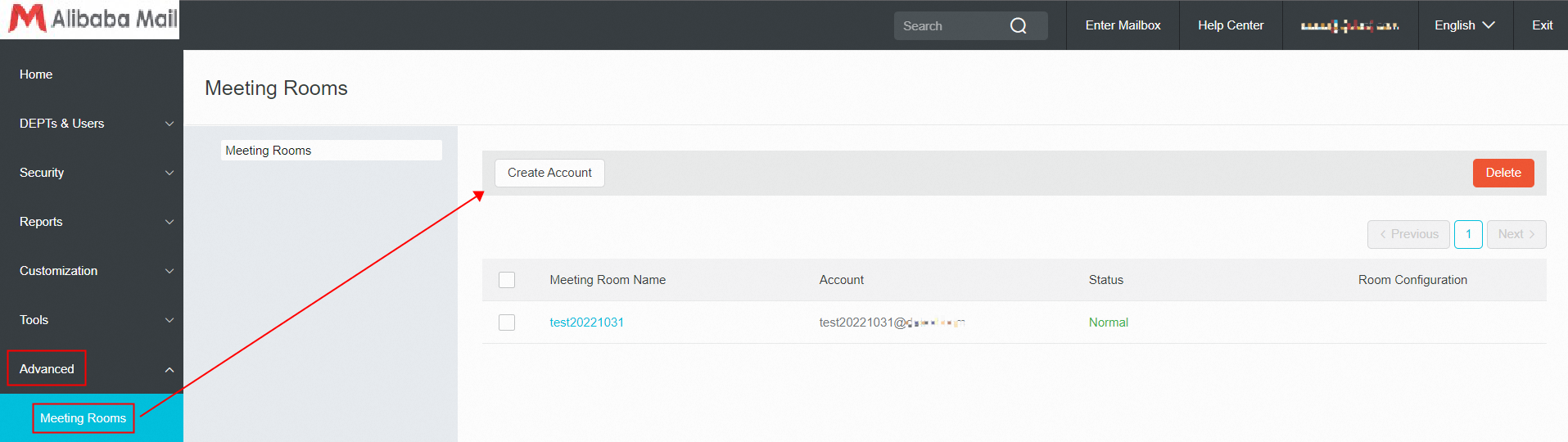
Use postmaster account login Alibaba Mail and enter domain management page->Advanced->Meeting Rooms->Create Account. After the creation is completed, the meeting room account will be displayed in the company address book, and the first-level department to which it belongs is Meeting Rooms.
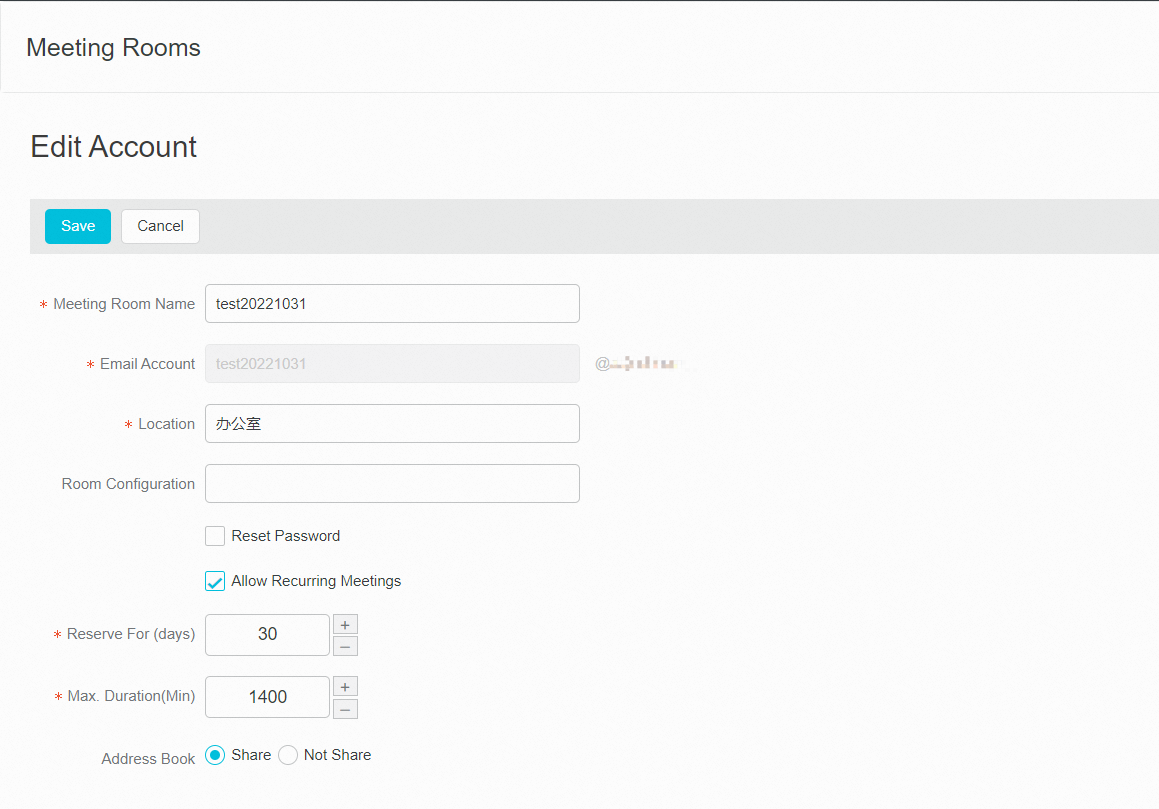
Meeting Room Account Setup Instructions
1. Allow conflicting meeting requests: the same conference room account is allowed to be reserved by different people within the same time period;
2. Allow recurring meetings (allow to initiate a recurring reservation, such as a weekly Monday reservation);
3. Only scheduling is allowed during the working period (for example, 8:00 to 18:00 during the working period, it is allowed to be scheduled, and is not used for the time being);
4. Reject the recurring meetings with an end date that exceeds the scheduled period of time (no reservation of meeting rooms is allowed for time beyond the scheduled period);
5. The reservation period (the default value is 30 days, and it is the maximum selectable time for the conference room reservation);
6. Maximum duration (optional time period scheduled at one time for meeting room);
7. Conflict instance (not used);
How to Initiate A Meeting Engagement
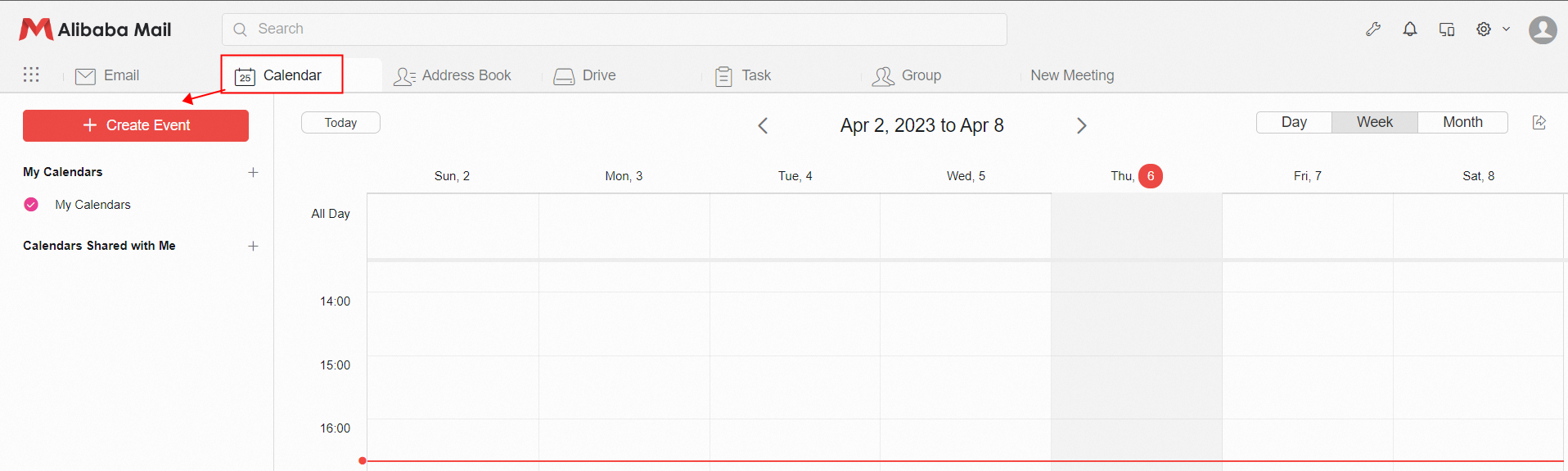
Login to the Alibaba Mail>> click the Calendar icon at the top of the page>> and select + Create Event.
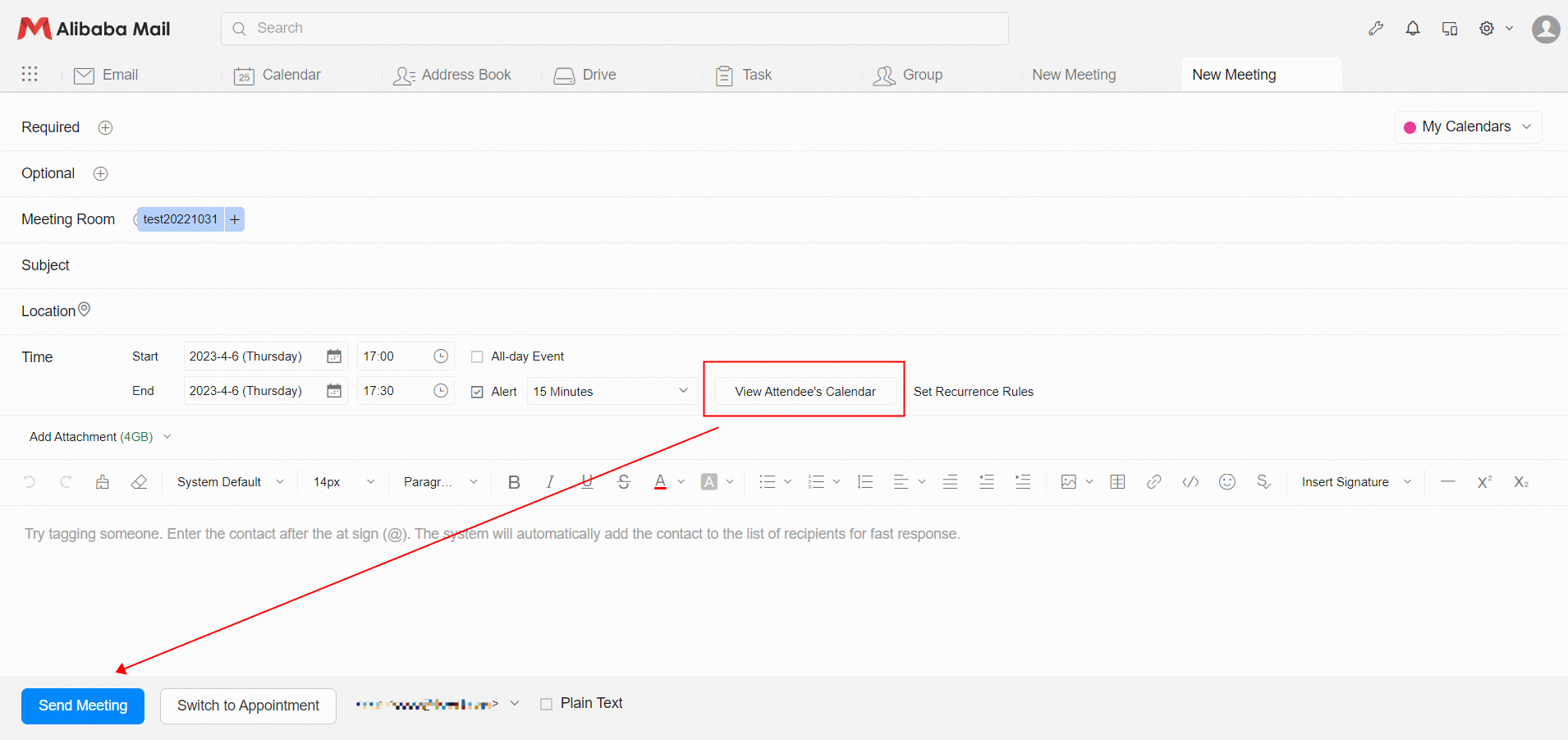
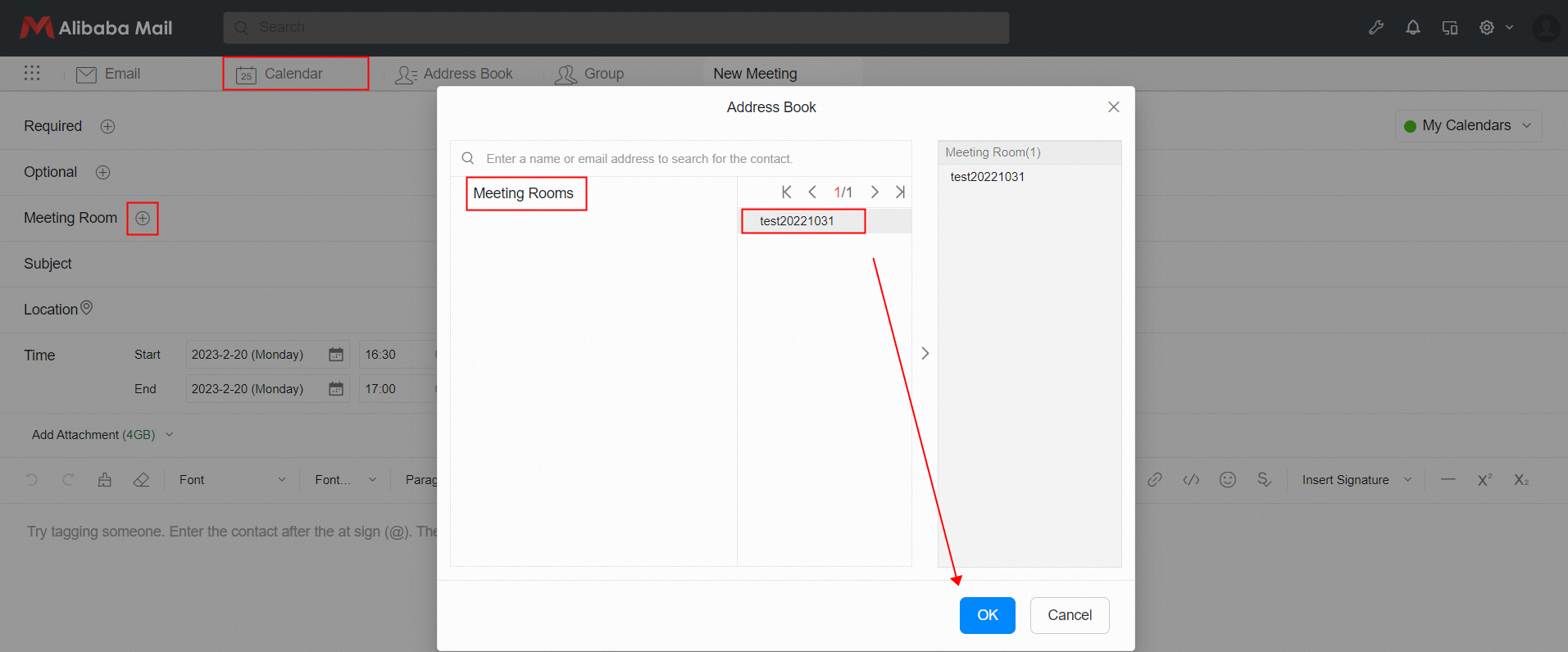
Click + next to the Meeting Room, select the conference room account and click OK.
 In the Time column, click View Attendee' s Calendar, you can see the idle status of the conference room and users. After the email is written, click Send Meeting to initiate the meeting invitation.