This topic describes how to configure email skin.
Procedure:
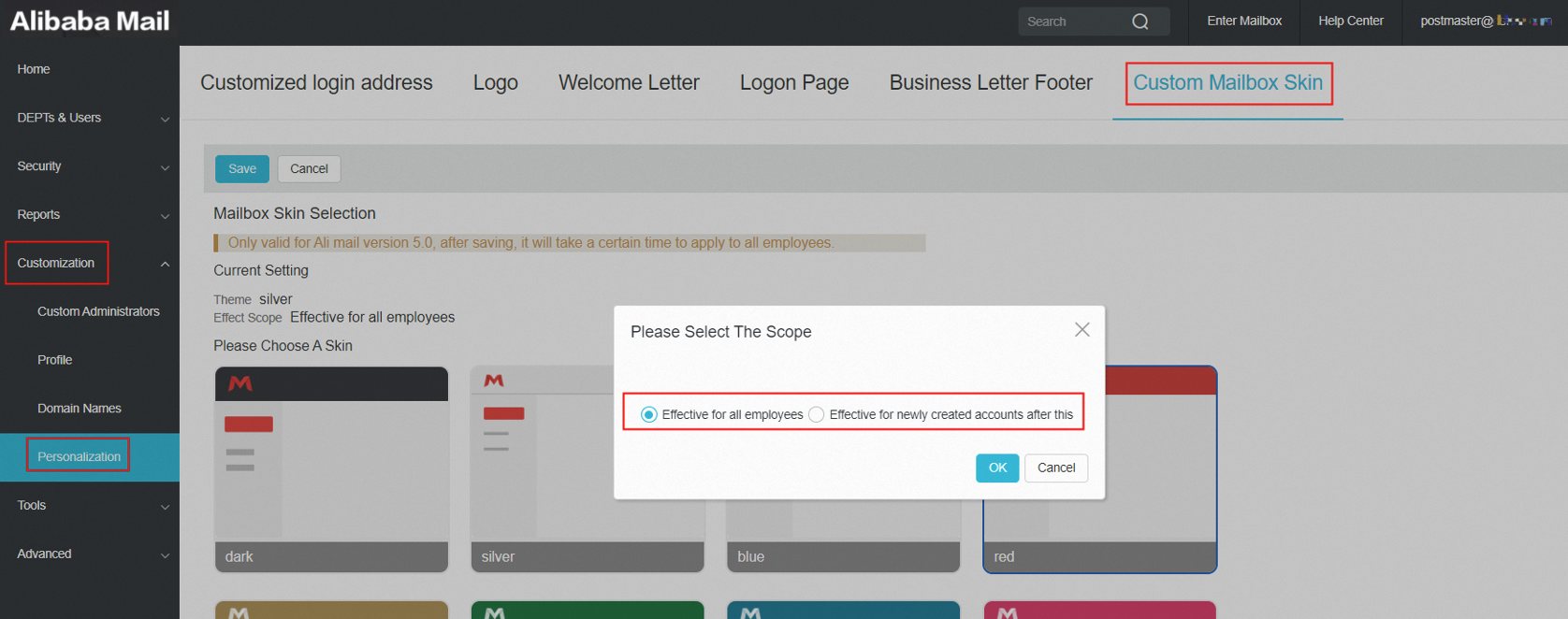
1. Use postmaster account login Alibaba Mail and enter domain management page-> Customization-> Personalization.
2. In the Custom Mailbox Skin section, select an action scope as Effective for all employees or Effective for newly created accounts after this. Then click OK to save the change.
Note
It takes effect only for Alibaba Mail version 5.0. After saving, it will take some time to apply to all employees.