Let's consider a scenario where a large group customer has multiple companies that are responsible for different businesses, and their cloud instances are also distributed on different UIDs on Alibaba Cloud. However, R&D and O&M are subordinate departments of the group. Different students in the group serve different companies. Some companies have small businesses, and several companies are in charge of one DBA. Some companies have large businesses, and there are multiple DBAs who are responsible for subsets of their database instances. Now, the company's DBA understands the intelligent O&M capabilities of DAS Agent. If you want to manage DAS Agent in a unified manner, you must first solve the problem between multiple accounts.
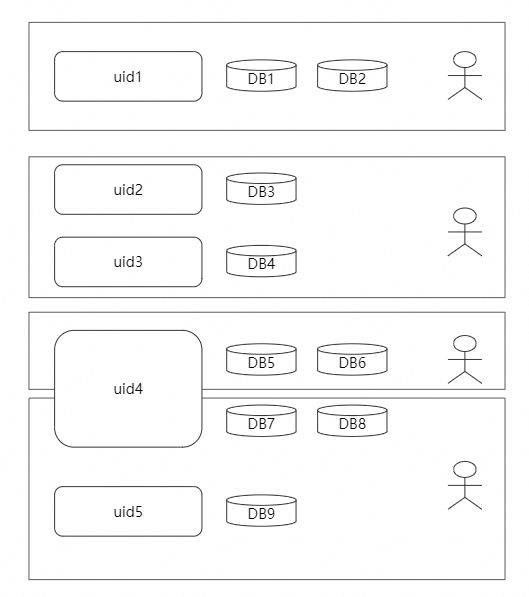
Now, the configuration can be completed in das agent + mcp server + dify, and the unified wiener management of multi-account instances can be completed.
Account A: the primary account. You want to manage instances of Account B here at the same time.
| Account A | Account B |
|---|---|
|
RAM RAM page Add Role Select Trust Subject [Other Alibaba Cloud Accounts] Enter the UID of Account A. The role name is [test] Permissions can be selected as needed, such as [AliyunHDMFullAccess] |
|
|
MCP Service Page Select Multi-Account MCP The name of the custom role. The name must be the same as the name of the custom role. |
|
| dify-> tools->mcp server refresh | |
| For trial use in dify studio, the corresponding mcp tool node will have some more fields, starting with [x_] and filling in the uid of account b in [x_assume_account_id], so that DAS AGENT (including its managed instance) of account b can be opened and managed together under dify of account a. |
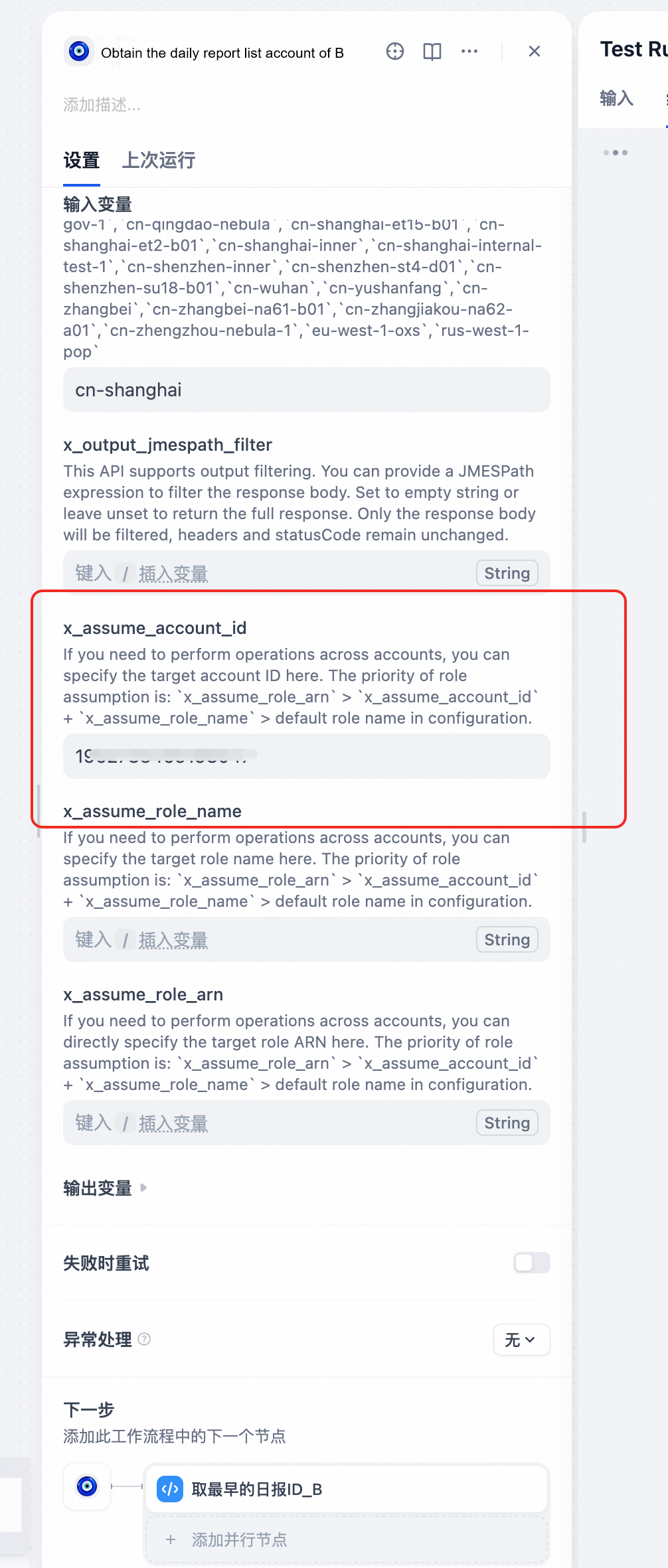
As shown in the following figure, the DAS AGENT multi-instance O&M daily reports of account A and account B are integrated by the LLM node and then uniformly input to DingTalk

The dsl file of dify cannot be uploaded directly in PDF. You can search the group number by nailing it: 58255008752 to join the DAS user group and ask the administrator for it.
The following are the interfaces of O&M Daily
ApsaraDB RDS Debuts RDSHermes: Empowering Database AI Agents to Evolve Autonomously
ApsaraDB - June 22, 2026
Alibaba Cloud Native Community - April 15, 2025
Alibaba Cloud Native Community - February 3, 2026
ApsaraDB - March 30, 2026
Alibaba Cloud Native Community - May 20, 2025
Alibaba Cloud Native Community - June 10, 2026
 DAS(Database Autonomy Service)
Self-driving Database Platform: Self-repair, Self-optimization, and Self-security
Learn More Managed Service for Grafana
Managed Service for Grafana displays a large amount of data in real time to provide an overview of business and O&M monitoring.
Learn More Bastionhost
A unified, efficient, and secure platform that provides cloud-based O&M, access control, and operation audit.
Learn More Database Migration Solution
Migrating to fully managed cloud databases brings a host of benefits including scalability, reliability, and cost efficiency.
Learn MoreMore Posts by ApsaraDB


