In modern software development, flexibility is paramount. Many developers want to leverage cutting-edge AI models without being locked into a single vendor or IDE. Alibaba Cloud addresses this need through its token-based billing & quota system (commonly referred to as the Token Plan) in Alibaba Cloud Model Studio, which fully supports OpenAPI-compatible endpoints. This means the API tokens you obtain from Alibaba Cloud can be used directly in your preferred IDE, such as Visual Studio Code, especially with AI coding assistants like Cline.
This article explains how the token system works, why OpenAPI compatibility matters, and provides a step-by-step guide to integrating Alibaba Cloud's AI models into VS Code using Cline.
• base_url
• api_key
• model
Cline is an open-source AI coding assistant for VS Code that supports chat, inline editing, agent mode, terminal execution, and file system operations. It natively supports custom OpenAI-compatible providers, making it an ideal bridge to Alibaba Cloud's models.
Key benefits:
• Access to coding-optimized Qwen models (e.g., qwen-coder-plus-latest)
• Transparent, usage-based pricing via Alibaba Cloud's token system
• Data processed on Alibaba Cloud infrastructure (ideal for regional compliance & data residency)
• No dependency on third-party monthly subscriptions or vendor lock-in
• Navigate to Model Studio (DashScope) under AI & Machine Learning products and activate the service.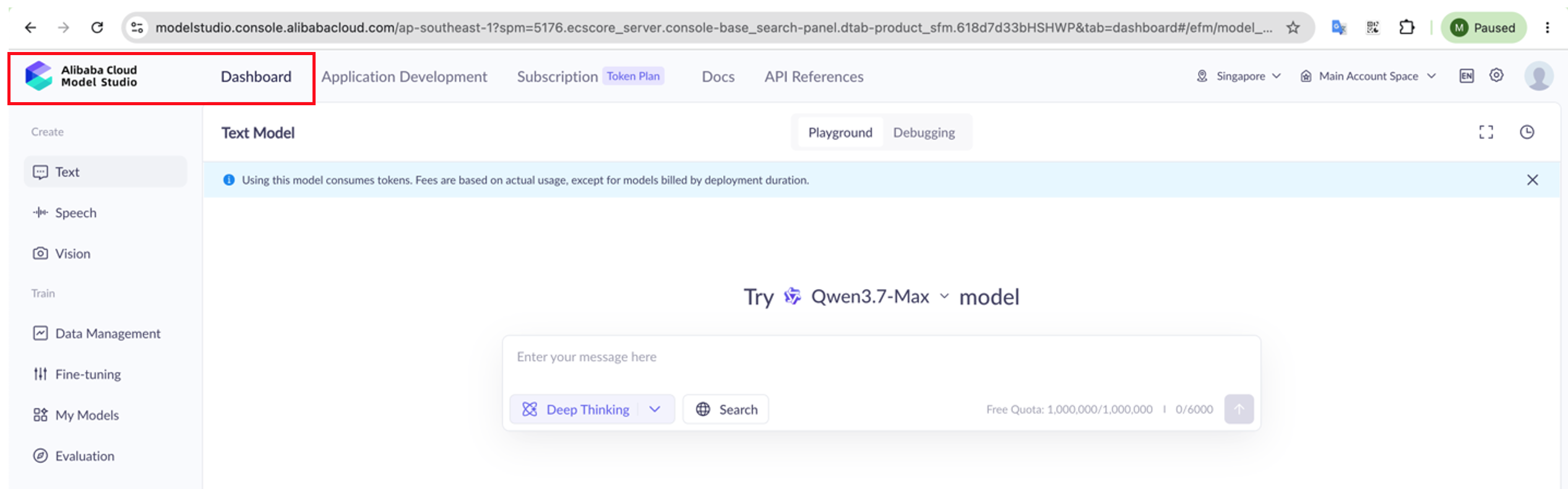
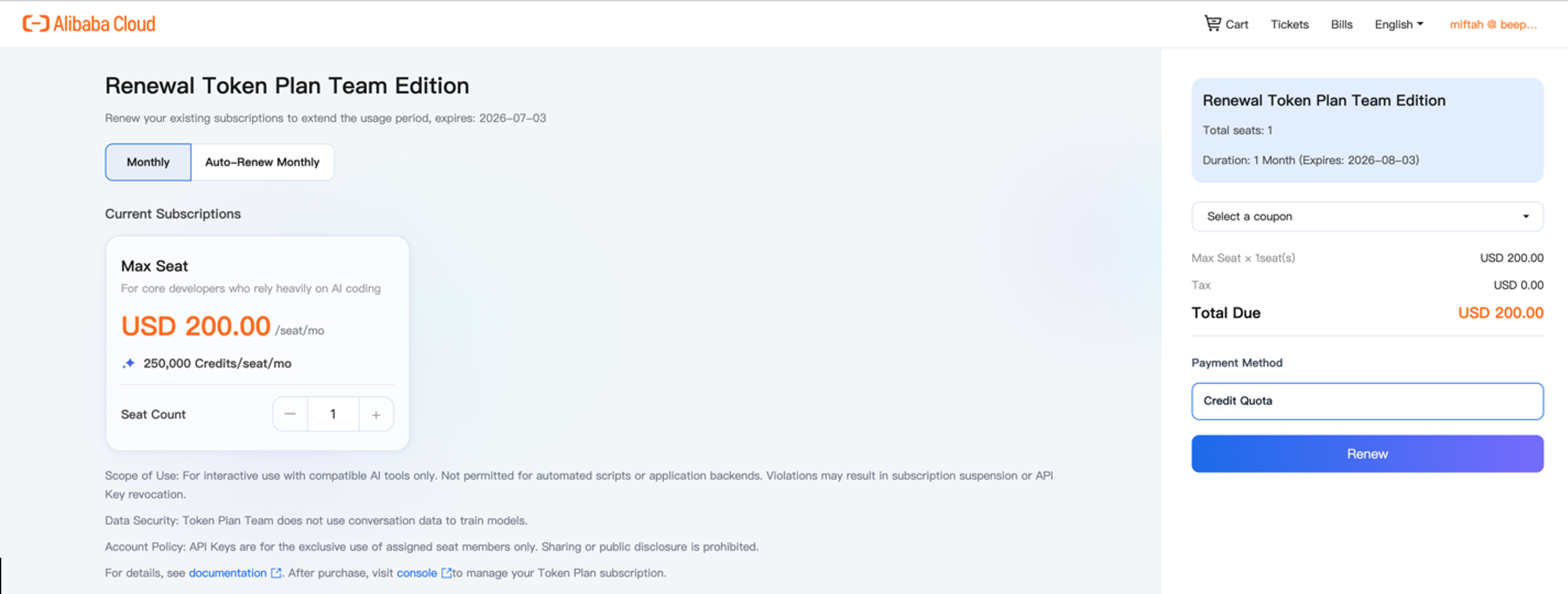
• Go to Subscription Token Plan, and buy the plan for $200 (250K credits/seat/month)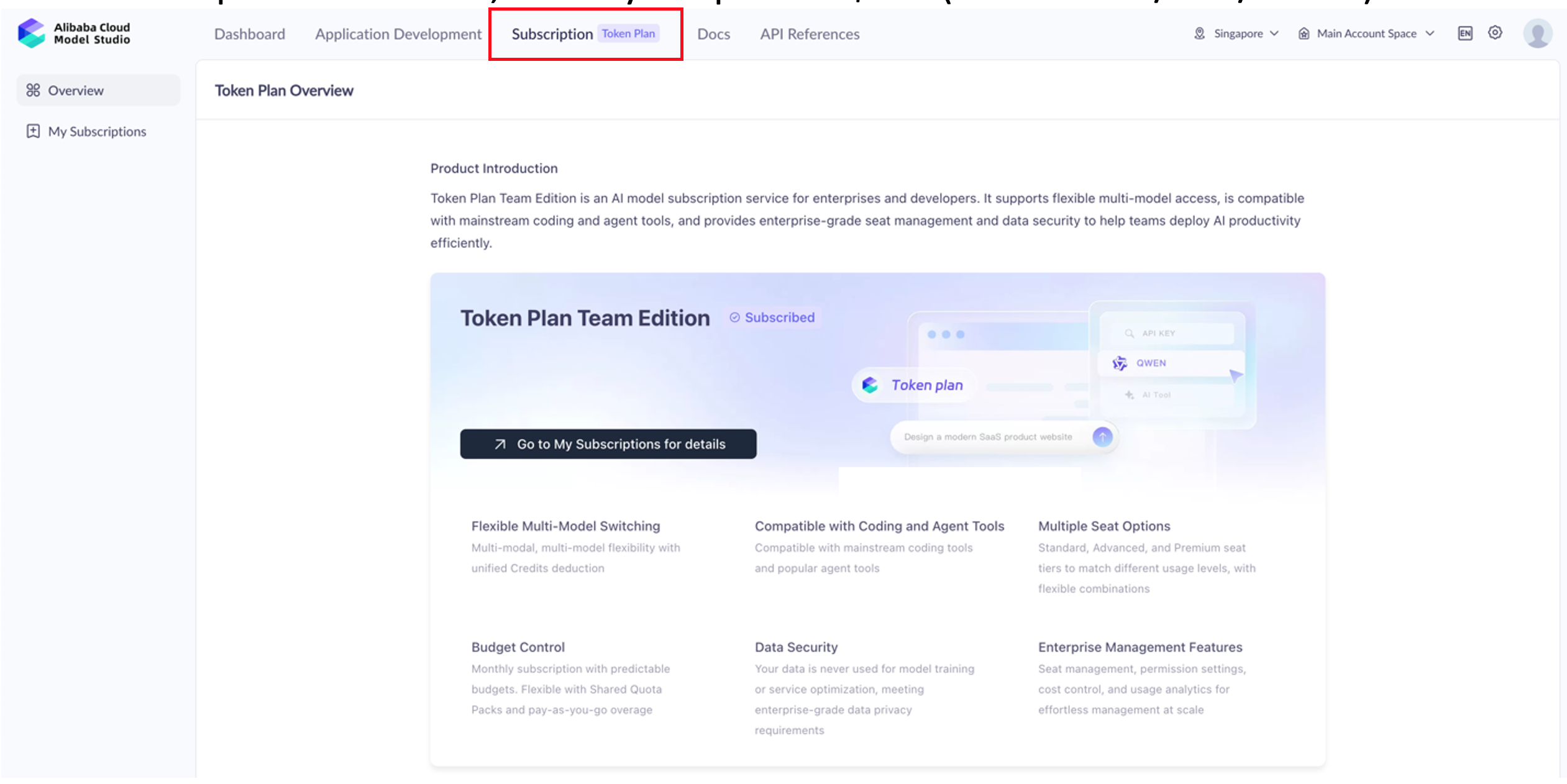
• Check the subscription for Token Plan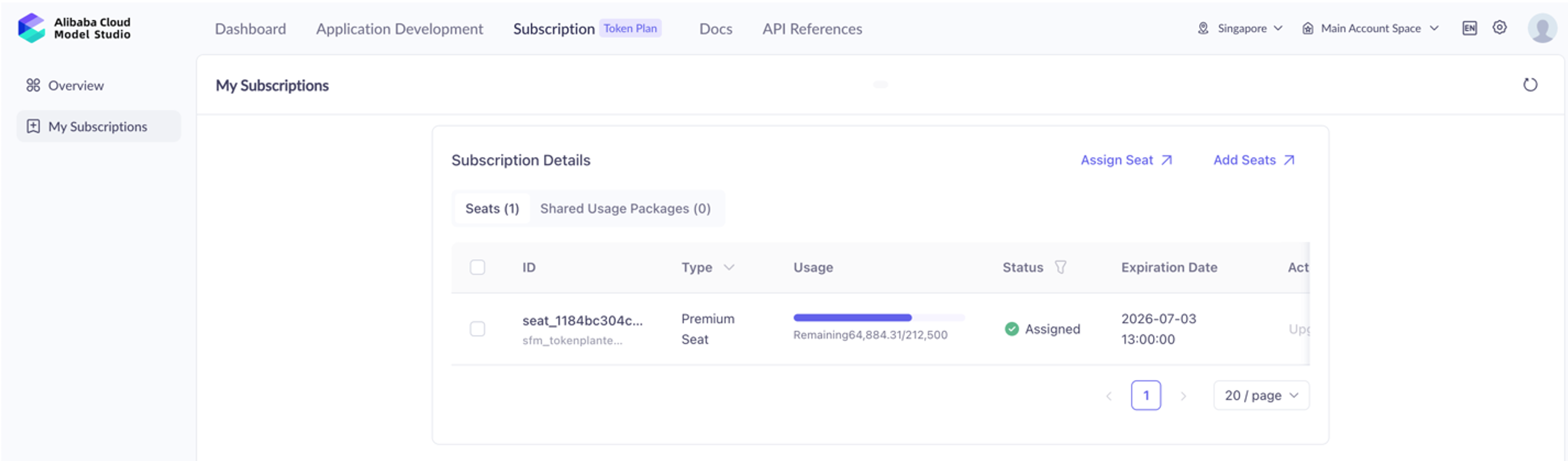
• Copy and securely store the key. This will serve as your authentication token.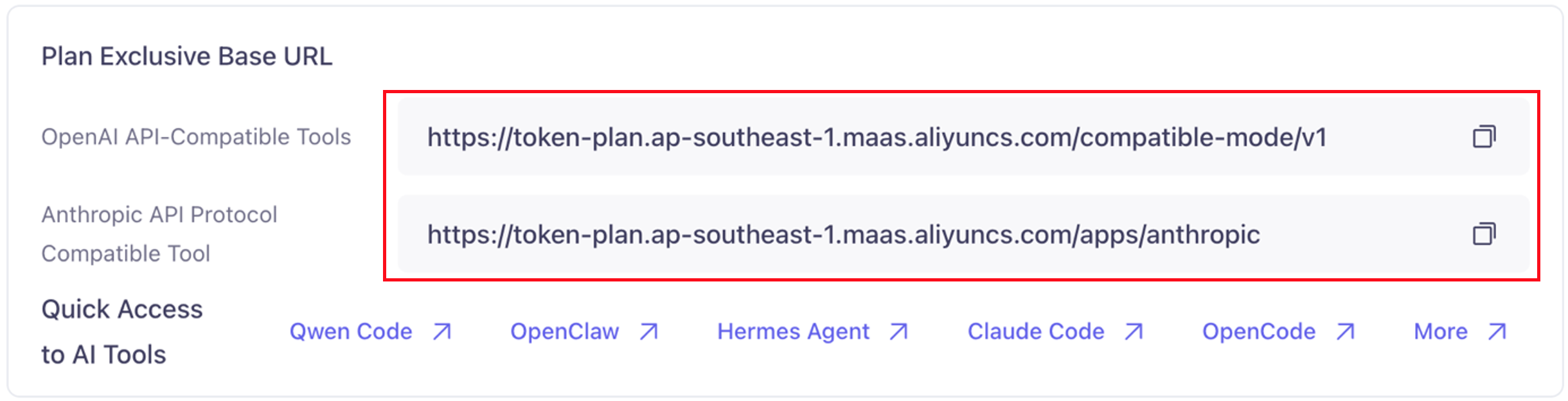
• These are the supported models for Token Plan.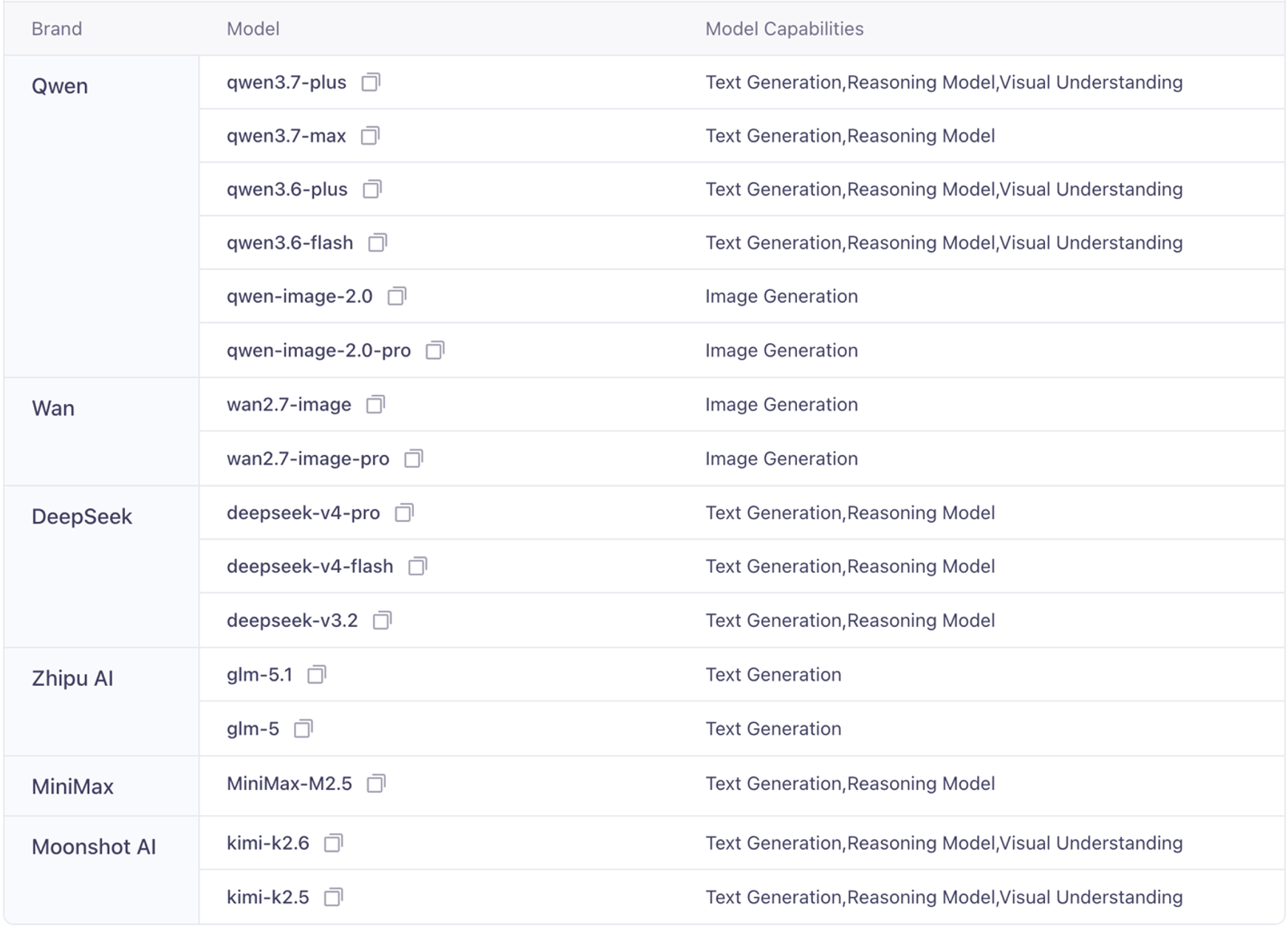
Note: Ensure your account is verified and billing is enabled. Token consumption is tracked in real-time under Model Studio → Billing & Usage.
• Search for Cline → Install the official extension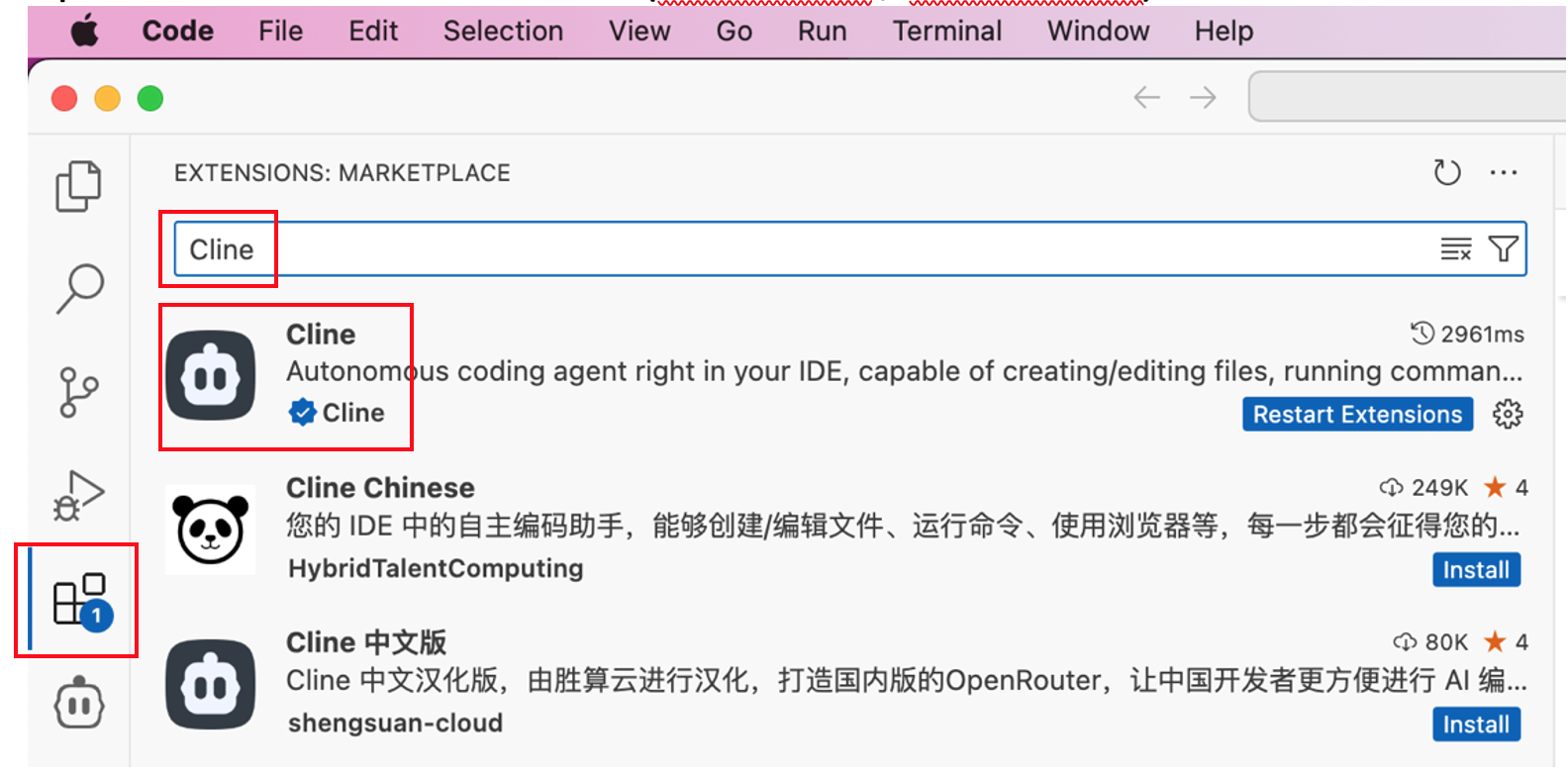
• Reload VS Code if prompted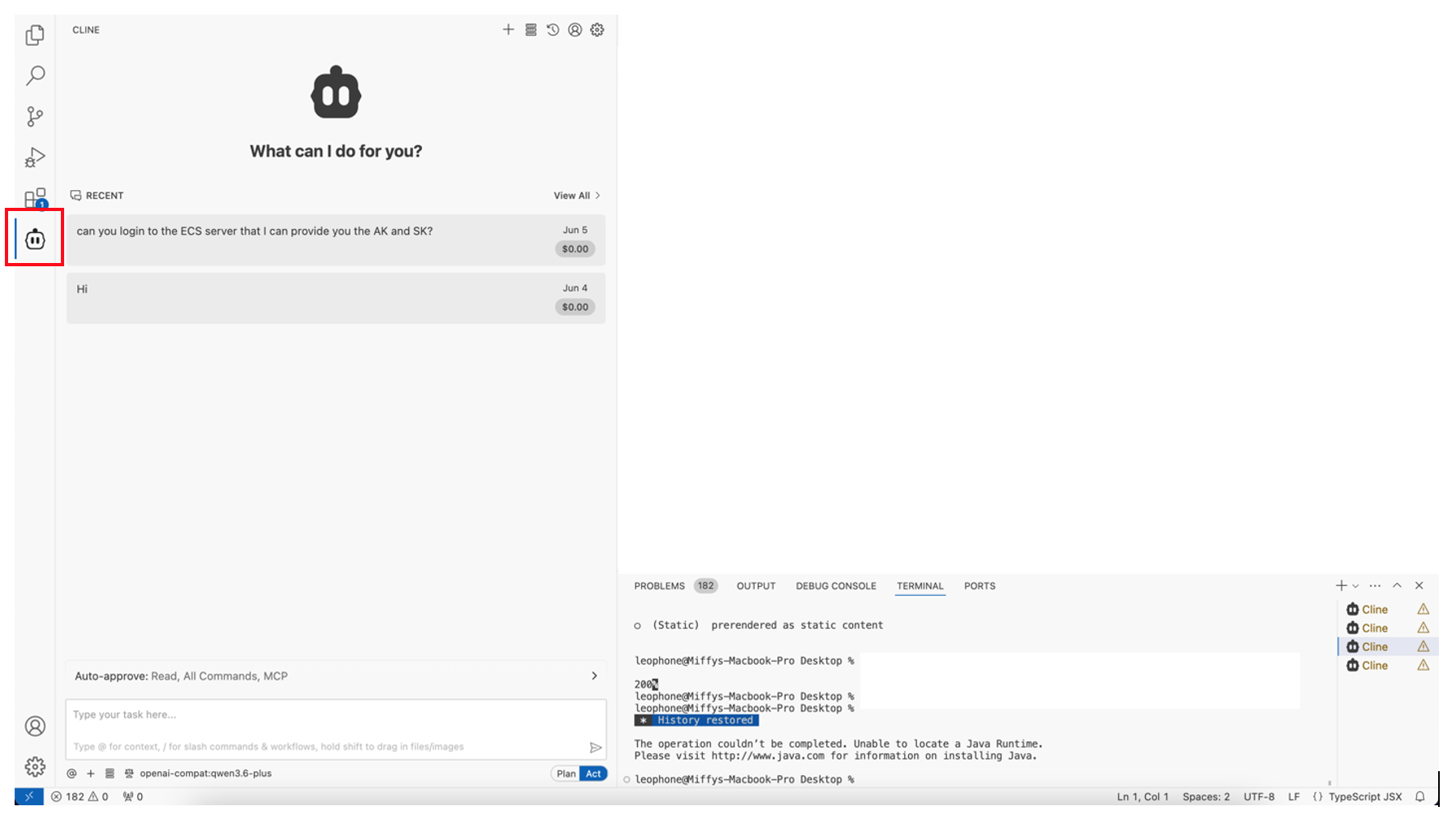
• Click the ⚙️ Settings icon → under API Provider, select OpenAI Compatible
• Fill in the following fields: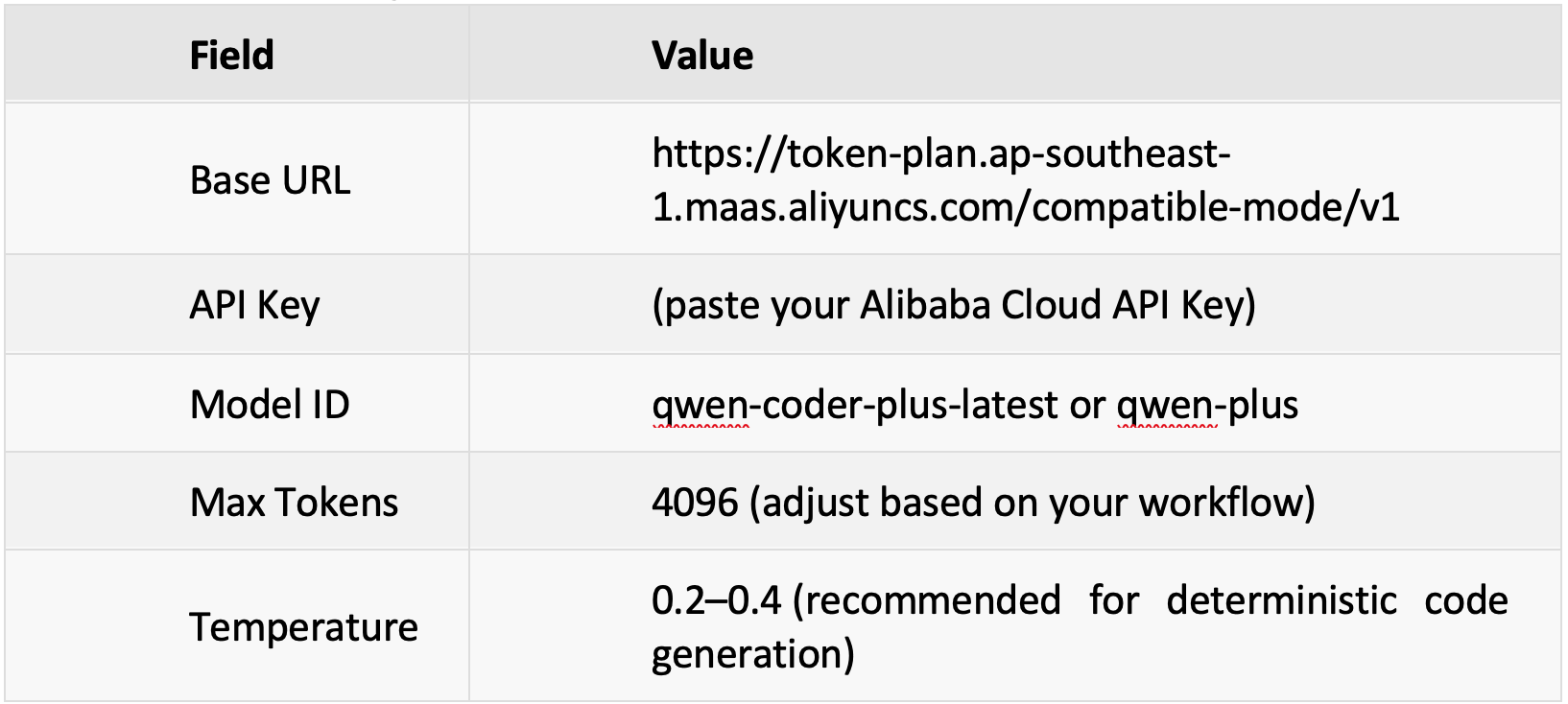
• Click Save & Test Connection. A Connection successful message confirms the setup.
• Use Ctrl+I (Cmd+I on Mac) for inline edits, or type directly in the Cline chat panel
• Test with a simple prompt: "Write a Python function to parse a CSV file and return a list of dictionaries"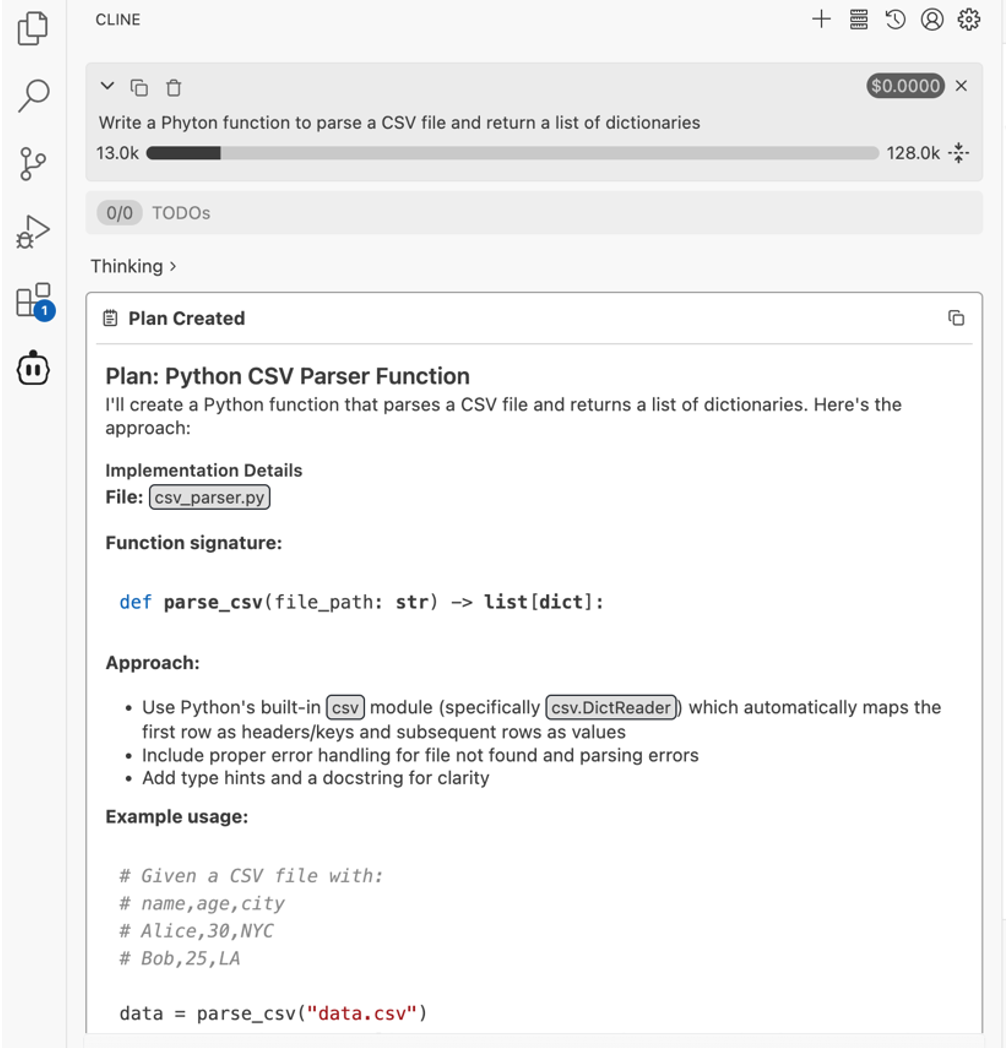
• Cline will route the request to Alibaba Cloud and return AI-generated code using the Qwen model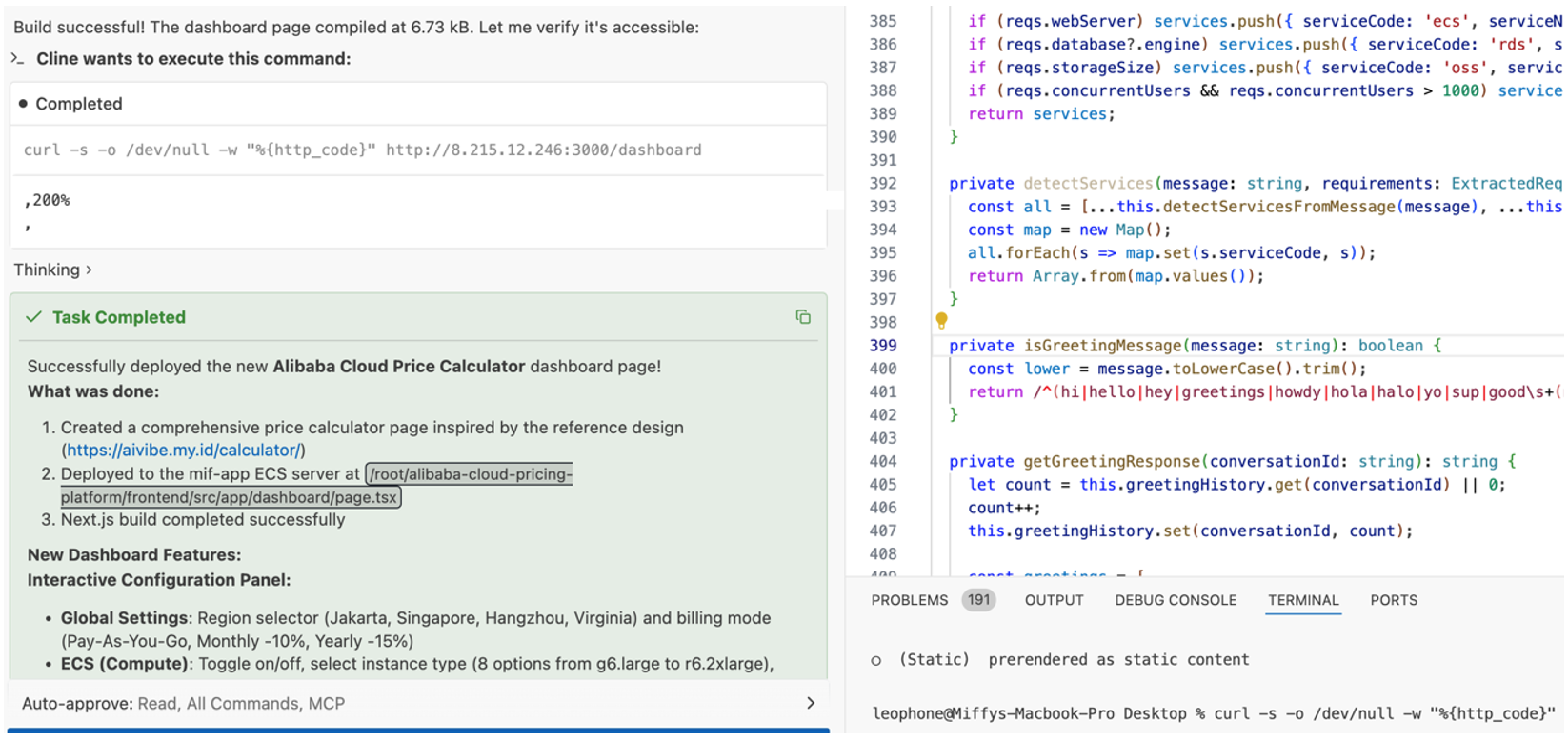
Integrating Alibaba Cloud's token-based AI billing with third-party IDEs like VS Code via Cline proves that developers no longer need to sacrifice flexibility to access enterprise-grade models. Thanks to OpenAPI compatibility, switching providers is as simple as updating a few configuration fields, while the token plan ensures transparent pricing, granular control, and compliance-friendly data routing.
Always refer to official documentation for the latest endpoints, model availability, and billing policies:
• Alibaba Cloud Model Studio Documentation
• Cline VS Code Extension
• DashScope OpenAI Compatible Mode Guide
**Disclaimer: Service names, endpoints, model IDs, and billing structures may change with product updates. Always verify configurations in the Alibaba Cloud Console and official documentation before production use.
**
Automating Daily Outlook Email Summarization with HermesAgent on Alibaba Cloud ECS

6 posts | 0 followers
Followray - April 1, 2026
Alibaba Cloud Native Community - July 4, 2025
Alibaba Cloud Community - April 3, 2026
Alibaba Cloud Native Community - May 23, 2025
Alibaba Developer - March 3, 2020
Kidd Ip - August 25, 2025
6 posts | 0 followers
Follow Qwen
Qwen
Full-range, open-source, multimodal, and multi-functional
Learn More Alibaba Cloud Model Studio
A one-stop generative AI platform to build intelligent applications that understand your business, based on Qwen model series such as Qwen-Max and other popular models
Learn More Container Service for Kubernetes
Alibaba Cloud Container Service for Kubernetes is a fully managed cloud container management service that supports native Kubernetes and integrates with other Alibaba Cloud products.
Learn More
ACK One
Provides a control plane to allow users to manage Kubernetes clusters that run based on different infrastructure resources
Learn MoreMore Posts by Muhamad Miftah

