An outdated Pandora version can cause runtime exceptions such as ClassNotFoundException or LinkageError. This topic describes how to identify version-related errors and upgrade Pandora in Enterprise Distributed Application Service (EDAS), Ali-Tomcat + Pandora, and Pandora Boot.
Symptoms of an outdated Pandora version
If your application throws any of the following exceptions at startup or runtime, and the stack trace references classes prefixed with com.taobao, com.alibaba, or com.aliware, upgrade Pandora to resolve the issue:
java.lang.LinkageErrorjava.lang.ClassNotFoundExceptionjava.lang.NoSuchMethodErrorjava.lang.NoClassDefFoundErrororg.springframework.beans.NotWritablePropertyException: Invalid property 'xxxxxx' of bean class [com.alibaba.xxxxxx]:RuntimeException("Can not load this fake sdk class")
Select the upgrade method that matches your deployment mode.
Upgrade Pandora in EDAS
Open the Application Details page in the EDAS console.
Click Container Version.
Find the latest version and click Upgrade to This Version.
Upgrade Pandora in Ali-Tomcat + Pandora
If you developed your application with Ali-Tomcat + Pandora, upgrade by replacing the local Pandora files.
Prerequisites
Before you begin, make sure that you have:
The latest Pandora package downloaded from the EDAS-Container release notes
The Ali-Tomcat installation path (default:
/home/admin/tomcat)
Procedure
Remove the existing Pandora files:
rm -rf /home/admin/tomcat/deploy/taobao-hsf.sarNote/home/admin/tomcatis the default Ali-Tomcat installation directory. If Ali-Tomcat is installed in a different directory, replace this path accordingly. Pandora must reside inside the Ali-Tomcat installation directory.Move the downloaded Pandora package to the Ali-Tomcat
deploydirectory:mv /home/admin/downloads/taobao-hsf.tgz /home/admin/tomcat/deployNoteReplace
/home/admin/downloads/taobao-hsf.tgzwith your actual download path, and/home/admin/tomcatwith your Ali-Tomcat installation directory if different from the default.Decompress the package:
tar -zxvf /home/admin/tomcat/deploy/taobao-hsf.tgz
Upgrade Pandora in Pandora Boot
If you use Pandora Boot, add the -U flag when you build with Maven to force a dependency update:
mvn clean package -URun this command in your project root directory. Maven downloads the latest Pandora dependency and packages it with your application.
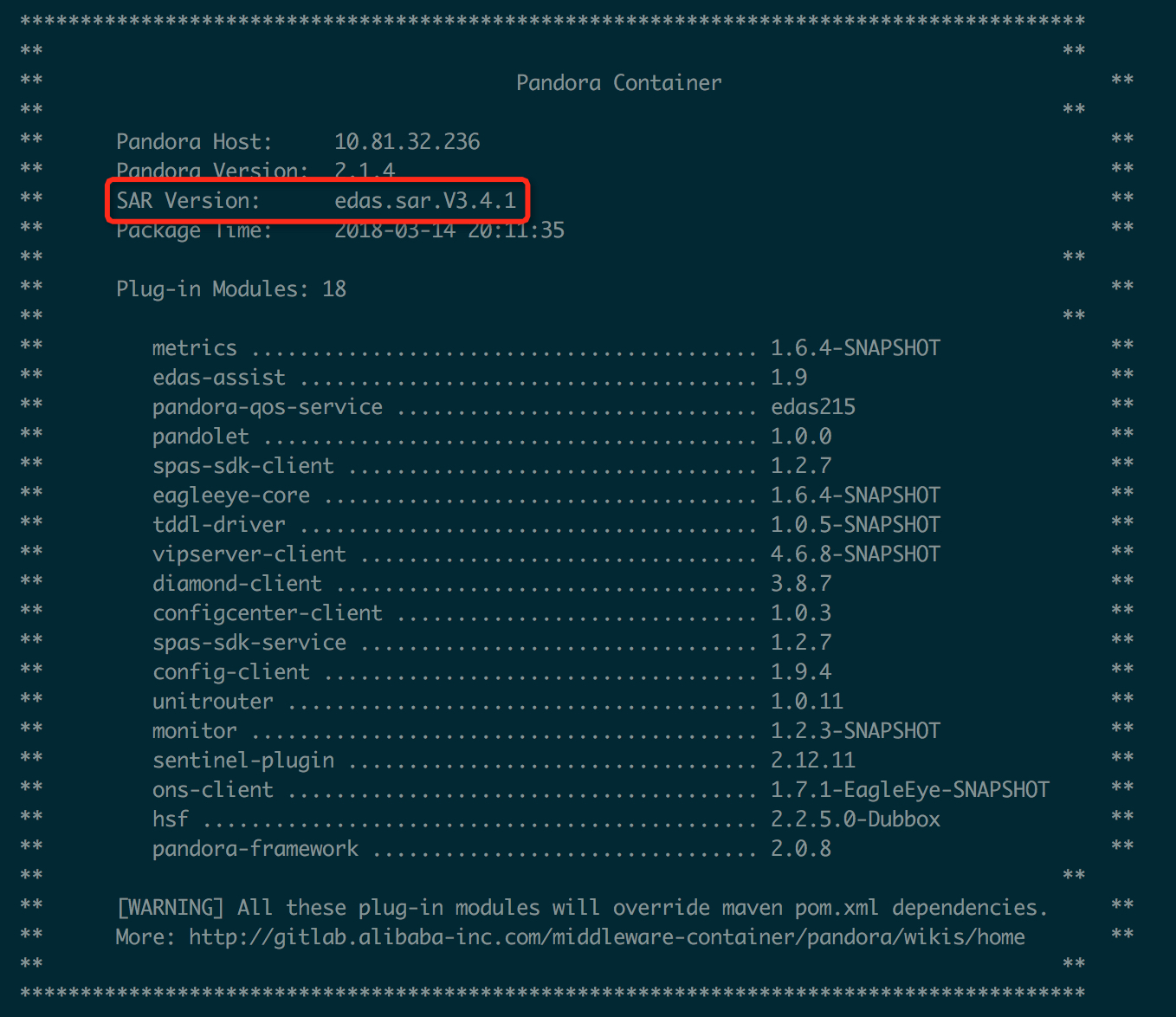
Check the current Pandora version
After your application starts, the Pandora version appears in the console output of your development environment. Look for the SAR Version field.