This topic describes how to modify the scheduled restart time in the Elastic Compute Service (ECS) console.
Prerequisites
A system event that requires an instance restart has been scheduled.
Background information
You can modify the execution time of a system event in the ECS console or manually restart an instance before the scheduled restart time. This operation is applicable only to system events that have restart plans, such as a restart required for system maintenance.
Procedure
Go to ECS console - Events.
On the Events page, click Scheduled O&M Events.
On the Scheduled O&M Events page, on the ECS Instances tab, find the instance with the scheduled restart event, and click Schedule Restart in the Actions column.
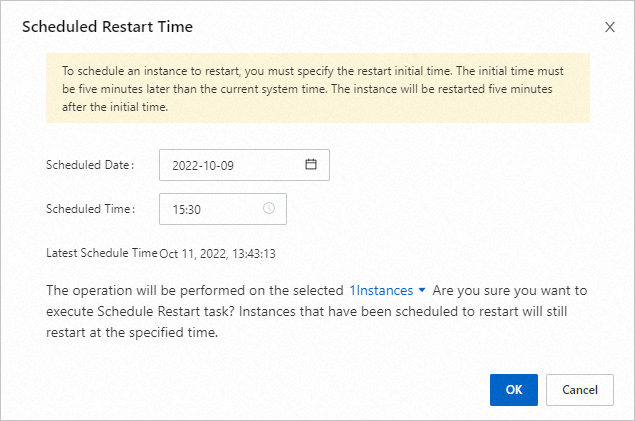
In the Scheduled Restart Time dialog box, specify Scheduled Date and Scheduled Time.
NoteThe scheduled restart time cannot be later than the Latest Schedule Time. The Latest Schedule Time is 30 minutes earlier than the event's Scheduled Execution Time.
Click OK.