This topic shows you how to enable TCP Selective Acknowledgment (SACK) on Linux Elastic Compute Service (ECS) instances.
Disabling TCP SACK on an ECS instance can degrade its network performance.
Procedure
These steps use CentOS 7.4 as an example. The procedure may differ for other operating systems. For specific instructions, refer to the official documentation for your OS.
Connect to the Linux ECS instance by using Virtual Network Computing (VNC).
For more information, see Connect to an instance using VNC.
Edit the
/etc/sysctl.conffile.vim /etc/sysctl.confEnable TCP SACK.
If the
net.ipv4.tcp_sackparameter already exists:Press
ito enter Insert mode.Change
net.ipv4.tcp_sack = 0tonet.ipv4.tcp_sack = 1.Press
Escto exit Insert mode, then enter:wqand pressEnterto save the file and exit.
If the
net.ipv4.tcp_sackparameter does not exist:Press
ito enter Insert mode.Add the following line to the end of the file:
net.ipv4.tcp_sack = 1Your file should now look similar to the following:
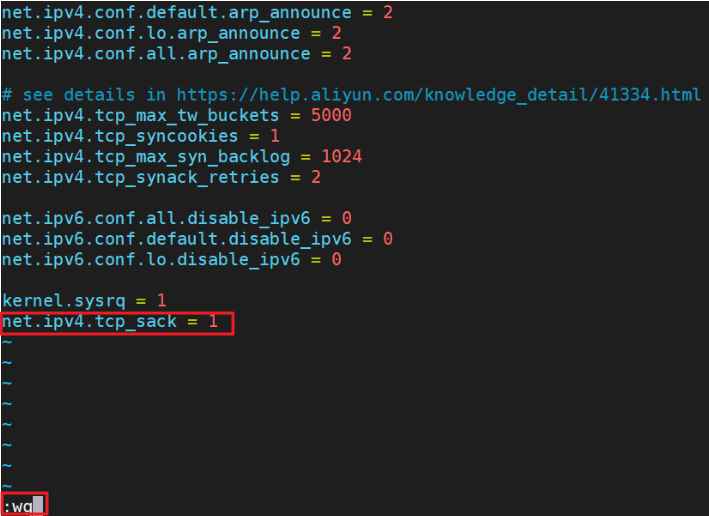
Press
Escto exit Insert mode, then enter:wqand pressEnterto save the file and exit.
To apply the changes, run the following command:
sysctl -p