CADT system policies
Cloud Architect Design Tools (CADT) supports three system policies. The following table describes the policies.
|
CADT system policy |
Description |
|
AliyunCADTReadOnlyAccess |
Permissions to manage CADT with read-only access. |
|
AliyunCADTImportAccess |
Permissions to discover and import resources using CADT. |
|
AliyunCADTFullAccess |
Permissions to manage CADT. |
CADT is a service for cloud product configuration and deployment. These policies are typically used with the system policies of other products to perform operations management on resources.
|
Permission |
Description |
System policy configuration |
Document |
|
Read-only permission |
Grants read-only access to CADT applications and Alibaba Cloud resources. This permission lets you view applications and graphs in CADT, and view information such as Elastic Compute Service (ECS) IP addresses, hostnames, and ApsaraDB RDS database addresses for daily development and testing. |
|
|
|
Import permission |
Lets you use CADT to discover resources on Alibaba Cloud, create graphs, and create applications. This permission also lets you create applications, configure resources, import existing resources, validate resources, perform pricing, and view reports in CADT. You cannot deploy resources with this permission. |
|
|
|
Management permission |
Grants full management permissions for CADT and its corresponding resources. |
|
Preparations
Create a CADT test application
For testing purposes, use your Alibaba Cloud account to deploy a simple application that consists of an ECS instance and an elastic IP address (EIP) using CADT. Name the application CADT-Test. For more information, see Best practice for creating a simple application with Cloud Architect Design Tools. If you already have an application, skip this step.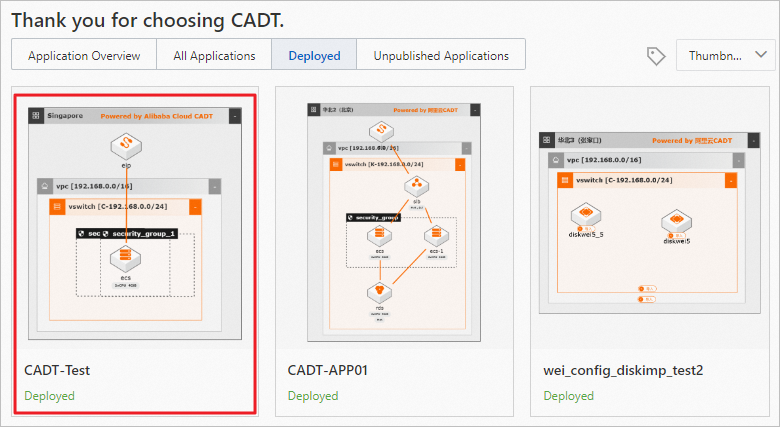
Create a RAM test user
-
Log on to the Resource Access Management (RAM) console.
-
Create a test user named `cadt-user`. For more information, see Create a RAM userCreate a RAM user.
