This feature is currently available only in the China (Hong Kong) and Malaysia sites. It will be rolled out to other sites soon.
Intelligent Query Resource Management
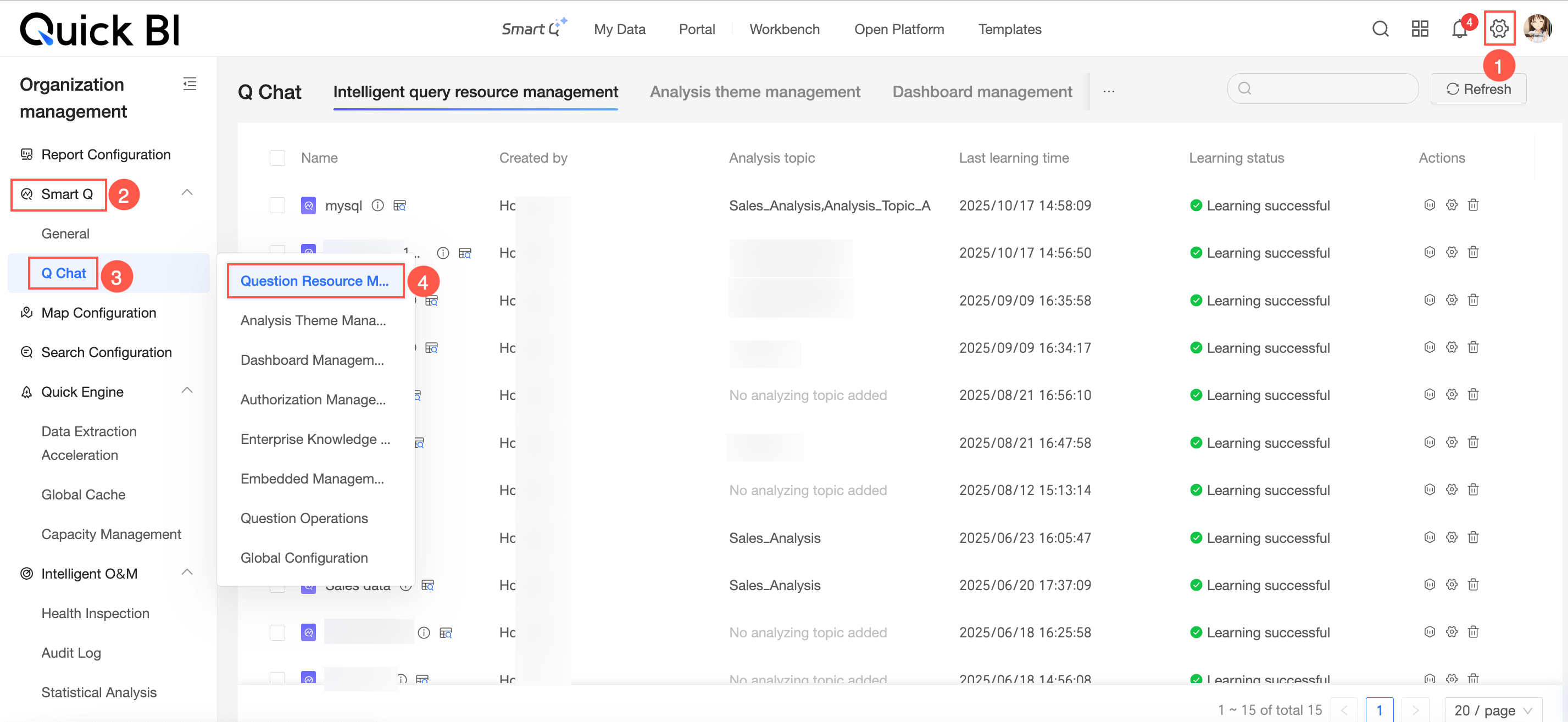
Access
You can access the Data query resource management interface as shown in the figure.
View
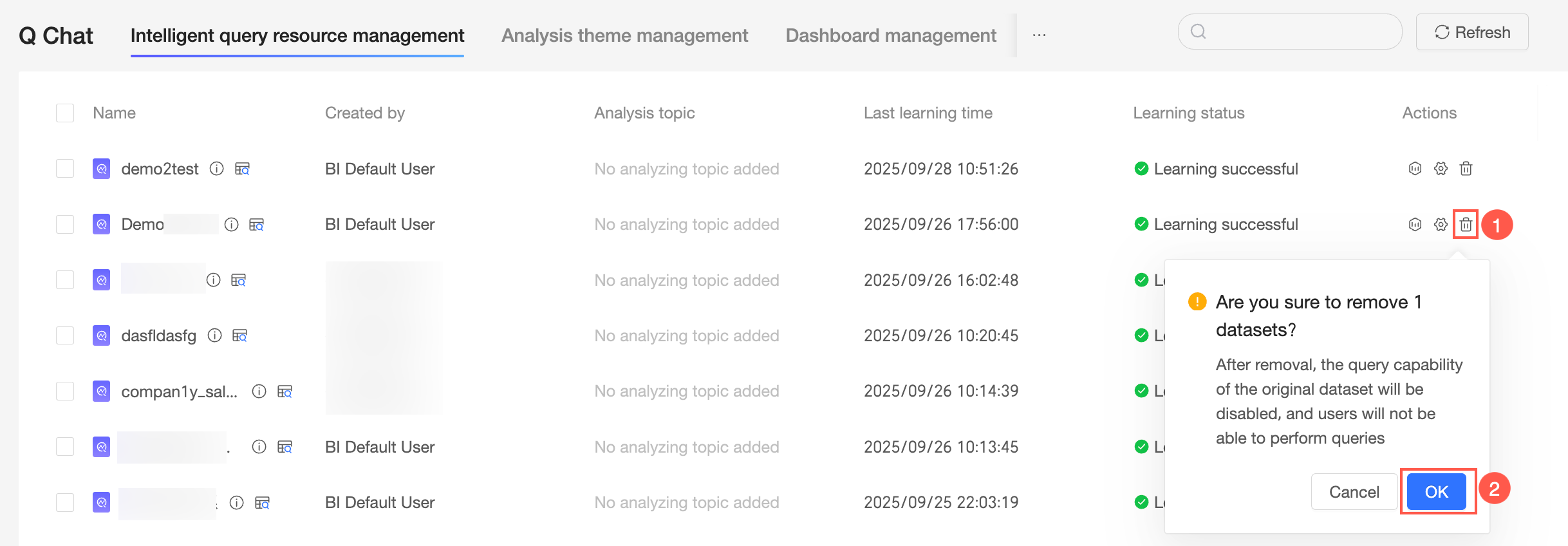
You can view the name, creator, analysis subject, last learning time, and learning status of data query resources.
Hover over the
 icon to view the dataset name, dataset workspace, and dataset modification time.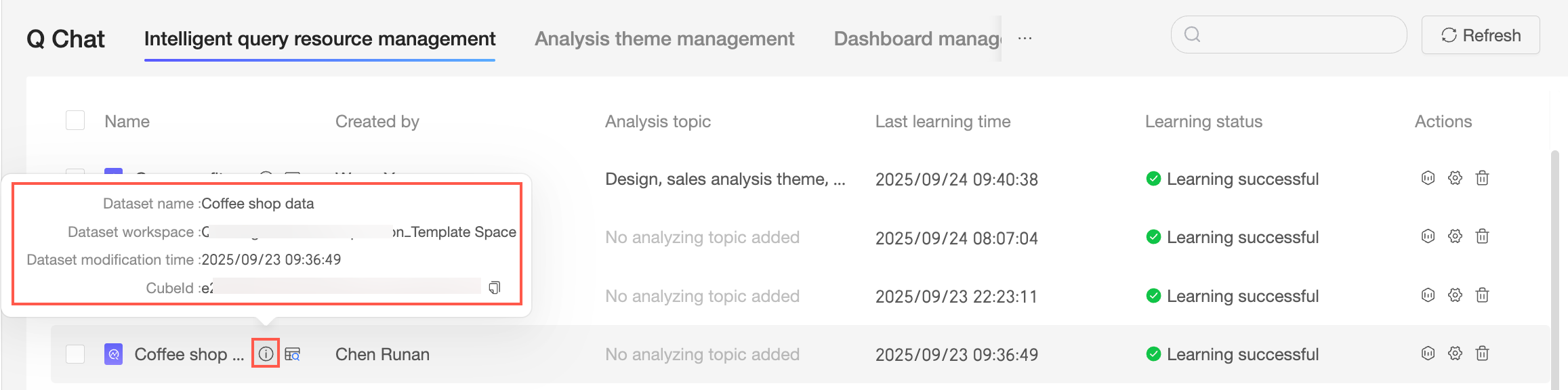
Click the
 icon to preview data.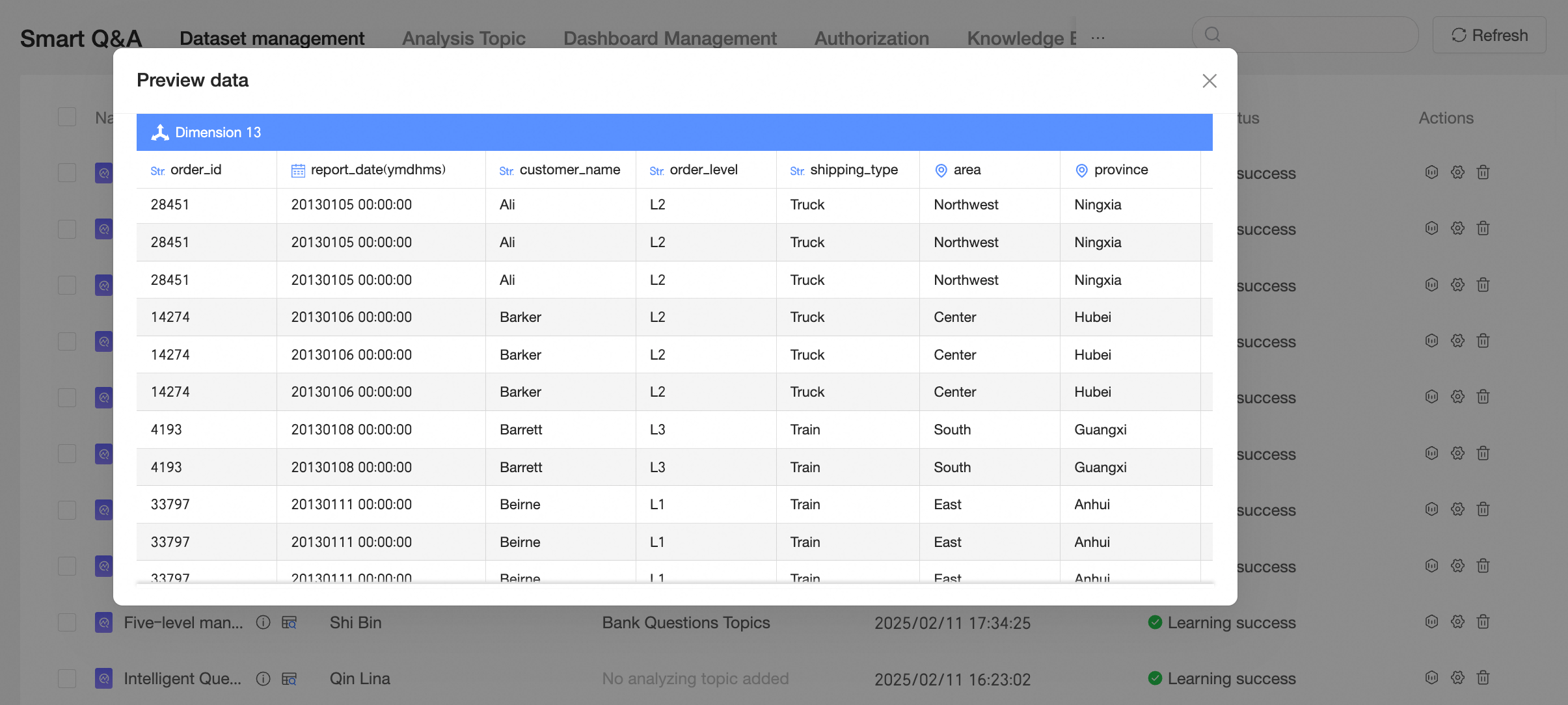
Operations
You can perform the following operations in the data query resource management interface.
Rename
Hover your mouse over the name of the target data source and double-click to modify the dataset alias.

Learn data
Click the
 icon to relearn the current dataset.
Remove
Click the
 icon to remove the current data query resource.
 Note
NoteAfter removal, the data query capability of the original dataset will be disabled, and users will not be able to query data.
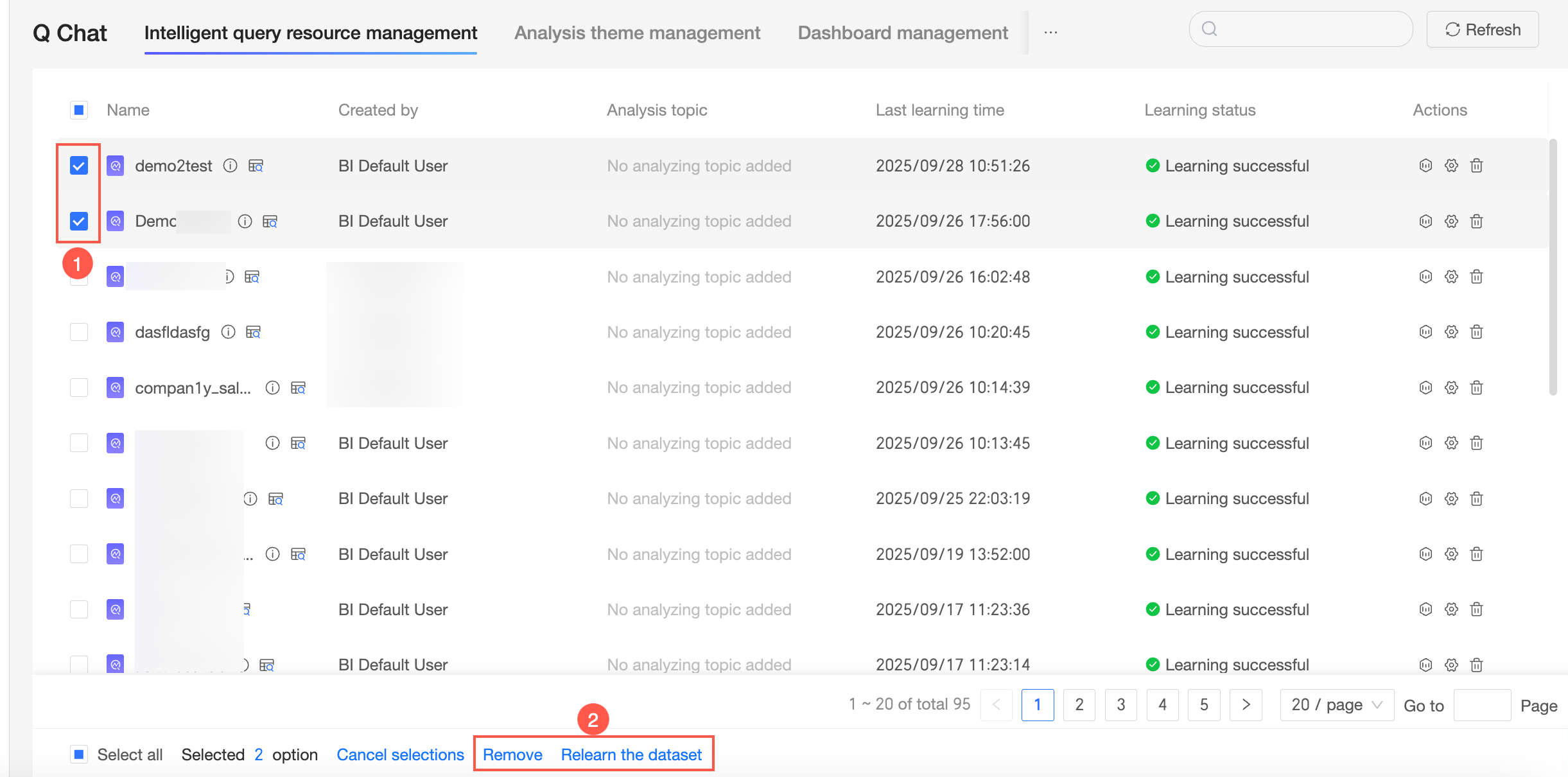
Batch operations
You can select multiple data query resources to remove or relearn datasets in batch.