1. What is Face Compare?
Face Compare compares two incoming face images, determines whether the two faces are the same person, and outputs the comparison results of the two face images. It supports incoming live face images and ID card face images.
1.1 Accessibility modes
Face Compare provides an API access mode for you to access the ZOLOZ service. For more information, see Understand integration modes.
1.2 Use flow
The use flow of Face Compare is shown below:
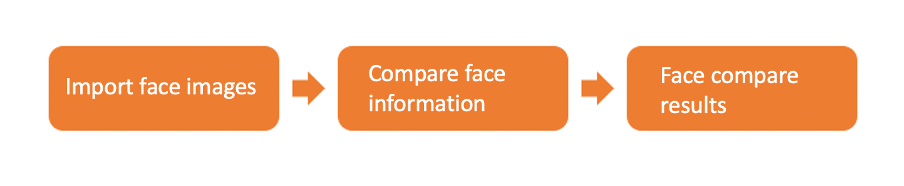
Figure 1: Face compare use flow illustration
Import face images
Call the API to pass in two face images. The requirements for the incoming face images are as follows:
Image format: Base64 encoded image in JPG format.
Image size: The size of the image should not exceed 10MB.
Multiple face situation: If there are multiple faces in the picture, the largest face will be selected for face comparison.
Compare face information
The algorithm extracts the face feature data from the incoming face images and calculates the similarity between the face feature data of the two images to derive the face similarity score. The higher the face similarity score the higher the similarity. When the face similarity score is higher than the threshold set by ZOLOZ, the algorithm determines that the two faces belong to the same person.
Face Compare results
By comparing the two incoming face images, the Face Compare API will return the similarity score of the two faces and determine whether these two faces belong to the same person.
Face similarity score: Ranges between 0~100; the higher the score, the higher the similarity.
Face comparison result: If the face similarity score is higher than the threshold set by ZOLOZ, the algorithm will determine that the two faces belong to the same person. Otherwise, it will determine that they are not of the same person. The default threshold has a false recognition rate of 1 in 100,000.
1.3 Face compare results
Field name | Meaning | Description |
samePerson | Face matching results | The face matching result will be returned as either true/false:
|
score | Face matching score | Similarity score for face matching.
|
2. Advantages
2.1 Advanced Algorithms
Based on industry-leading machine learning technology, Face Compare has been trained on massive amounts of data and performs with a has high face matching accuracy.
2.2 Stable and reliable
Face Compare has been successfully applied to multiple scenarios and core businesses in various industries locally and abroad, such as in banking and e-commerce, and delivers stable and reliable services to users.
2.3 Fully automated process
The entire process is automated, and there is no need to wait for immediate results. Face Compare results are available within 10 seconds on average; providing your users with a great user experience while helping you save on labor costs.
3. Common scenarios
3.1 Remote identity authentication
For scenarios such as online account opening or account creation, it verifies whether the user's identity document and the user himself are the same person, and improves the efficiency of information processing.
3.2 Face verification
In industries such as finance, insurance, life services, healthcare education, transportation and more, where users perform risky operations; they will need to verify users’ identity and confirm whether the user is who they say they are. Face Compare compares the face of the current user with the initial selfie image saved in the system, and verifies whether they belong to the same person.